VNX: How To Set Up Unisphere LDAP Authentication (User Correctable)
Summary: This KB explains how to manage VNX's unisphere using an LDAP user
Acest articol se aplică pentru
Acest articol nu se aplică pentru
Acest articol nu este legat de un produs specific.
Acest articol nu acoperă toate versiunile de produs existente.
Instructions
This KB explains how to manage VNX's unisphere using an LDAP user
The VNX provides three different management user authentication scopes for flexible management options.
The LDAP authentication scope is used when the VNX is configured to bind to an LDAP domain.
The VNX performs an LDAP query to the domain to authenticate the administrative users. LDAP domain users and groups are mapped to user and group IDs on the VNX.
To set up LDAP authentication:


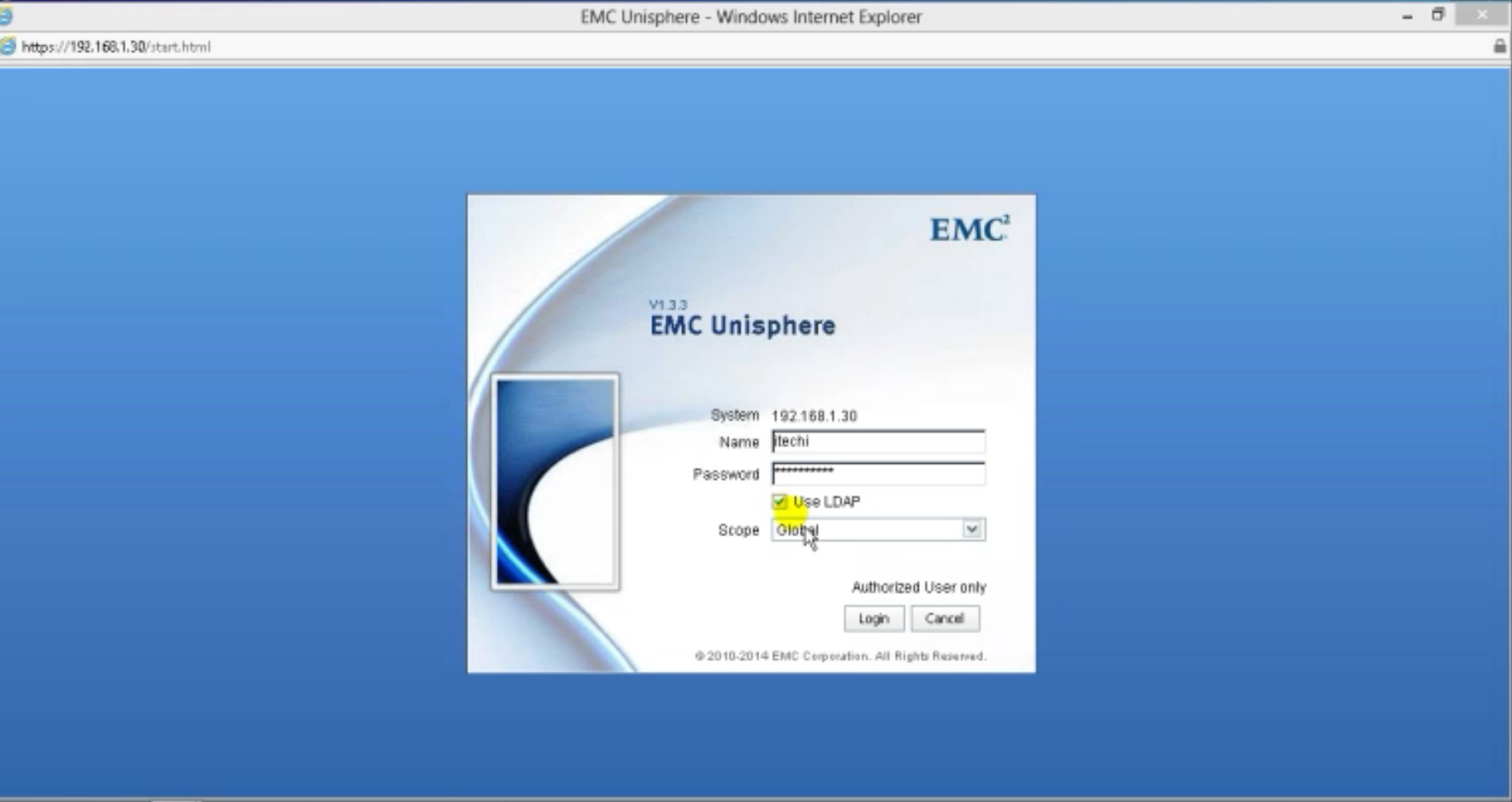
The VNX provides three different management user authentication scopes for flexible management options.
The LDAP authentication scope is used when the VNX is configured to bind to an LDAP domain.
The VNX performs an LDAP query to the domain to authenticate the administrative users. LDAP domain users and groups are mapped to user and group IDs on the VNX.
To set up LDAP authentication:
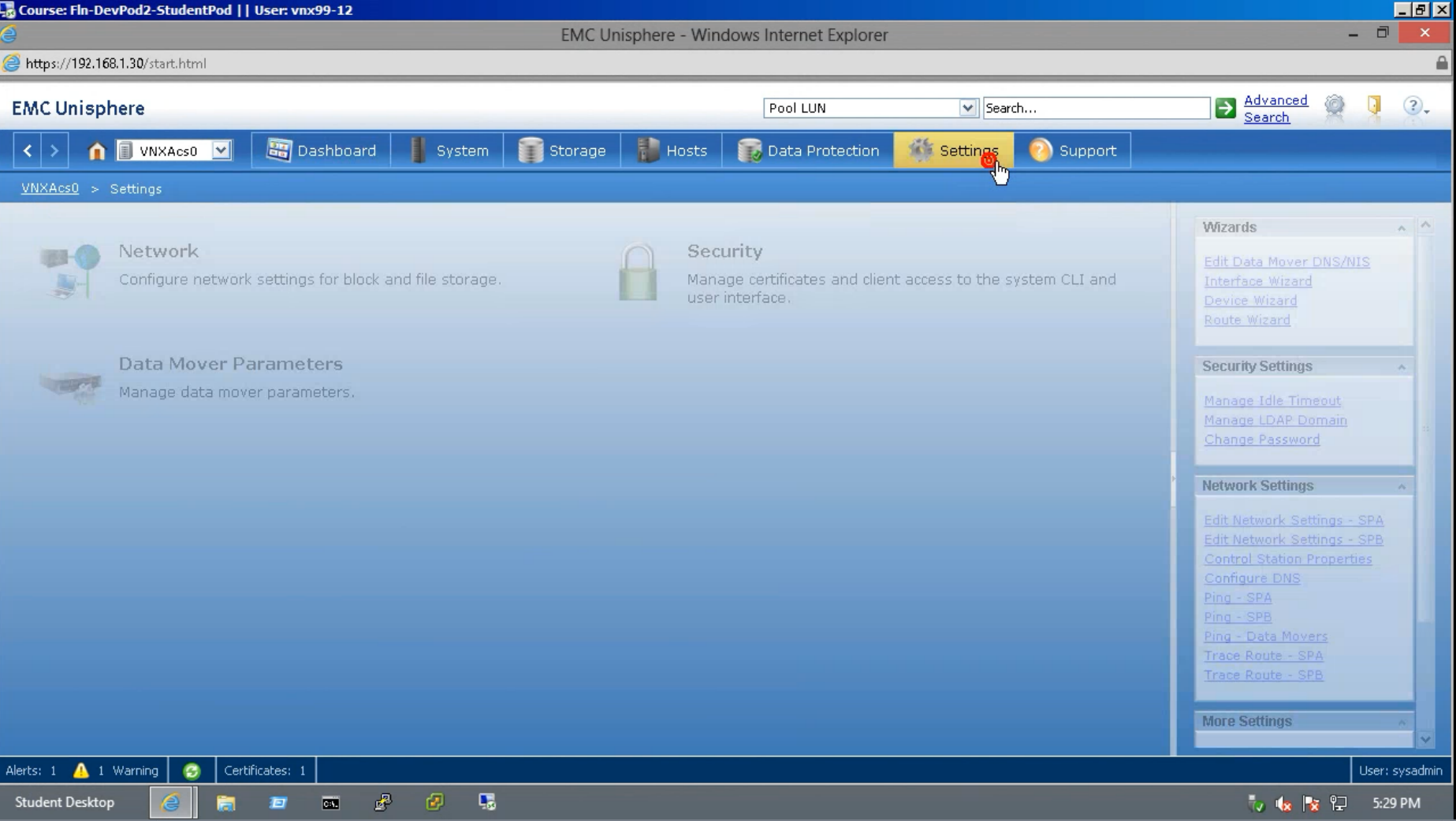
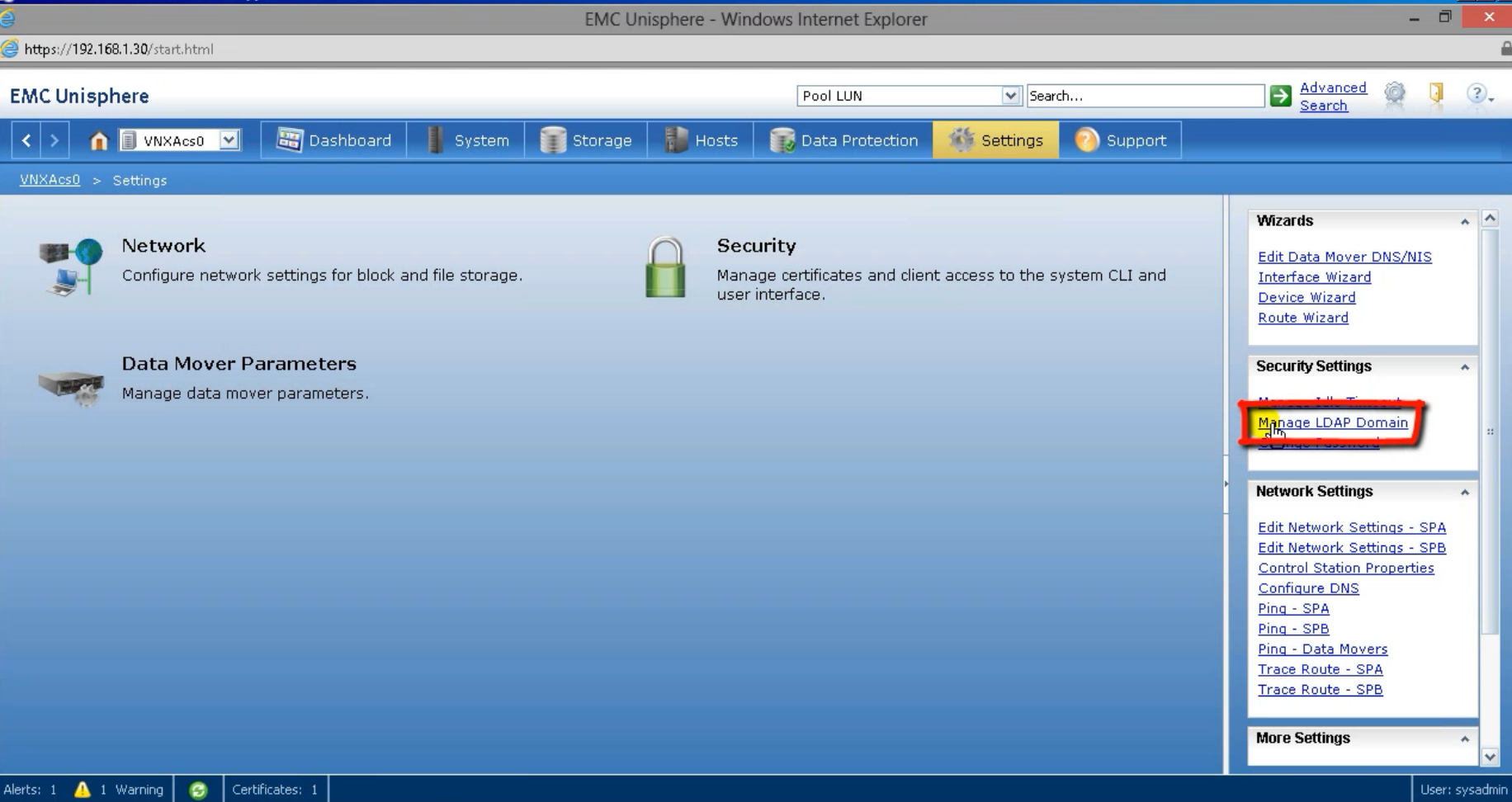
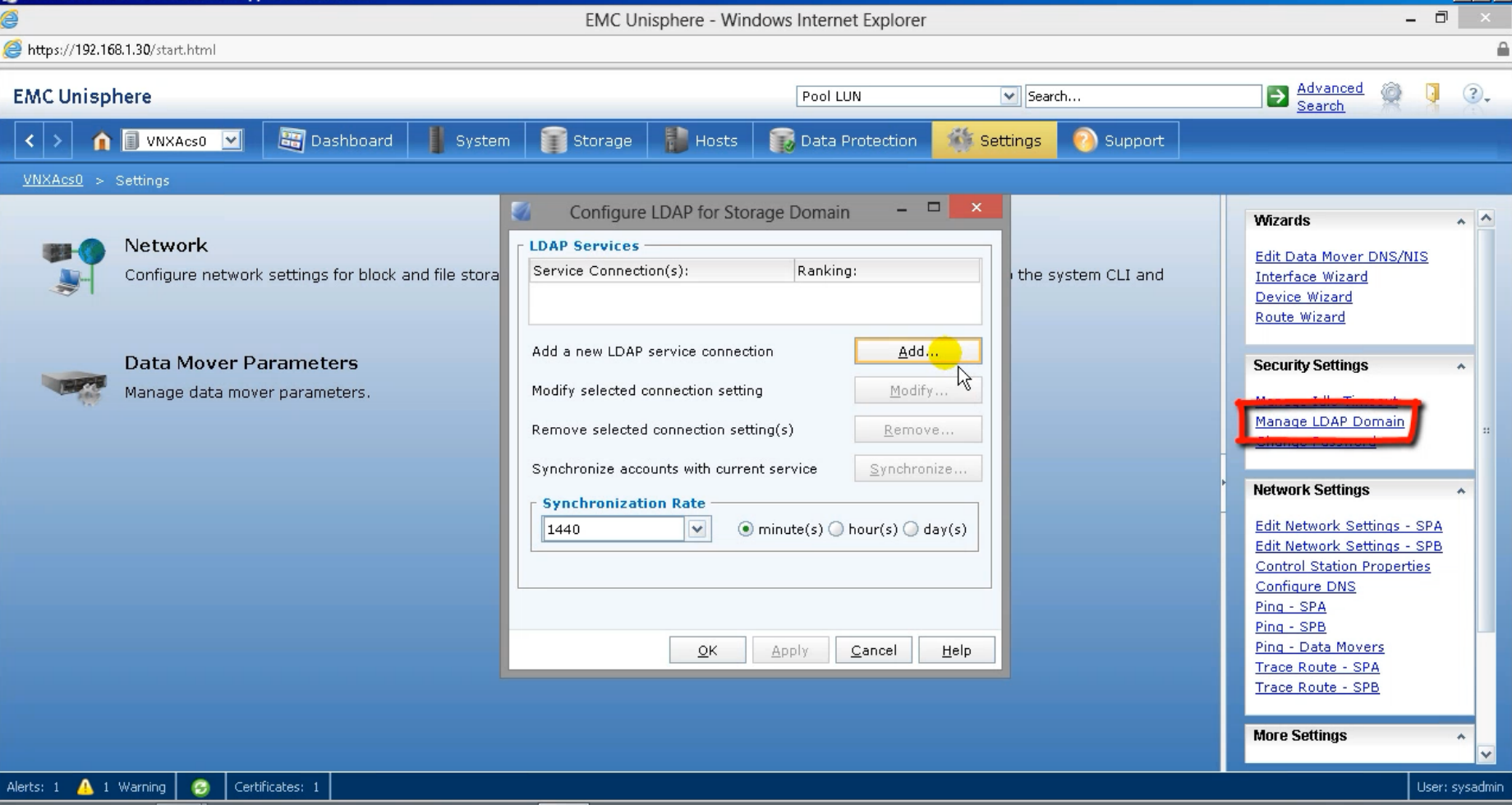
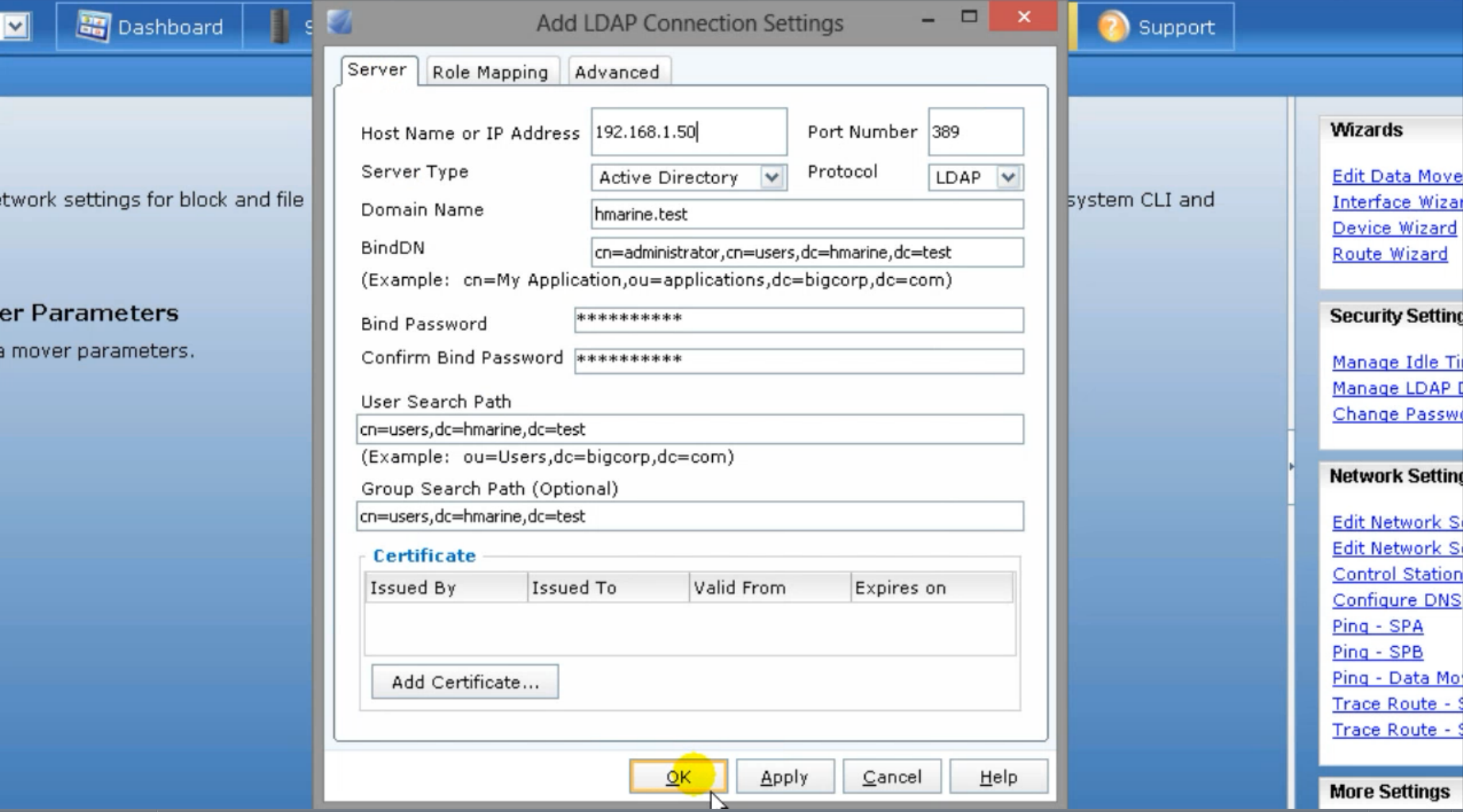
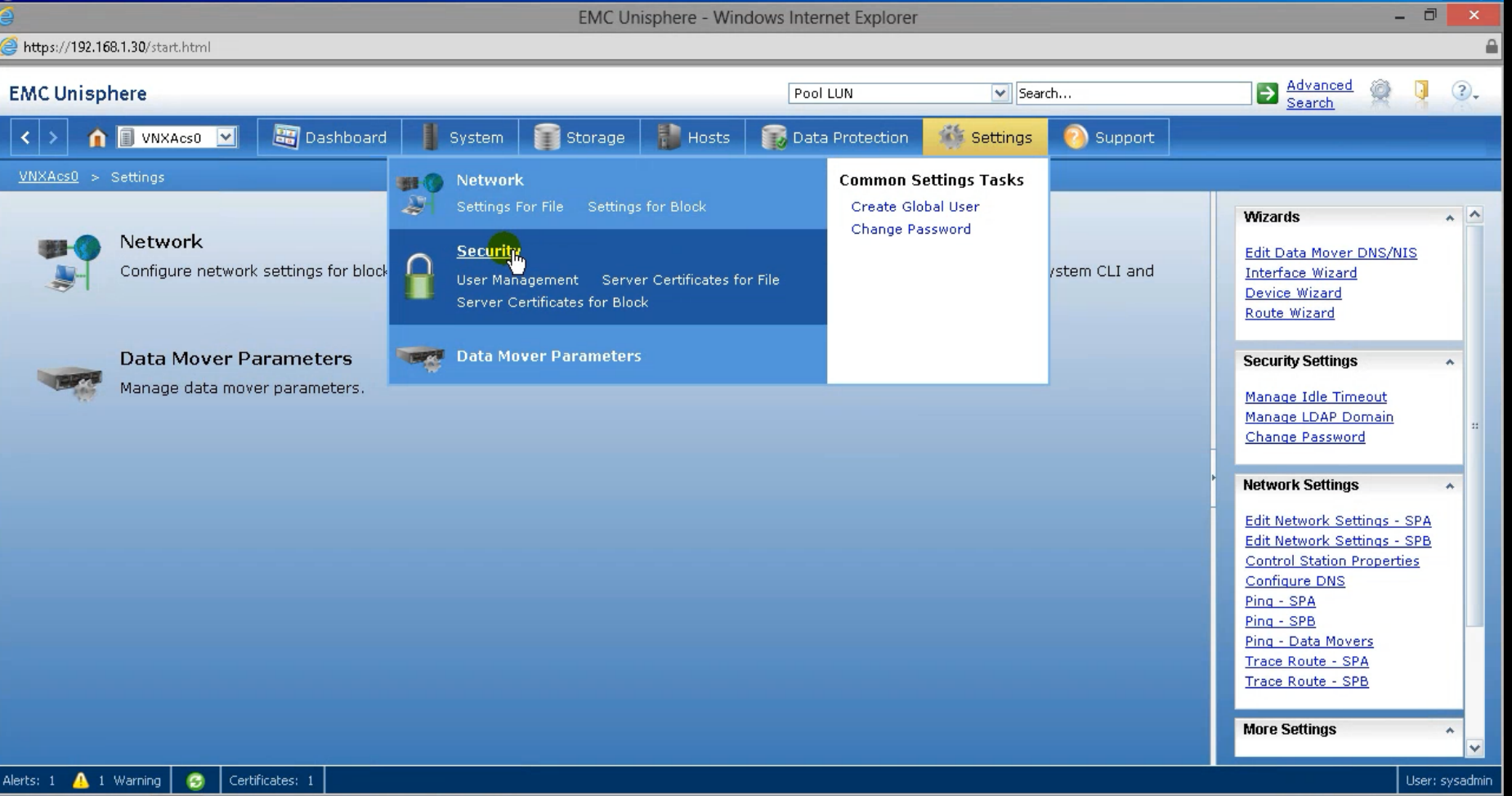
- On UniSphere: Choose the array > settings > Manage LDAP domain > Add
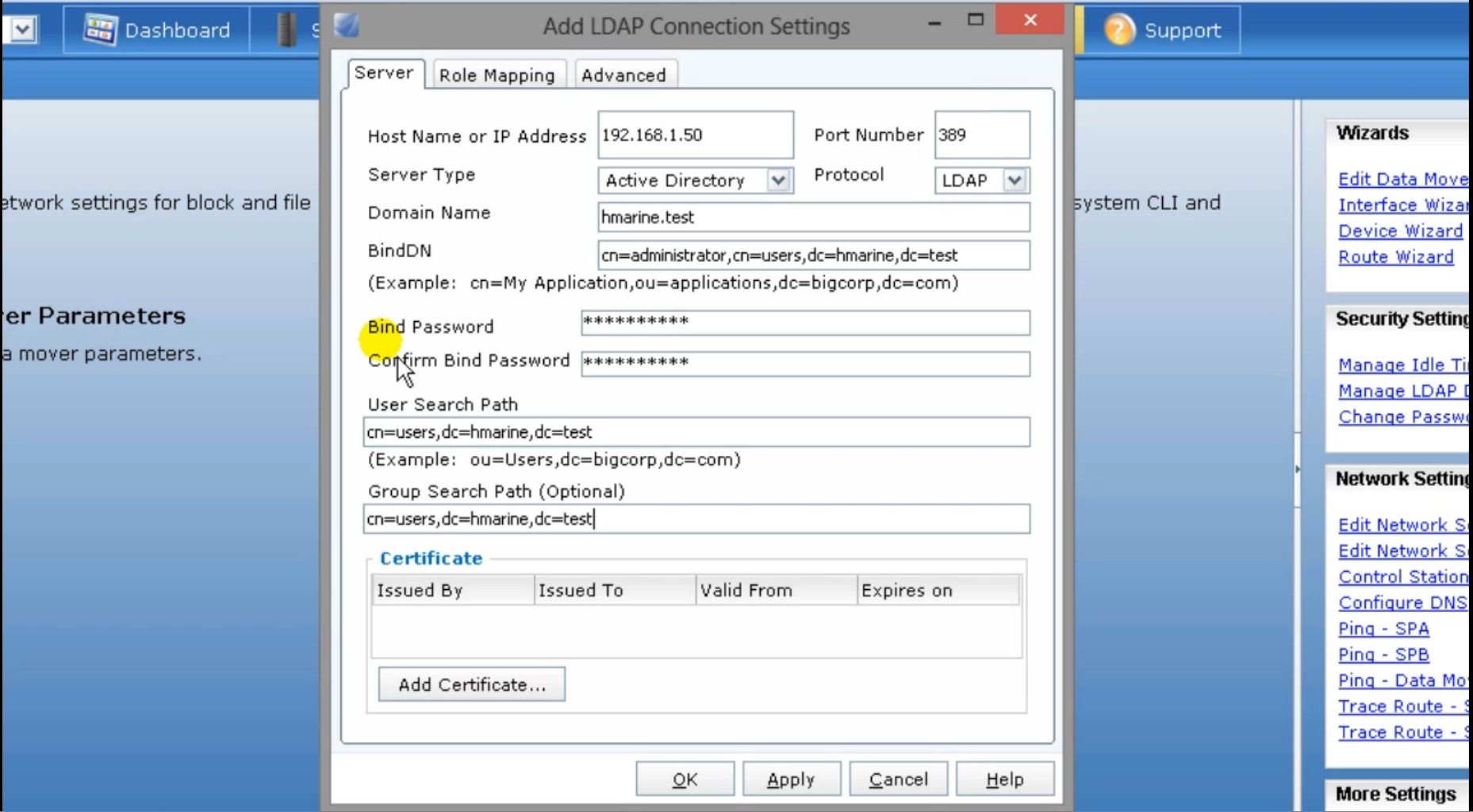
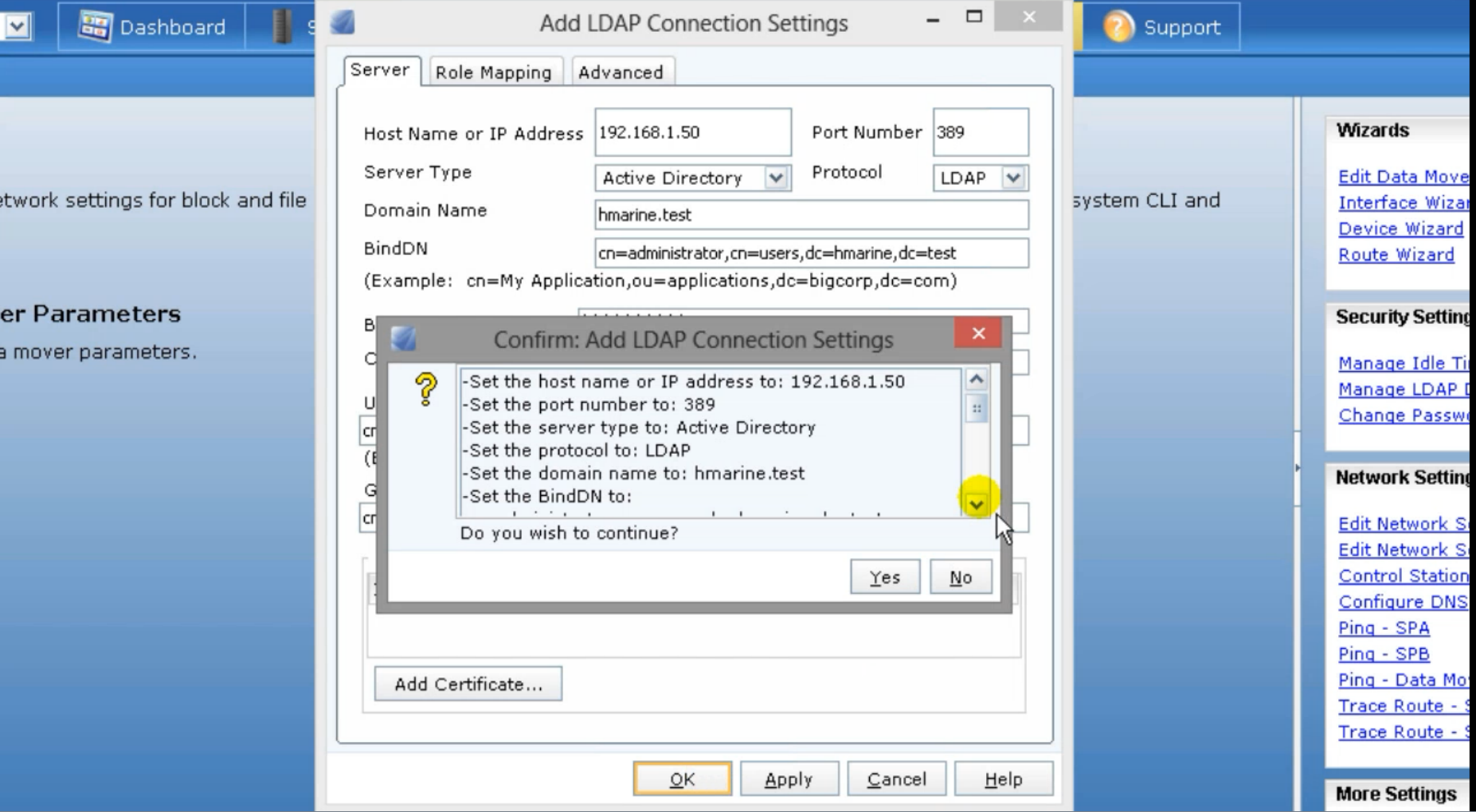
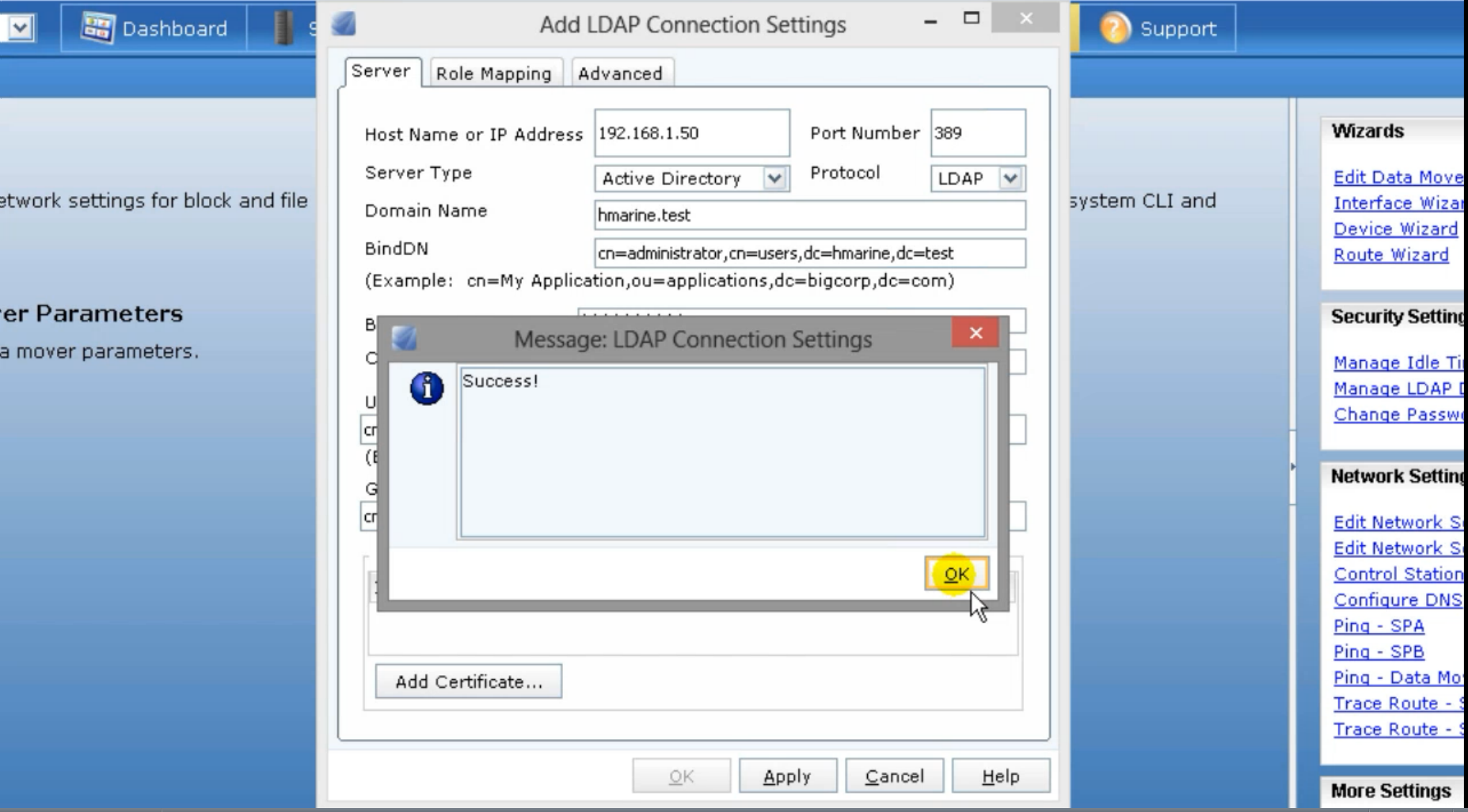
- Add LDAP details then click ok
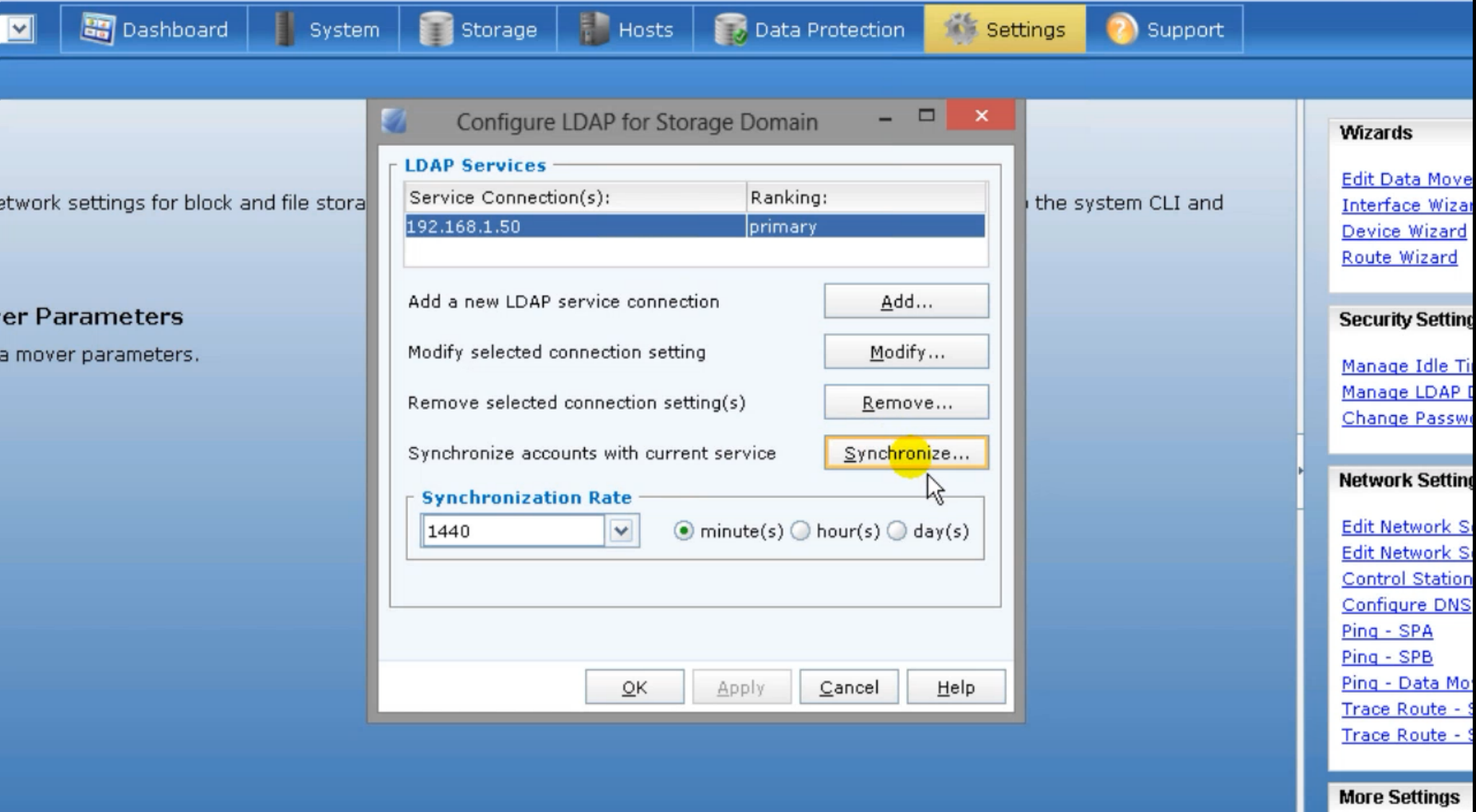
- Click Synchronize and define the desirable synchronization rate
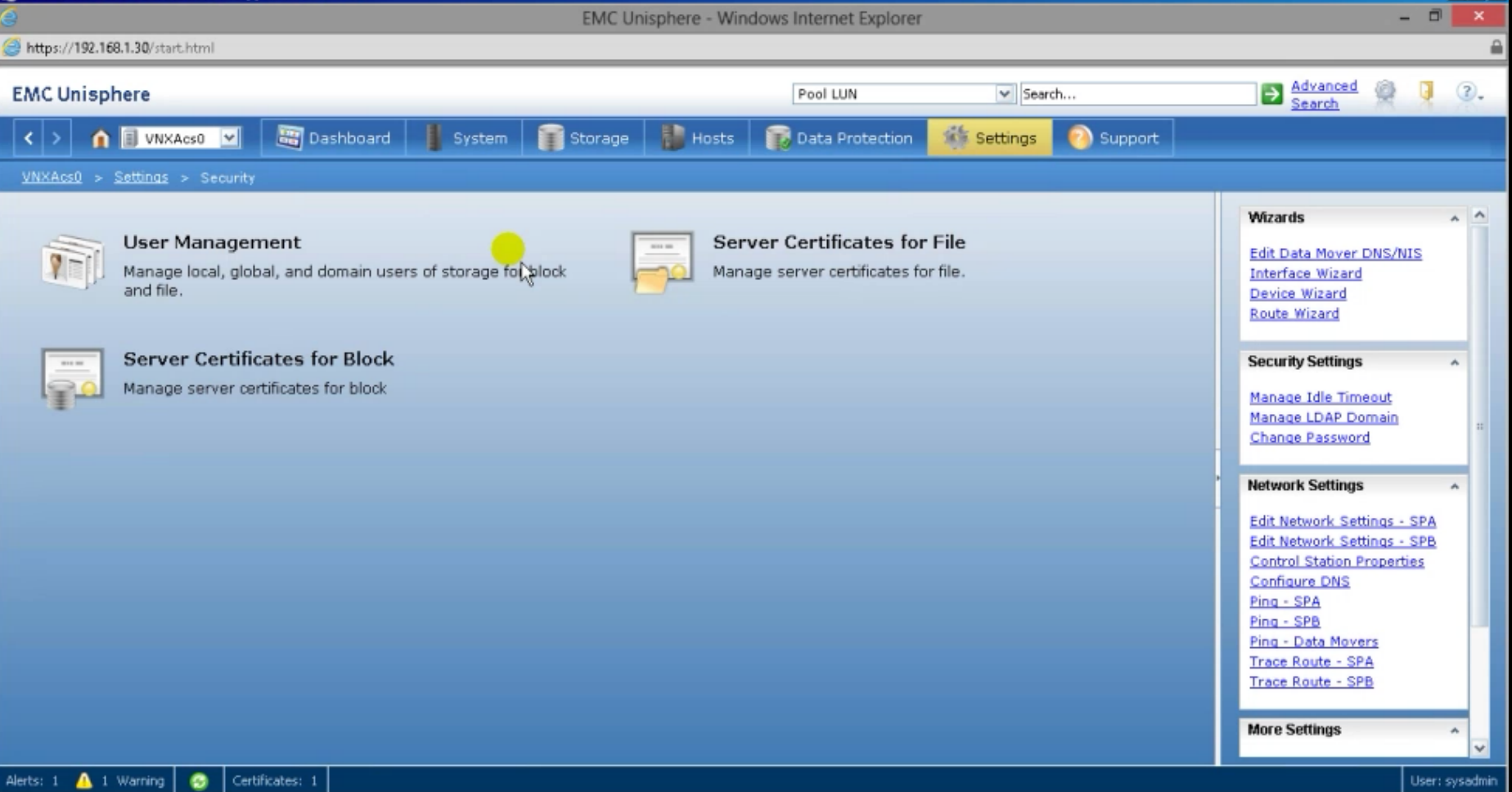
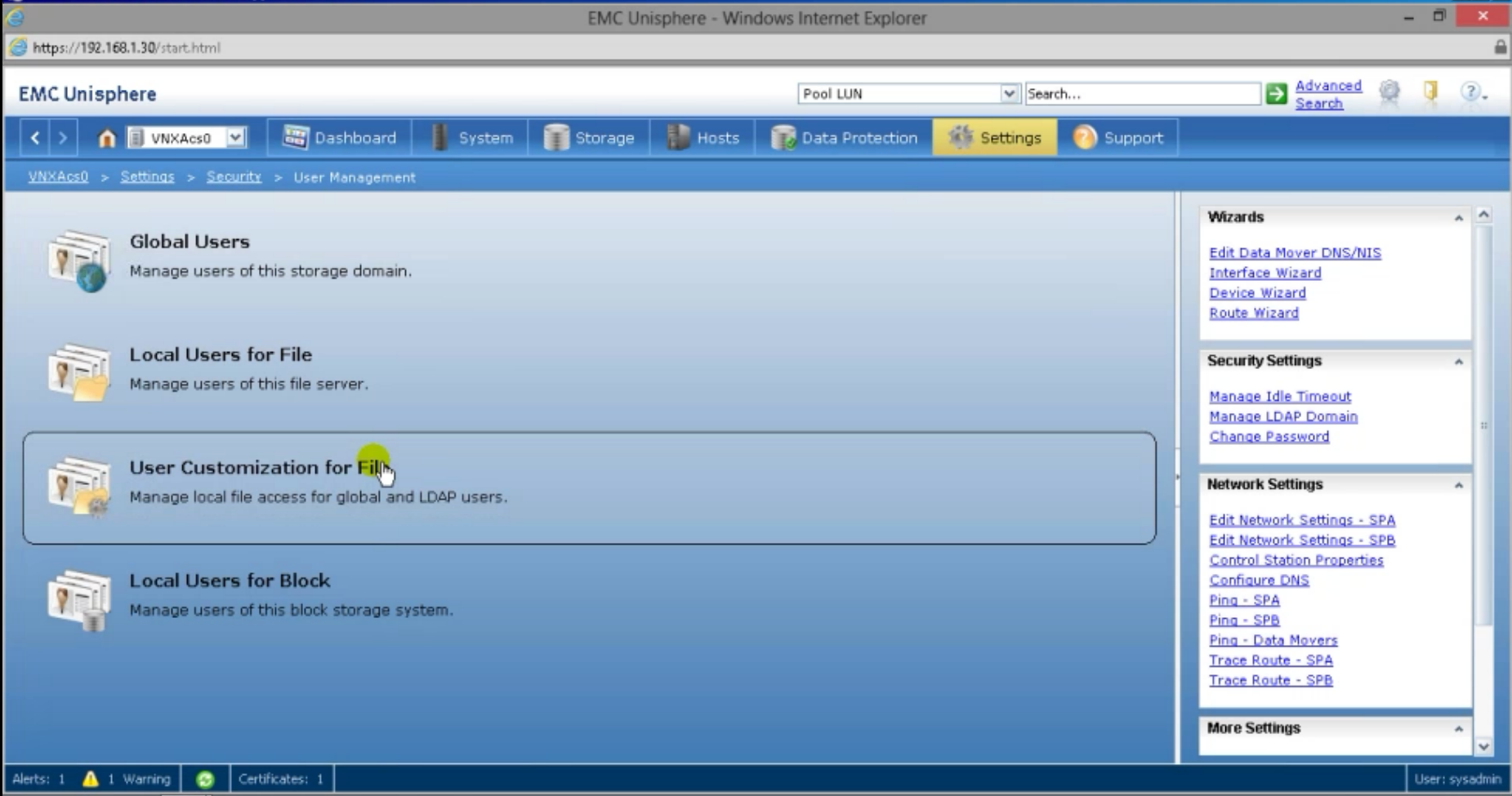
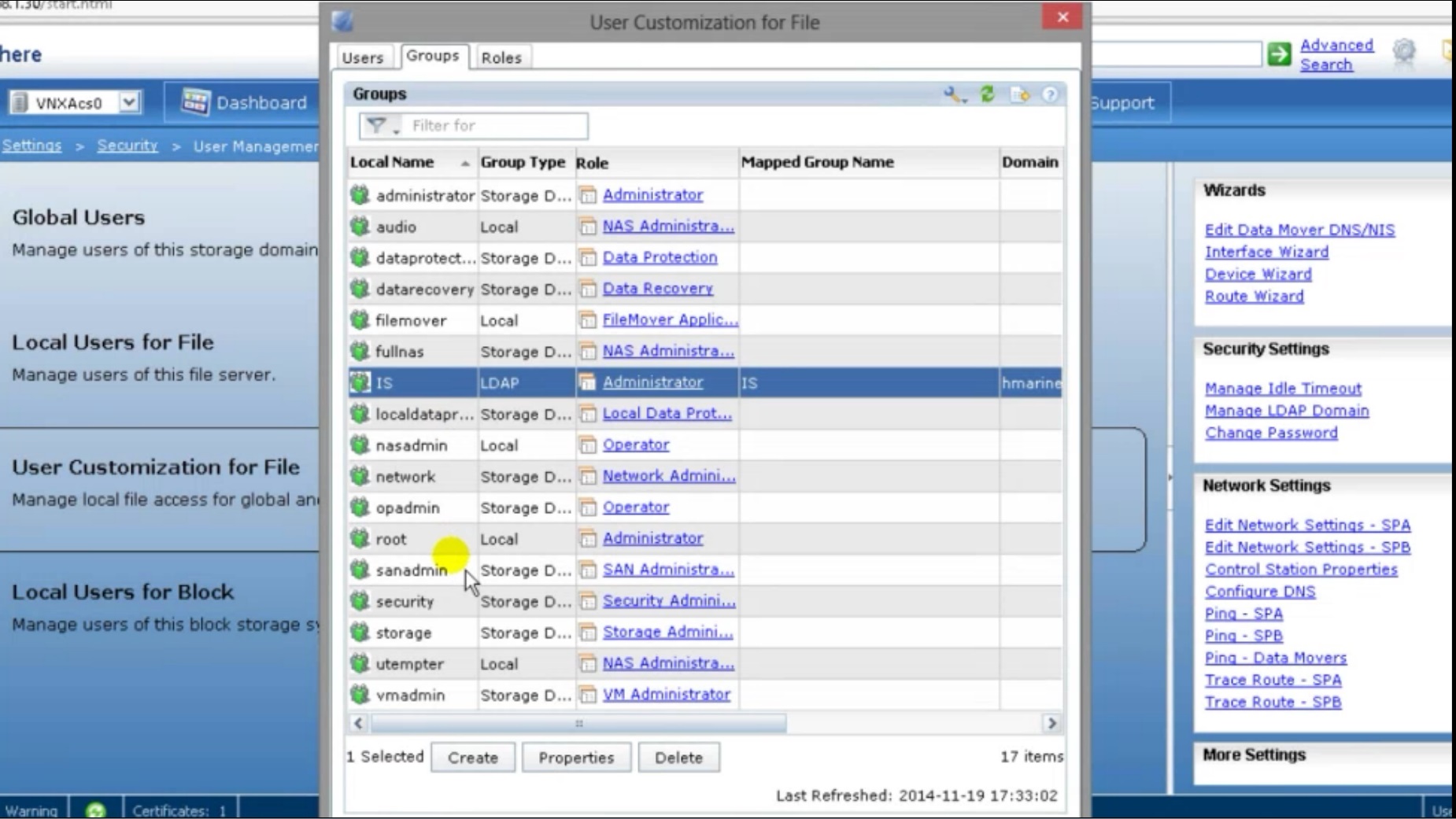
- Confirm that the LDAP group was added successfully and mapped to a unisphere group with role assignement by selecting : settings > security > user management > user customization for file > groups
- Login using an LDAP user which is a member of the added group
Additional Information
- When the use LDAP option is selected during user login, the Global or Local scope setting is disregarded.
- Make sure that the Array is able to access LDAP and there is no firewall or security rules that prevents that.
Produse afectate
Entry Level & MidrangeProprietăți articol
Article Number: 000019503
Article Type: How To
Ultima modificare: 29 iul. 2025
Version: 4
Găsiți răspunsuri la întrebările dvs. de la alți utilizatori Dell
Servicii de asistență
Verificați dacă dispozitivul dvs. este acoperit de serviciile de asistență.