PowerProtect DD System Manager (DDSM) and Data Domain Management Server (DDMC) access fails with AD Authentication
Summary: PowerProtect DD System Manager (DDSM) and Data Domain Management Server (DDMC) access fails with AD Authentication
Acest articol se aplică pentru
Acest articol nu se aplică pentru
Acest articol nu este legat de un produs specific.
Acest articol nu acoperă toate versiunile de produs existente.
Symptoms
The Data Domain appliance has been configured in the environment with Windows Active Directory Access Management. The PowerProtect DD System Manager (DDSM) and Data Domain Management Server (DDMC) authentication works successfully with local users, but fails with Active Directory (AD) users. When using an AD user for authentication, the DDSM login fails with "The user has insufficient privileges to access DD System Manager."
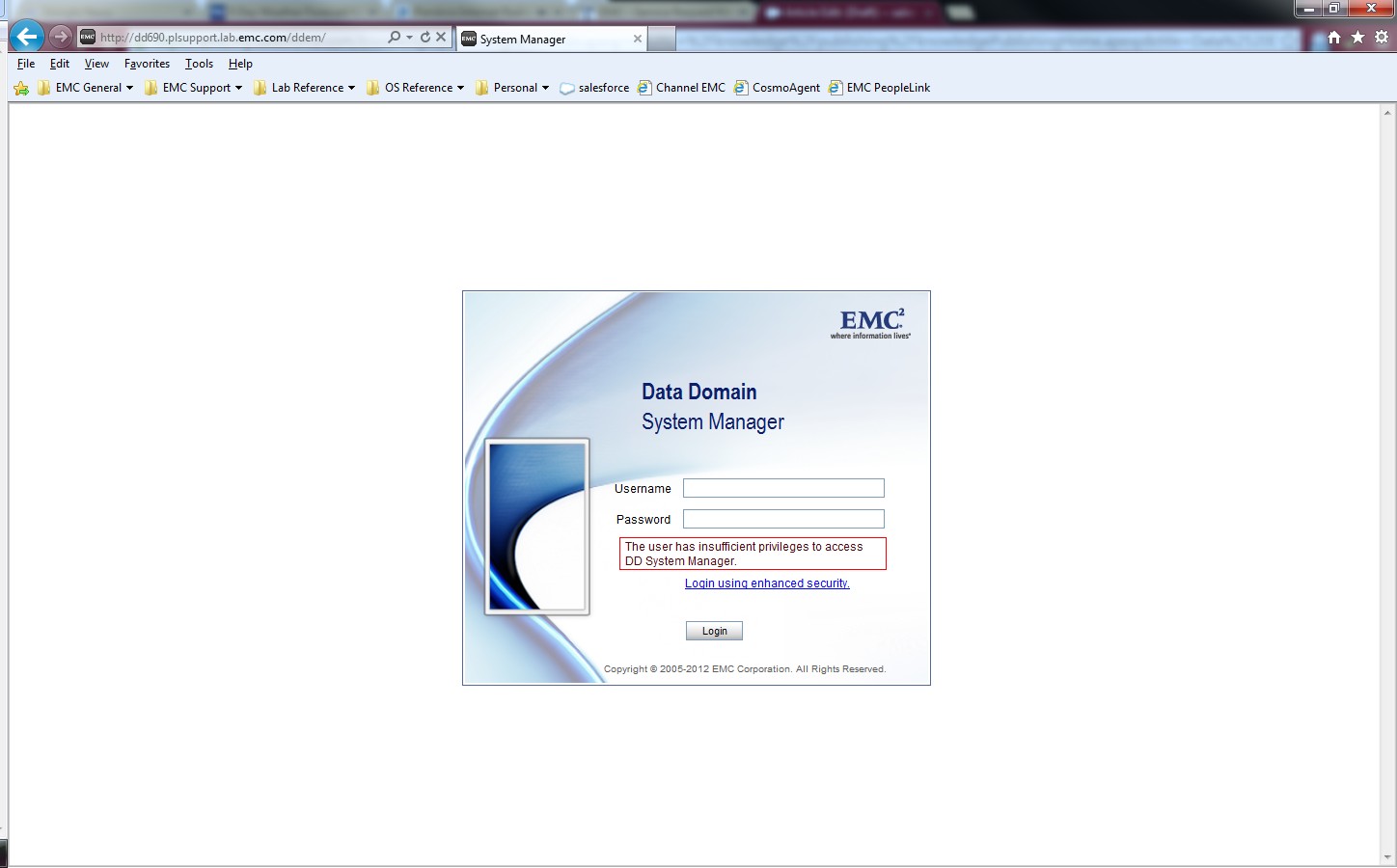
The Windows Authentication and Allowed Group settings under the "System Settings > Access Management > Windows" are properly configured for the Microsoft Active Directory LDAP. The authentication to Data Domain CIFS shares is successful with AD user accounts.
Error for DDMC:
Error for DDMC:
sms: NOTICE: In session create 5034-the user has insufficient privilegeCause
The adminaccess authentication is disabled on the Data Domain.
Resolution
Enable the adminaccess authentication option on the Data Domain system to allow AD user authentication using the DDSM and SSH.
sysadmin@MyDataDomain# adminaccess authentication show
CIFS authentication:    disabled
sysadmin@MyDataDomain# adminaccess authentication add cifs
CIFS authentication:    enabled
sysadmin@MyDataDomain# adminaccess authentication show
CIFS authentication:    enabled
The information and procedure is documented in the "Managing Access Control" section of the PowerProtect Data Domain Operating System Administration Guide.
Produse afectate
Data DomainProduse
Data DomainProprietăți articol
Article Number: 000023929
Article Type: Solution
Ultima modificare: 30 mar. 2026
Version: 5
Găsiți răspunsuri la întrebările dvs. de la alți utilizatori Dell
Servicii de asistență
Verificați dacă dispozitivul dvs. este acoperit de serviciile de asistență.