How to Resend an Absolute Console User Invitation
Summary: Learn about how to resend Absolute console user invitations on Windows by following these instructions.
Acest articol se aplică pentru
Acest articol nu se aplică pentru
Acest articol nu este legat de un produs specific.
Acest articol nu acoperă toate versiunile de produs existente.
Instructions
This article describes how to reinvite users to Absolute if they fail to respond to an emailed invitation within 30 days.
Affected Products:
- Absolute
Affected Operating Systems:
- Windows
- In a web browser, go to cc.absolute.com
.
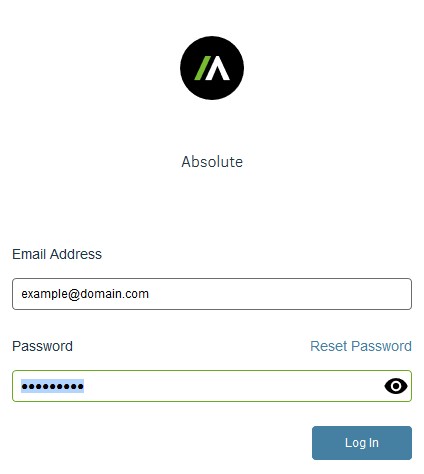
- Log in to the Absolute web console.
- In the left menu pane, click Settings.

- Click User Management.

- Click Users.

- Locate and then click the targeted username.
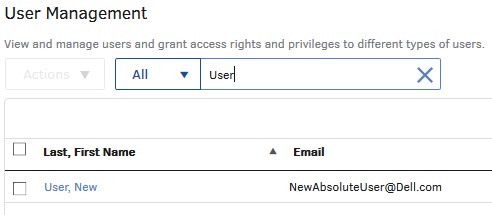 Note: The example name and email address that are used in the screenshot will differ in your environment.
 - Click Resend Invitation Email.
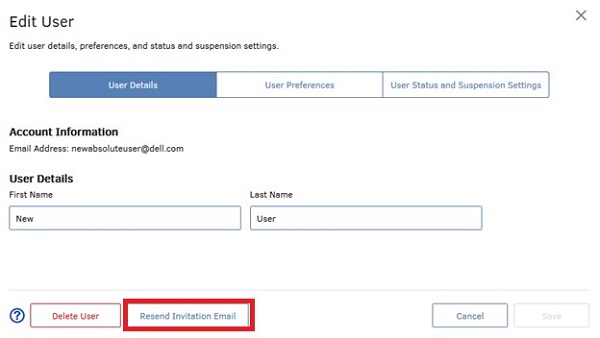 Note: The invitation email leads the customer to create a password and then log in to the Absolute console.
 - Click OK.

Produse afectate
AbsoluteProprietăți articol
Article Number: 000126704
Article Type: How To
Ultima modificare: 05 aug. 2026
Version: 13
Găsiți răspunsuri la întrebările dvs. de la alți utilizatori Dell
Servicii de asistență
Verificați dacă dispozitivul dvs. este acoperit de serviciile de asistență.