Toegang tot de beheerconsole van de Dell Data Security Server
Summary: Volg deze stapsgewijze instructies voor toegang tot de Dell Data Security of Dell Data Protection serverbeheerconsole.
Acest articol se aplică pentru
Acest articol nu se aplică pentru
Acest articol nu este legat de un produs specific.
Acest articol nu acoperă toate versiunile de produs existente.
Instructions
Voor Dell Data Security (voorheen Dell Data Protection) is een beheerconsole nodig voor het beheren van:
- Beleid
- Rapporten
- Coderingssleutels
Betreffende producten:
- Dell Security Management Server
- Dell Data Protection Enterprise Edition Server
- Dell Security Management Server Virtual
- Dell Data Protection Virtual Edition
Betreffende versies:
- 8,0 en hoger
Instructies voor het aanmelden bij de beheerconsole verschillen, afhankelijk van de versie van de Dell Data Security server.
Klik op de juiste productversie voor specifieke stappen voor toegang tot de beheerconsole. Raadpleeg voor informatie over versiebeheer De versie van de Dell Data Security Server identificeren.
9,2 en hoger
- Open een webbrowser en ga naar https://servername.company.com:8443/webui.
 Opmerking:
- De voorbeeld-FQDN (Fully Qualified Domain Name) verschilt van de server in uw omgeving.
- Poort 8443 kan verschillen van de poort van de beheerconsole in uw omgeving.
- Meld u aan bij de Administration Console.
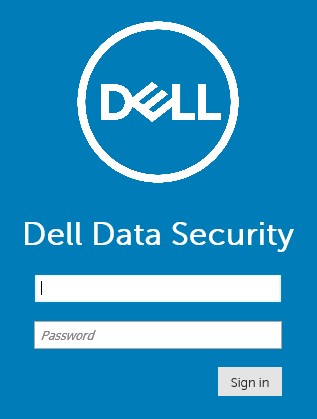 Opmerking:
- In versie 11.4 en hoger wordt de gebruiker gevraagd om de OTP (eenmalig wachtwoord) in te voeren als Google Authenticator of e-mail MFA (multi-factor authenticatie) is geconfigureerd voor de gebruiker.
- Raadpleeg voor meer informatie over het configureren van MFA Meervoudige verificatie beheren in de Dell Security Management Server beheerconsole.
8.0 t/m 9.1.5
- Ga in Windows Verkenner naar:
- Dell Data Protection Enterprise Edition server:
C:\Program Files\Dell\Enterprise Edition - Eindpunt:
C:\Program Files\Dell\Virtual Edition
Opmerking:- Toegang tot eindpunten vereist installatie van de beheerconsole (voorheen Remote Management Console) vanaf de Dell Data Protection Virtual Edition-media.
- Raadpleeg voor installatiestappen De Dell Data Protection Remote Management Console installeren.
- Dell Data Protection Enterprise Edition server:
- Dubbelklik
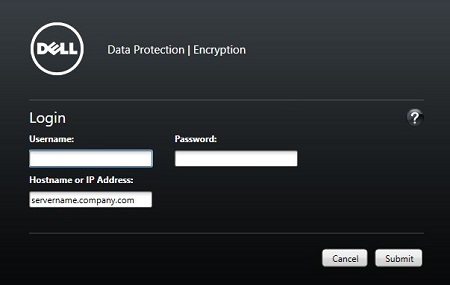
Credant.Console.

- Verzend referenties om u aan te melden bij de beheerconsole.
Additional Information
Videos
Produse afectate
Dell EncryptionProprietăți articol
Article Number: 000126852
Article Type: How To
Ultima modificare: 21 iul. 2026
Version: 16
Găsiți răspunsuri la întrebările dvs. de la alți utilizatori Dell
Servicii de asistență
Verificați dacă dispozitivul dvs. este acoperit de serviciile de asistență.