How to Install MyOffice Standard
Summary: This article discusses how to download and install MyOffice Standard Home Edition.
Acest articol se aplică pentru
Acest articol nu se aplică pentru
Acest articol nu este legat de un produs specific.
Acest articol nu acoperă toate versiunile de produs existente.
Instructions
Affected Products:
- MyOffice Standard Home Edition
Affected Operating Systems:
- Windows 10
New Cloud Technologies MyOffice Standard Home Edition is available to Dell customers who have selected Russia as their region during Windows 10 setup.
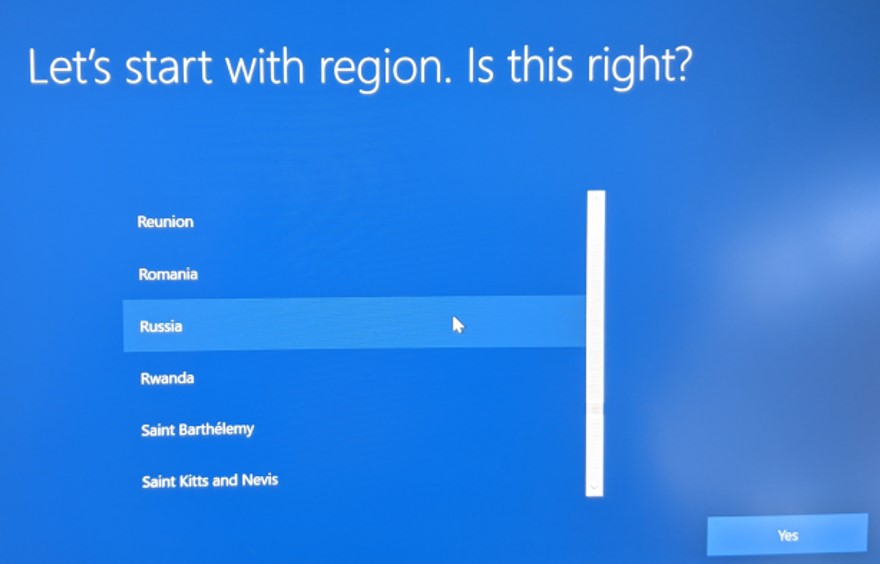
Figure 1: (English Only) Region Selection
Note: Prior to installing MyOffice Home Standard, MyDell or My Alienware must be installed on the computer.
- Alienware platforms: https://www.microsoft.com/p/my-alienware/9nf1jbhqgns5
- All other Dell platforms: https://www.microsoft.com/p/my-dell/9pn7t3jfprz6

To install the product:
- Click the Windows Start Menu, search for MyDell or My Alienware, and then click the appropriate tile.
- In the MyDell or My Alienware app, click the second radio button.
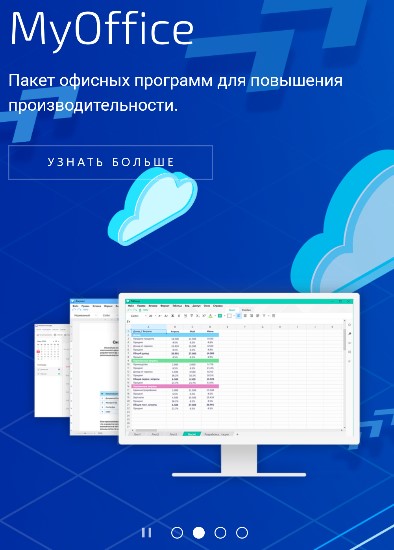
Figure 2: (Russian Only) Learn More
- In the web browser, click Download.

Figure 3: (Russian Only) Download MyOffice
- Double-click MyOfficeStandardHomeEdition.msi to launch the installer.
- In the installation user interface (UI), Click Next.
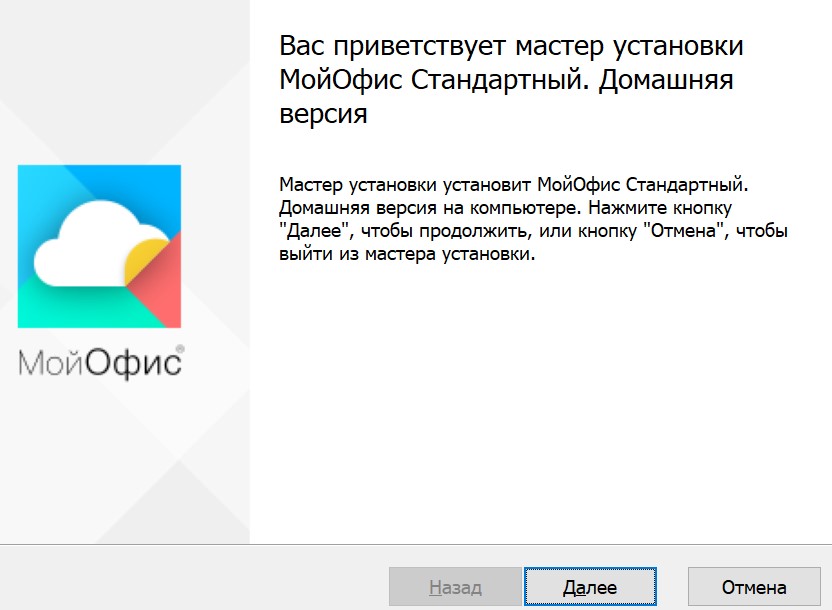
Figure 4: (Russian Only) Click Next
- Optionally Change the installation directory and then click Next.
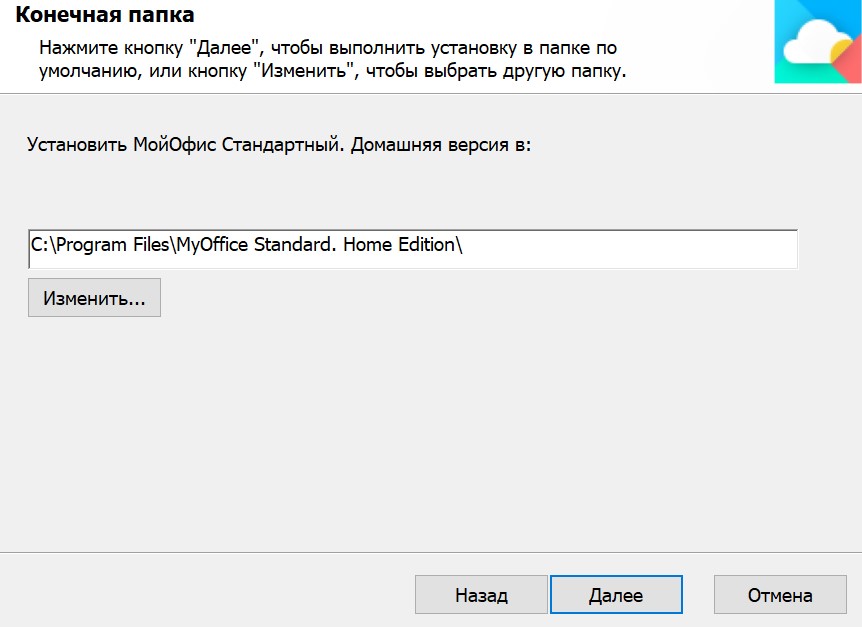
Figure 5: (Russian Only) Click Next
- Click Install.
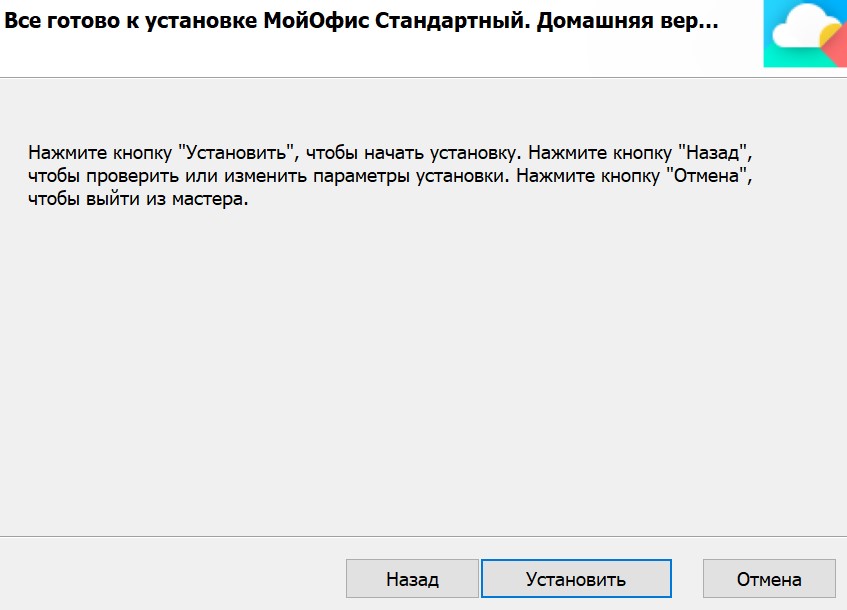
Figure 6: (Russian Only) Click Install
- Click Finish.
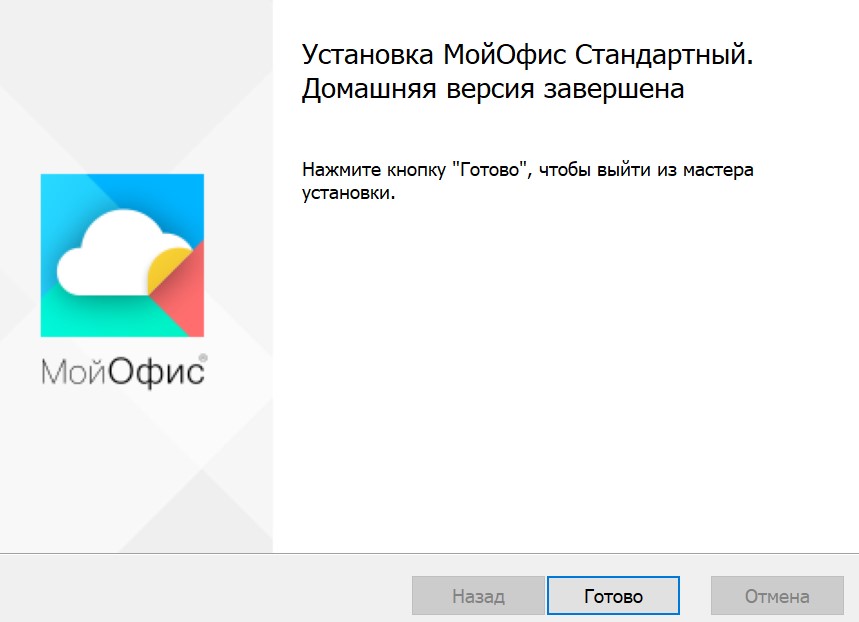
Figure 7: (Russian Only) Click Finish
Proprietăți articol
Article Number: 000184294
Article Type: How To
Ultima modificare: 08 mai 2026
Version: 4
Găsiți răspunsuri la întrebările dvs. de la alți utilizatori Dell
Servicii de asistență
Verificați dacă dispozitivul dvs. este acoperit de serviciile de asistență.