Avamar: Data Domain 용량 확인 경로

Summary: Data Domain 용량 확인 경로

Acest articol se aplică pentru Acest articol nu se aplică pentru Acest articol nu este legat de un produs specific. Acest articol nu acoperă toate versiunile de produs existente.

Symptoms

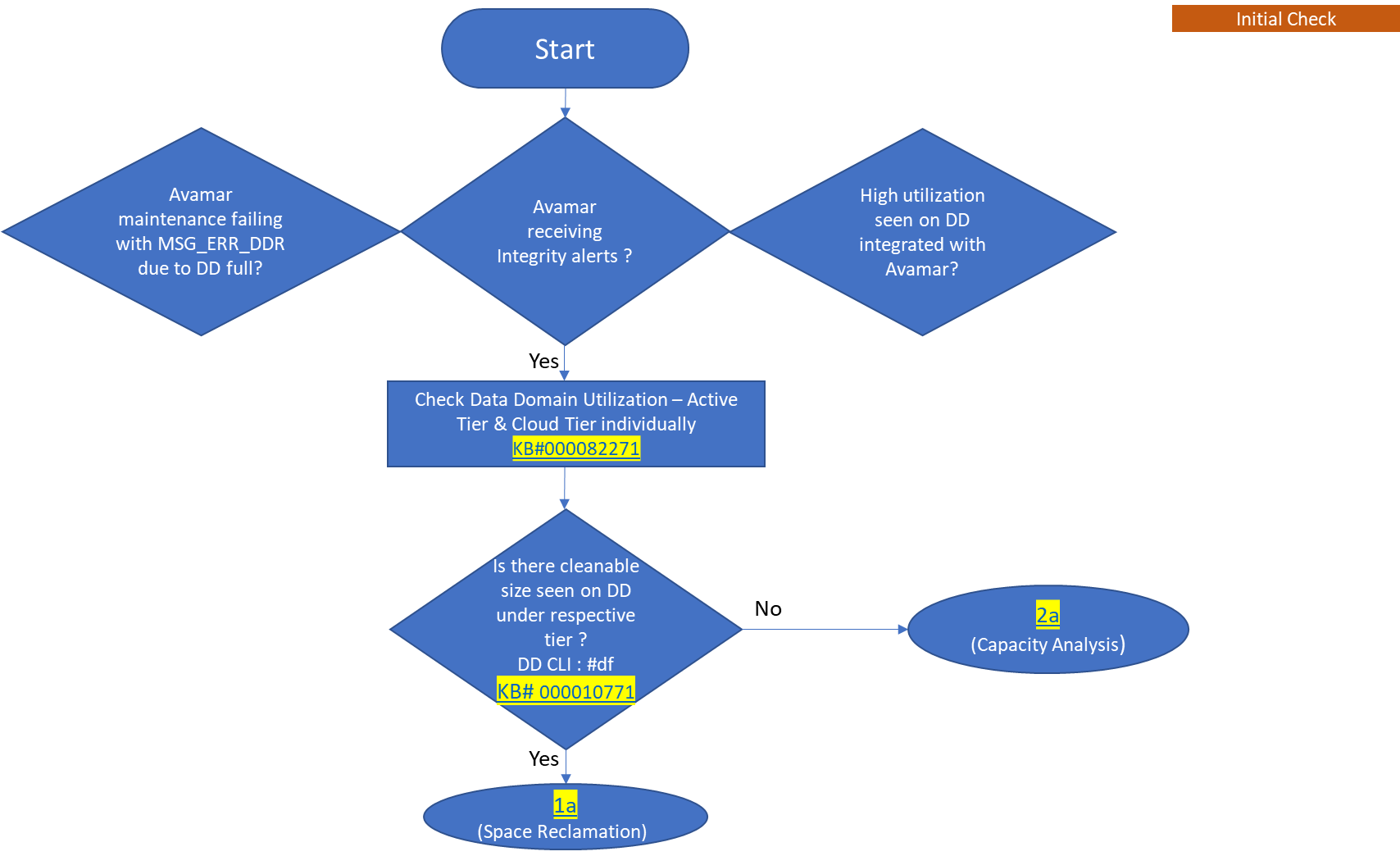
  • Data Domain이 가득 찼기 때문에 MSG_ERR_DDR에서 Avamar 유지 보수가 실패합니다.
  • Avamar가 무결성 알림을 수신하고 있습니다.
  • Avamar와 통합된 Data Domain에서 활용도가 높게 나타납니다.

Cause

이 해결 경로에서는 Data Domain이 데이터 수집 소스로 Avamar를 사용하는 경우 용량 관리를 수행하는 방법을 설명합니다. 즉, Avamar 백업이 Data Domain에 상주하는 경우입니다.

Resolution

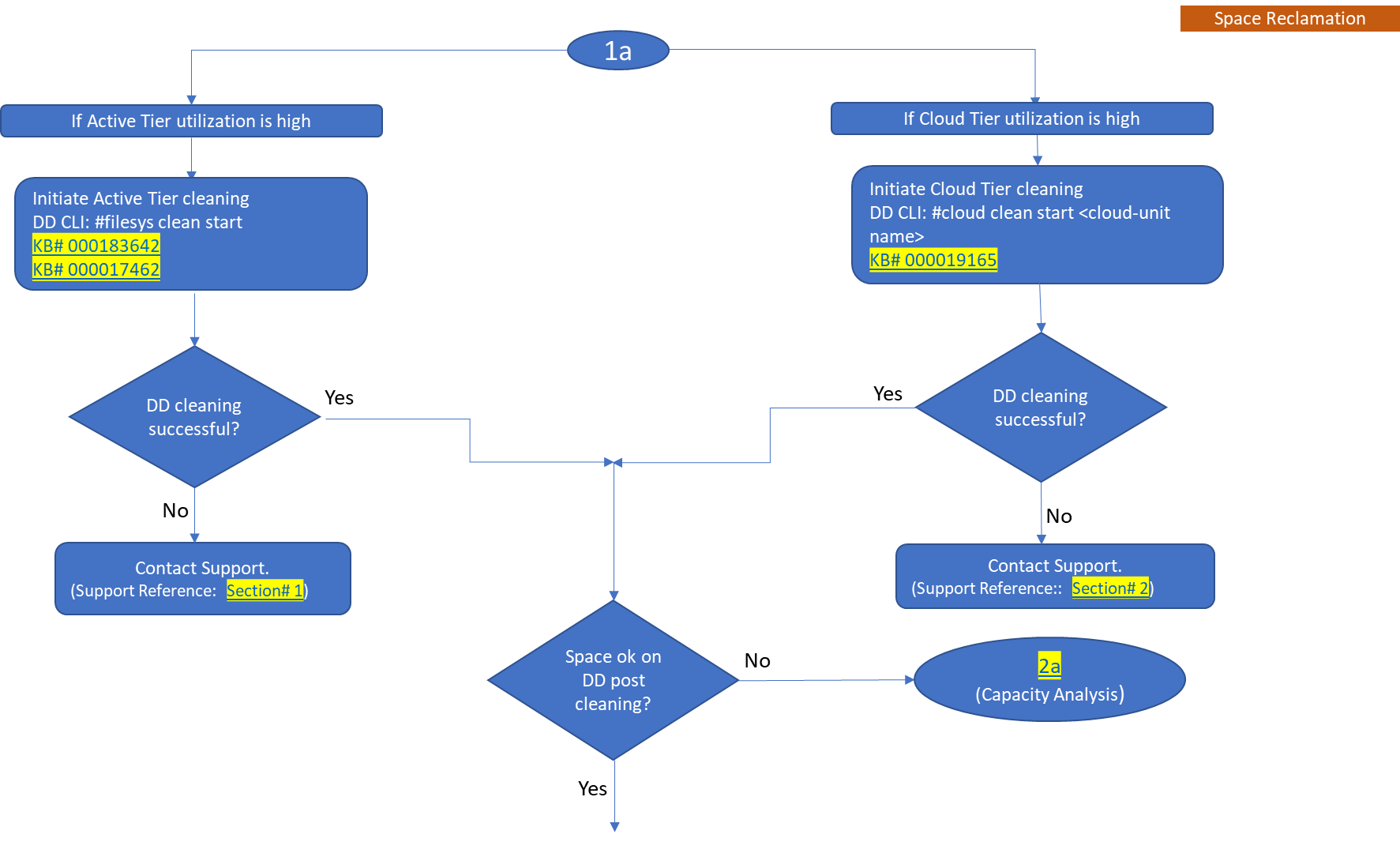
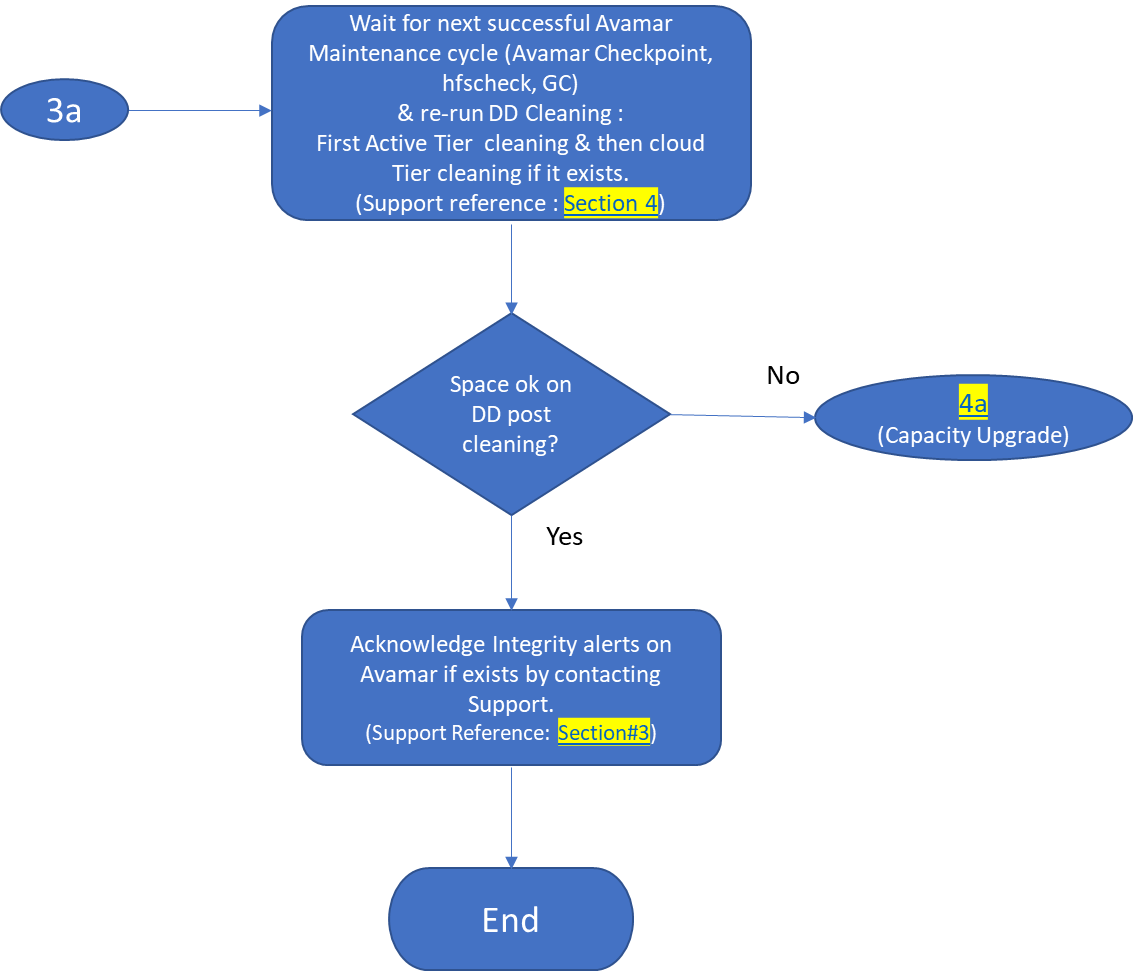
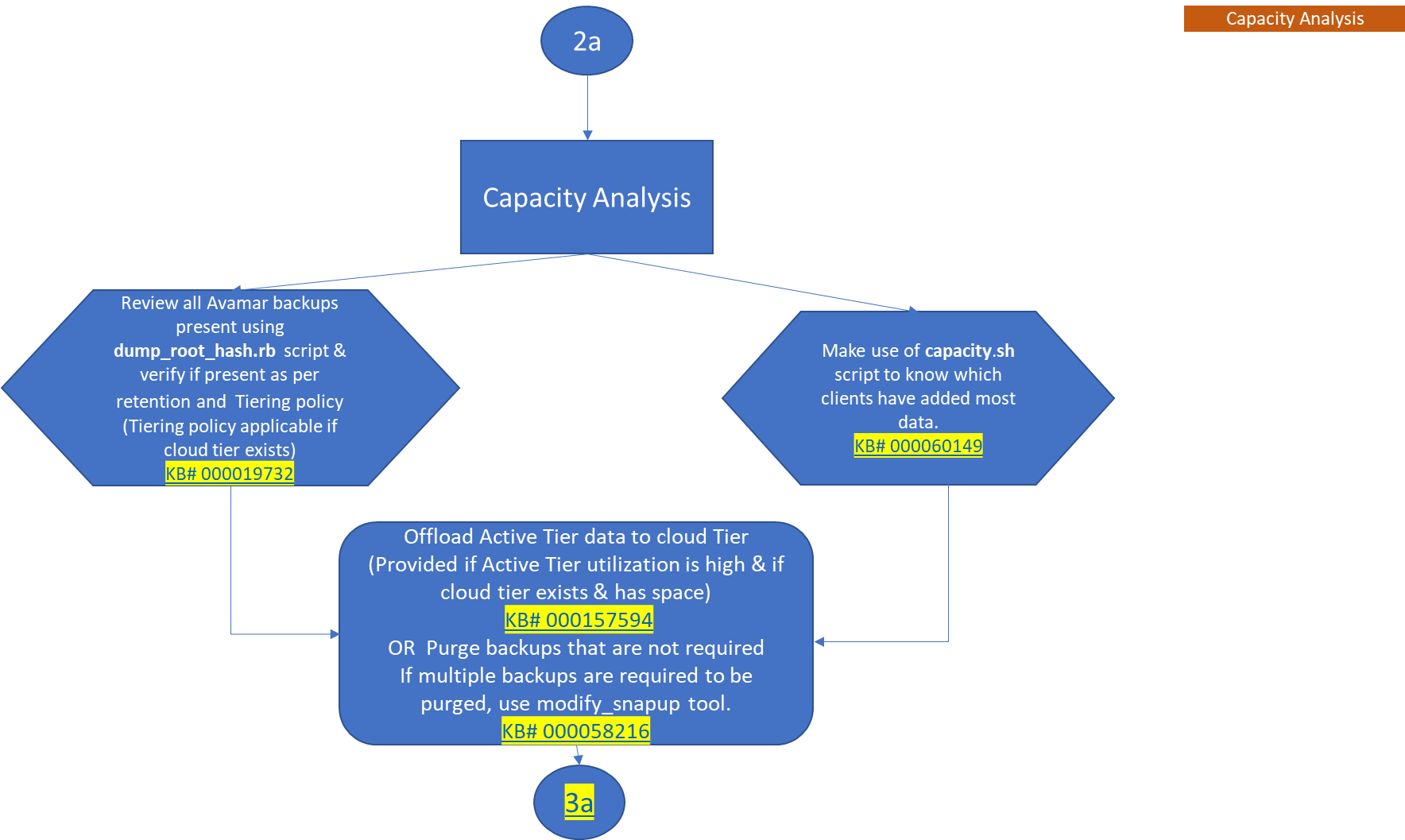
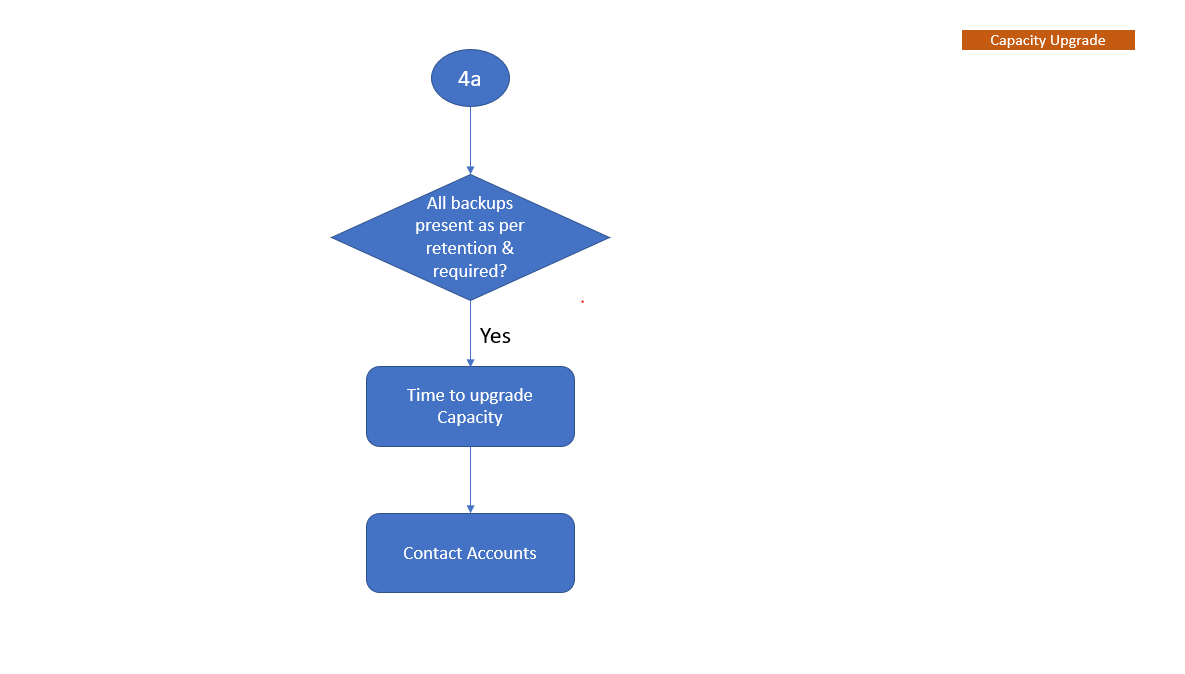
순서도는 Data Domain이 Avamar와 통합되는 시기를 이해하는 데 도움이 되는 용량 관리 워크플로를 보여 줍니다.

참고: 참조된 KB에 첨부된 PDF를 다운로드하려면 로그인하십시오.
 

  • 초기 검사


YouTube 시청


image.png
 

  • 공간 재확보
     

YouTube 시청
 

image.png


                                                           image.png                                           

참고: 또한 Data Domain의 새로운 기능인 Automatic Cleaning에 대해서도 알아보십시오. 
Dell KB 문서 199927: PowerProtect DP Series: Protection Storage: Data Domain: Automatic Cleaning을 참조하십시오.  
아래 비디오를 클릭하여 "Data Domain에서 Automatic Cleaning을 설정하는 방법"을 알아보십시오.


YouTube 시청
 

  • 용량 분석

 image.png


YouTube 시청
 

  • 용량 업그레이드

                                         image.png


Produse afectate

Avamar, Data Domain
Proprietăți articol
Article Number: 000192662
Article Type: Solution
Ultima modificare: 14 iul. 2026
Version:  13
Găsiți răspunsuri la întrebările dvs. de la alți utilizatori Dell
Servicii de asistență
Verificați dacă dispozitivul dvs. este acoperit de serviciile de asistență.