Avamar: How to Enable Debug in Bare Metal Recovery Wizard
Summary: This article explains how to enable debug mode during a Windows client Bare Metal Restore (BMR) using the Avamar Bare Metal Recovery Wizard.
Acest articol se aplică pentru
Acest articol nu se aplică pentru
Acest articol nu este legat de un produs specific.
Acest articol nu acoperă toate versiunile de produs existente.
Instructions
Enable Debug via the Bare Metal Recovery Wizard
Avtar Debug
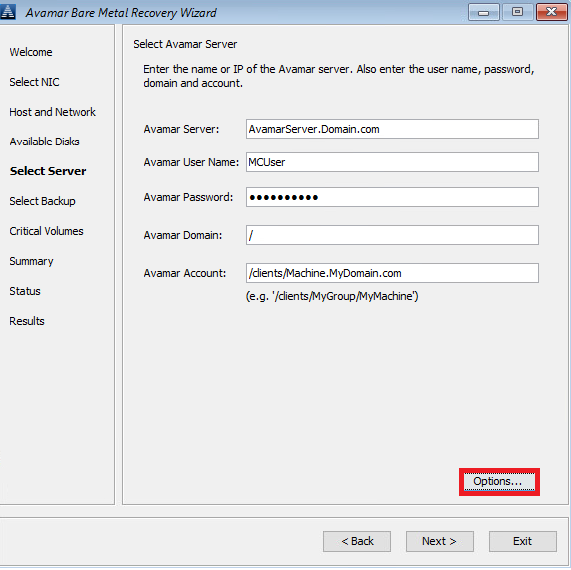
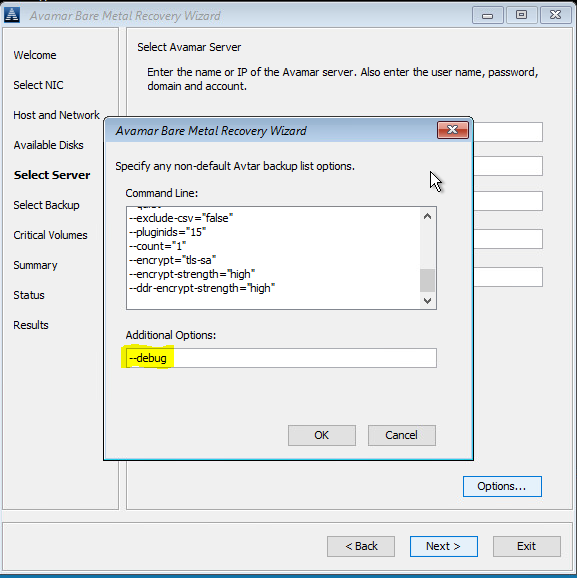
- In Select Server, click Options and type --debug (this enables debug in avtar).
Avvss Debug
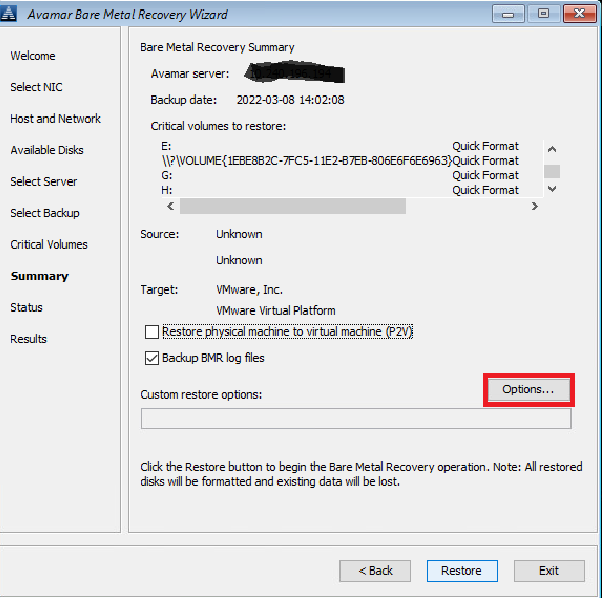
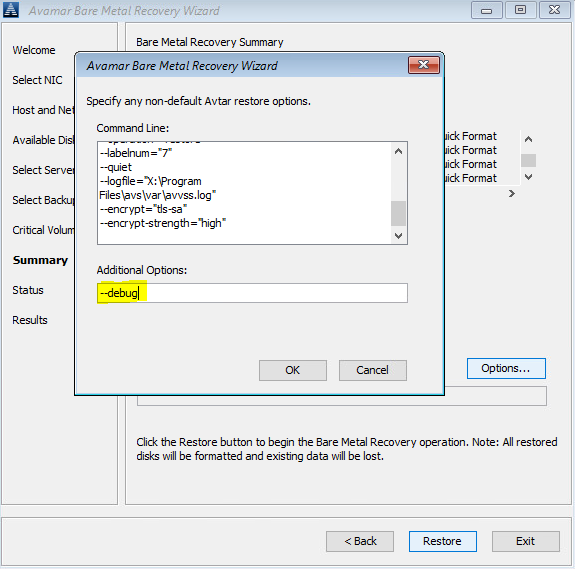
- In Summary, click 'Options' and type in --debug (this will enable 'debug' in avvss)
Enable Debug via Command Line (Alternative)
Open the hidden command‑line window behind the Avamar BMR Wizard and create avtar.cmd and avvss.cmd files in X:\Program Files\avs\var folder.
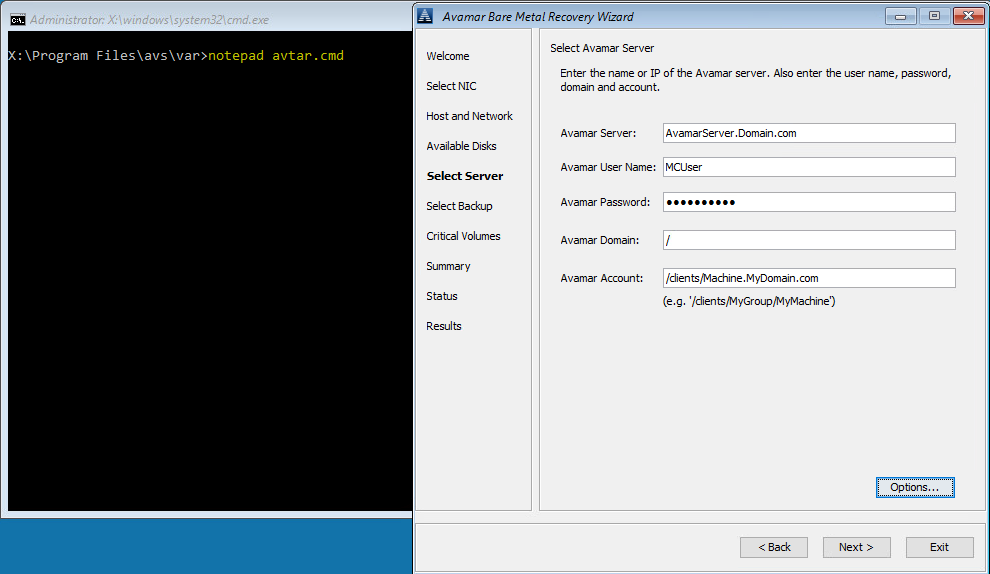
Avtar Debug
- Use Notepad to edit avtar.cmd, add the --debug flag, and save the file.
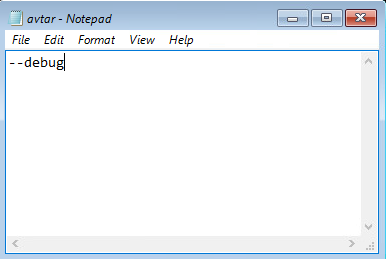
Avvss Debug
- Use Notepad to edit avvss.cmd, add the --debug flag, and save the file.
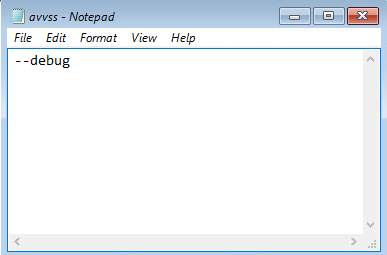
Produse afectate
AvamarProduse
Avamar Client for WindowsProprietăți articol
Article Number: 000197689
Article Type: How To
Ultima modificare: 11 sept. 2026
Version: 8
Găsiți răspunsuri la întrebările dvs. de la alți utilizatori Dell
Servicii de asistență
Verificați dacă dispozitivul dvs. este acoperit de serviciile de asistență.