如何使用 NMC 确定 NetWorker 服务器和客户端软件版本
Summary: 使用 NetWorker Management Console (NMC) 确定 NetWorker 服务器和客户端软件版本
Acest articol se aplică pentru
Acest articol nu se aplică pentru
Acest articol nu este legat de un produs specific.
Acest articol nu acoperă toate versiunile de produs existente.
Instructions
查找 NetWorker 服务器软件版本:
使用 NMC
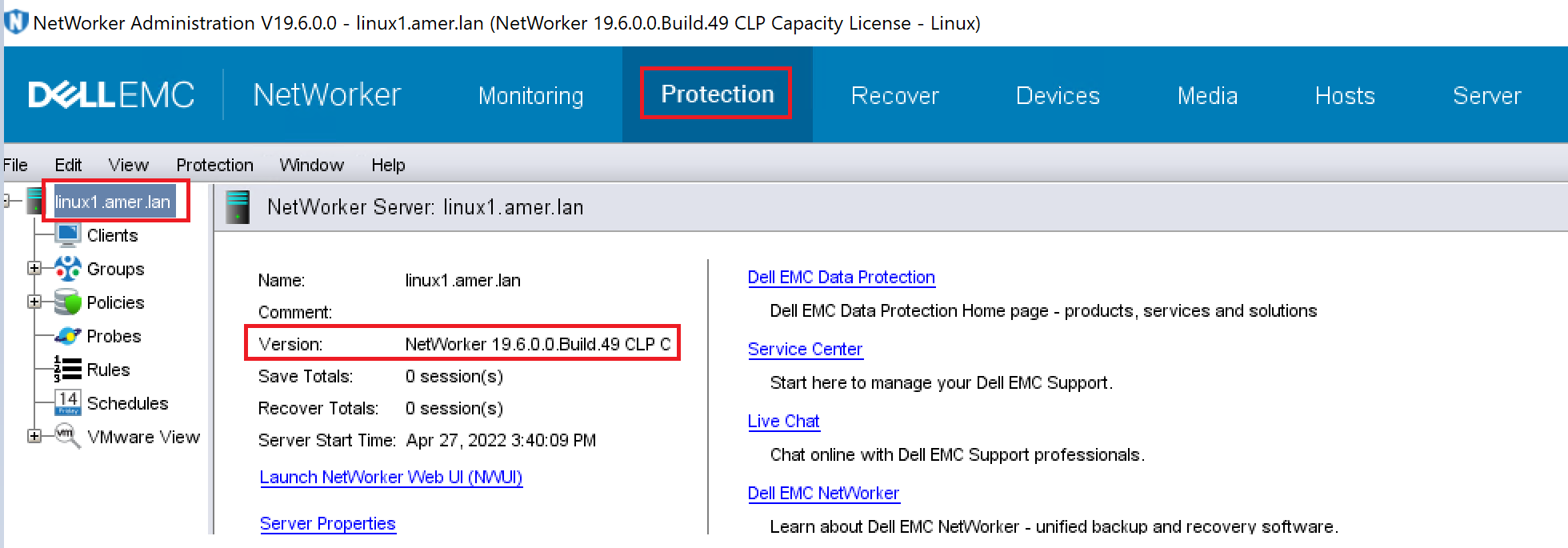
确定 NetWorker 服务器软件版本使用 NMC 以作为 NetWorker 服务器上应用程序管理员用户组成员的用户身份连接到 NetWorker 服务器。
- 单击 “Protection ”选项卡,然后单击左侧窗格中的“ NetWorker Server name ”。版本显示在右侧窗格中。
使用 nsradmin
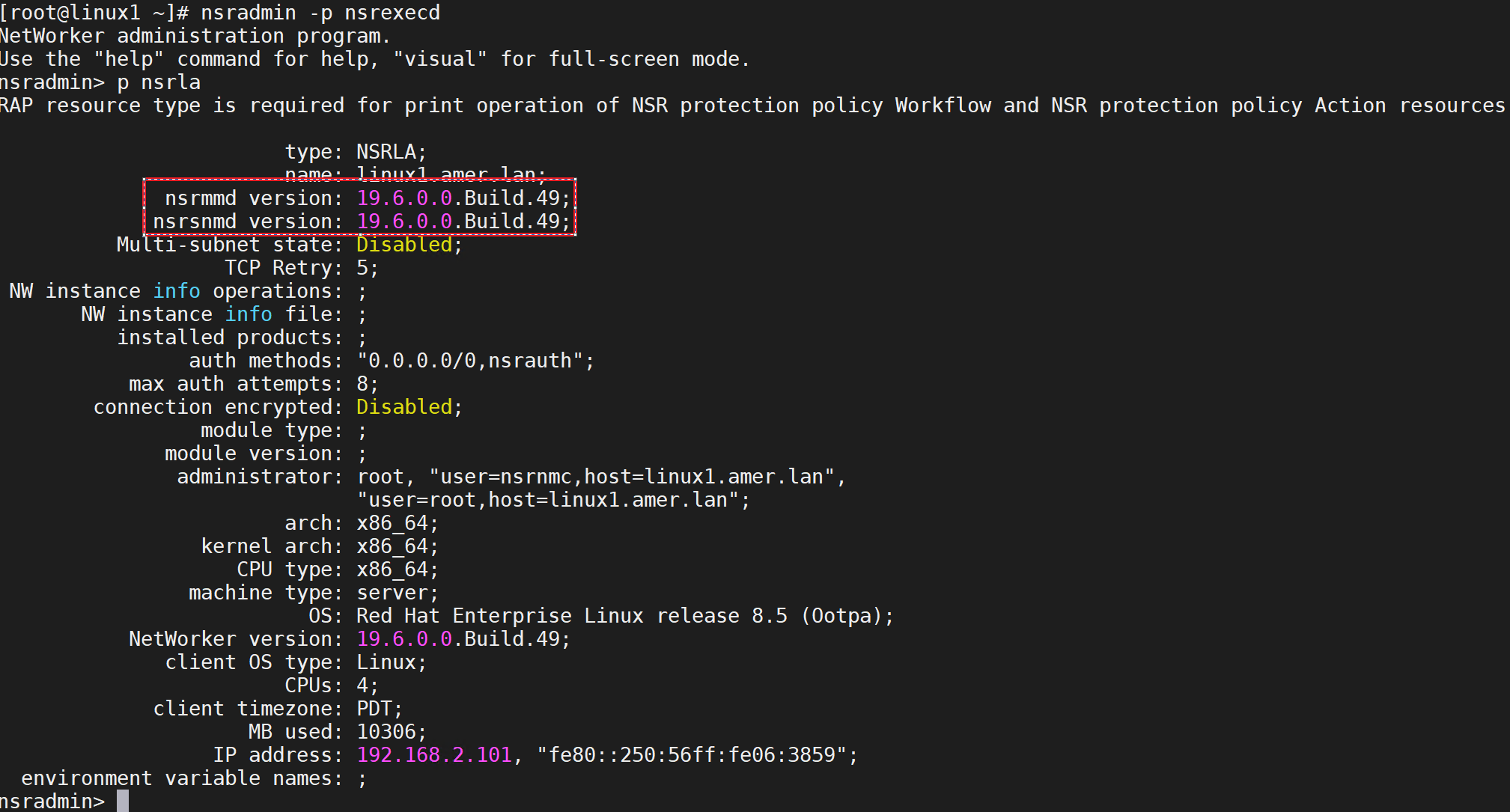
确定 NetWorker 服务器软件版本使用 NetWorker 服务器上的 nsradmin 程序从命令提示符确定主机上安装的 NetWorker 软件的版本。
- 在命令提示符处,键入:
nsradmin -p nsrexecd
在 nsradmin 提示符处,键入 "p nsrla"
查找 NetWorker 客户端软件版本:
使用 NMC
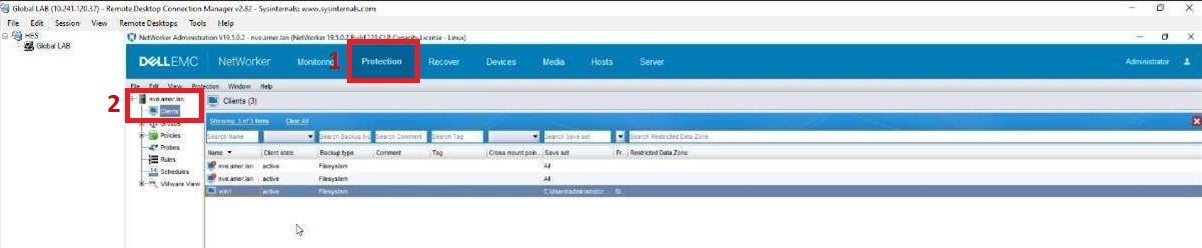
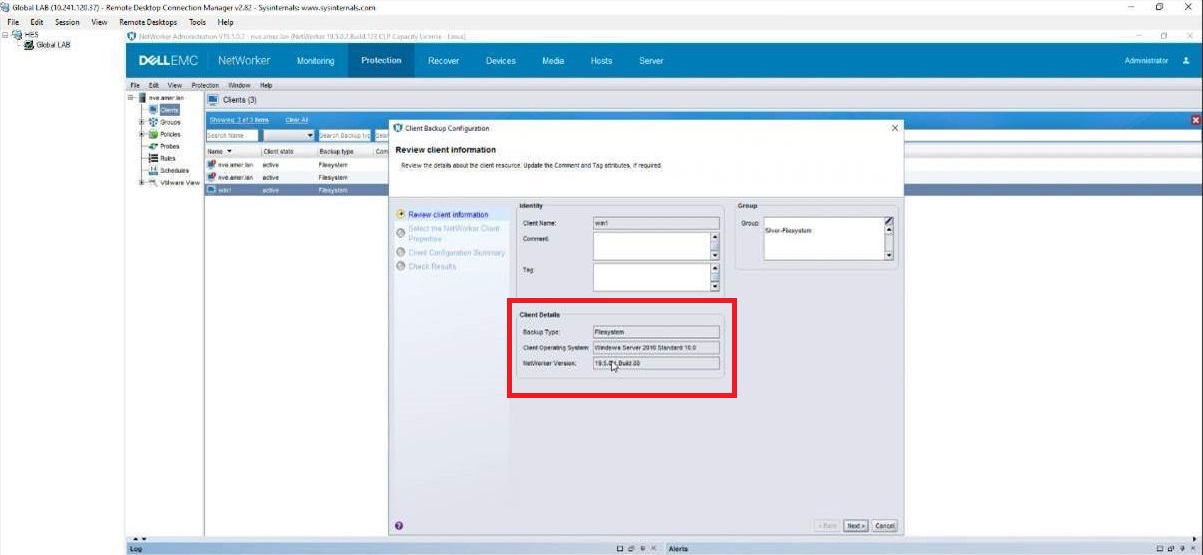
确定 NetWorker 客户端软件版本使用 NMC 以作为 NetWorker 服务器上应用程序管理员用户组成员的用户身份连接到 NetWorker 服务器。
- 依次单击“Protection”选项卡(1),然后单击“Clients”(2)。
- 右键单击有问题的客户端,然后单击 “修改客户端向导”。
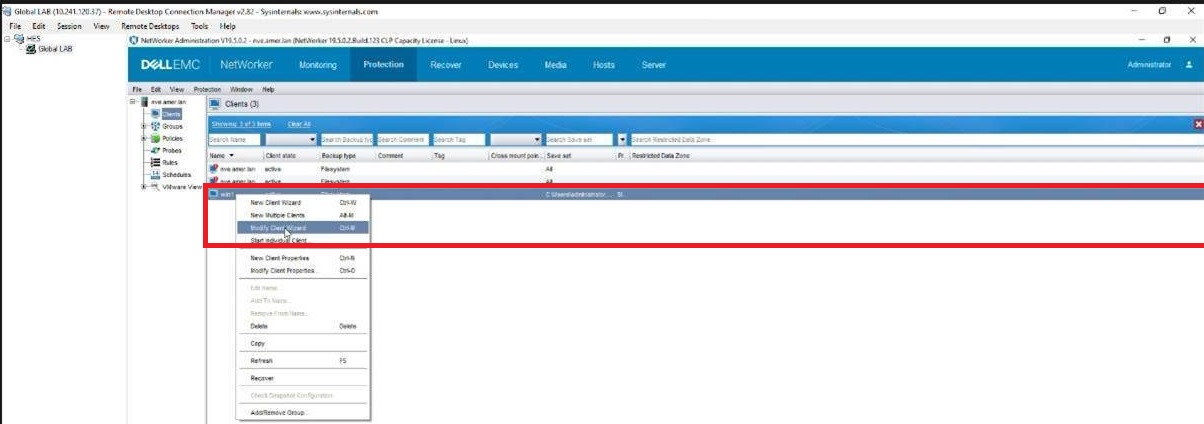
3. 客户将在客户端详细信息选项卡上看到客户端版本。
Produse afectate
NetWorker, NetWorker Series, NetWorker for OpenVMS, NetWorker Management Console, NetWorker Module, NetWorker Module for Databases and Applications, NetWorker Module for Microsoft, NetWorker Module for SAPProduse
NetWorker Module for MEDITECHProprietăți articol
Article Number: 000198932
Article Type: How To
Ultima modificare: 25 mai 2026
Version: 3
Găsiți răspunsuri la întrebările dvs. de la alți utilizatori Dell
Servicii de asistență
Verificați dacă dispozitivul dvs. este acoperit de serviciile de asistență.