How To Access .AMDX and .ADML Files for Use with Dell Command Update
Summary: This article provides information about how to obtain the .ADMX and .ADML templates for managing Dell Command | Update (DCU) settings using group policy.
Acest articol se aplică pentru
Acest articol nu se aplică pentru
Acest articol nu este legat de un produs specific.
Acest articol nu acoperă toate versiunile de produs existente.
Instructions
Affected Products:
- Dell Command | Update
How to find .ADMX and .ADML files:
- Run DCU application package with administrator rights
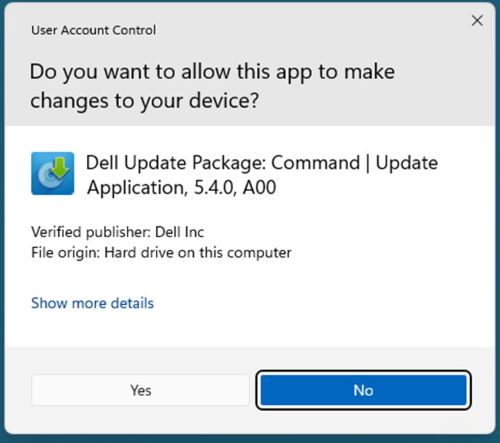
- Click extract

- Choose the destination folder
 Note: Our example uses the DCU directory.
 - Once finished, click CLOSE

- Go to where the files were extracted location

- DCU .ADMX files are found in the
\Templatesdirectory
- DCU .ADML files are found in the
\Templates\en-USdirectory
Produse afectate
Dell Command | UpdateProprietăți articol
Article Number: 000293701
Article Type: How To
Ultima modificare: 11 mar. 2025
Version: 1
Găsiți răspunsuri la întrebările dvs. de la alți utilizatori Dell
Servicii de asistență
Verificați dacă dispozitivul dvs. este acoperit de serviciile de asistență.