AppSync: Unable to create a service plan completion report using AppSync GUI
Сводка: Unable to export a service plan completion report using AppSync GUI.
Данная статья применяется к
Данная статья не применяется к
Эта статья не привязана к какому-либо конкретному продукту.
В этой статье указаны не все версии продуктов.
Симптомы
Unable to export a service plan completion report using AppSync 4.5 GUI.
If "Include table headers" is selected and "Export only selected rows" is NOT selected, downloading would not happen. Actually, nothing happened.
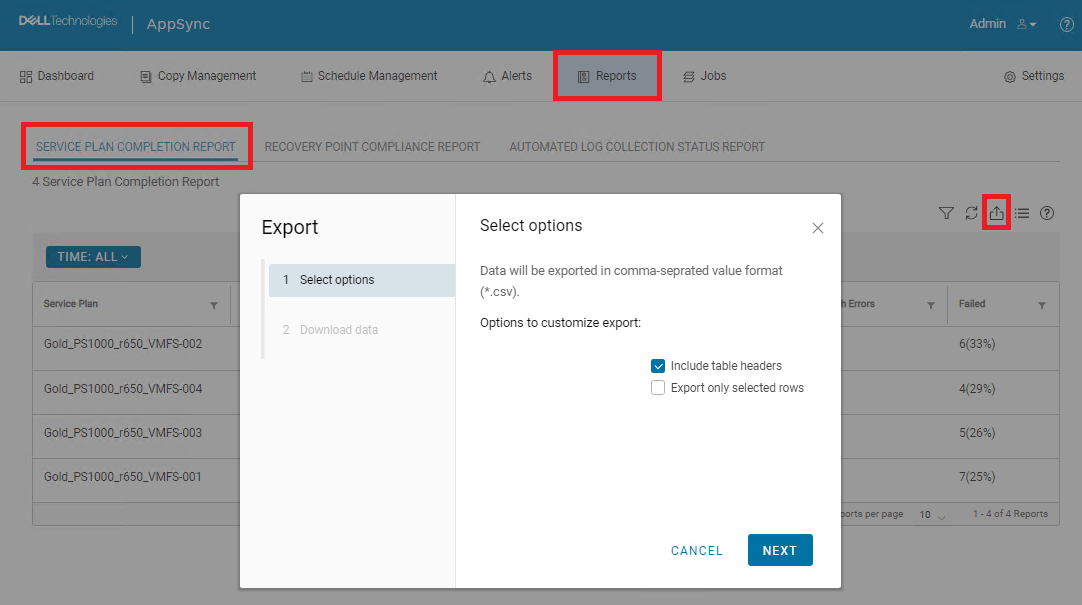
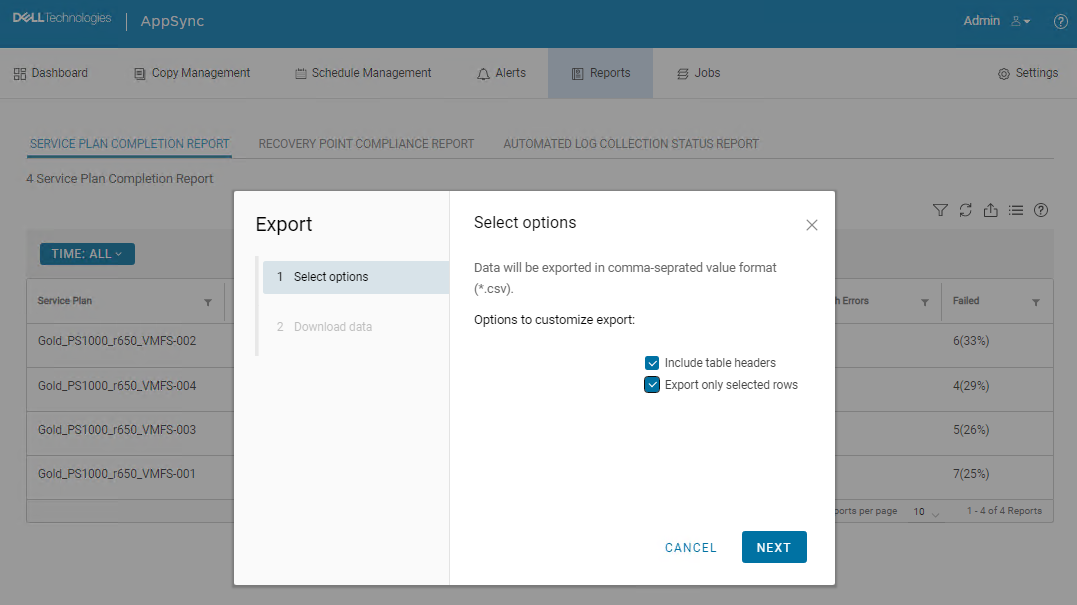
If both "Include table headers" and "Export only selected rows" are selected, downloading started and CSV file was downloaded. However, all data was missing.

Причина
This is an AppSync UI bug.
Разрешение
Workaround:
The following AppSync CLI command can be used to export a service plan completion report.
Sample command output:
Service_Plan_Completion_Report_2022_12_26_18_24_38.csv

Permanent fix:
This issue is expected to be resolved in the version following 4.5.
The following AppSync CLI command can be used to export a service plan completion report.
appsync-cli.bat -report report_type=spc detailed=true
Sample command output:
C:\EMC\AppSync\appsync-cli>appsync-cli.bat -report report_type=spc detailed=true
Picked up JAVA_TOOL_OPTIONS: "-Dos.name=Windows Server 2019"

Exporting SPC Details to: "C:\EMC\AppSync\Service_Plan_Completion_Report_2022_12_26_18_24_38.csv"
Service_Plan_Completion_Report_2022_12_26_18_24_38.csv
Permanent fix:
This issue is expected to be resolved in the version following 4.5.
Дополнительная информация
Refer to the release notes of the version following 4.5 to determine if the fix has been included.
Затронутые продукты
AppSyncСвойства статьи
Номер статьи: 000206985
Тип статьи: Solution
Последнее изменение: 16 May 2026
Версия: 4
Получите ответы на свои вопросы от других пользователей Dell
Услуги технической поддержки
Проверьте, распространяются ли на ваше устройство услуги технической поддержки.