PowerFlex: How to install SDC on Debian-based server (Debian, Ubuntu, Proxmox)
Сводка: The following procedure explains how to manually install an external SDC on a Debian-based server. The steps in the procedure below are relevant for Debian/Ubuntu operating systems, including Proxmox Virtual Environment. ...
Инструкции
Retrieve SDC software
SDC drivers for manual installation are available from "PowerFlex Software" product page on the Dell support site:
PowerFlex Drivers and Downloads
From "Drivers & Downloads" section, search for "SDC Driver" as Keyword:
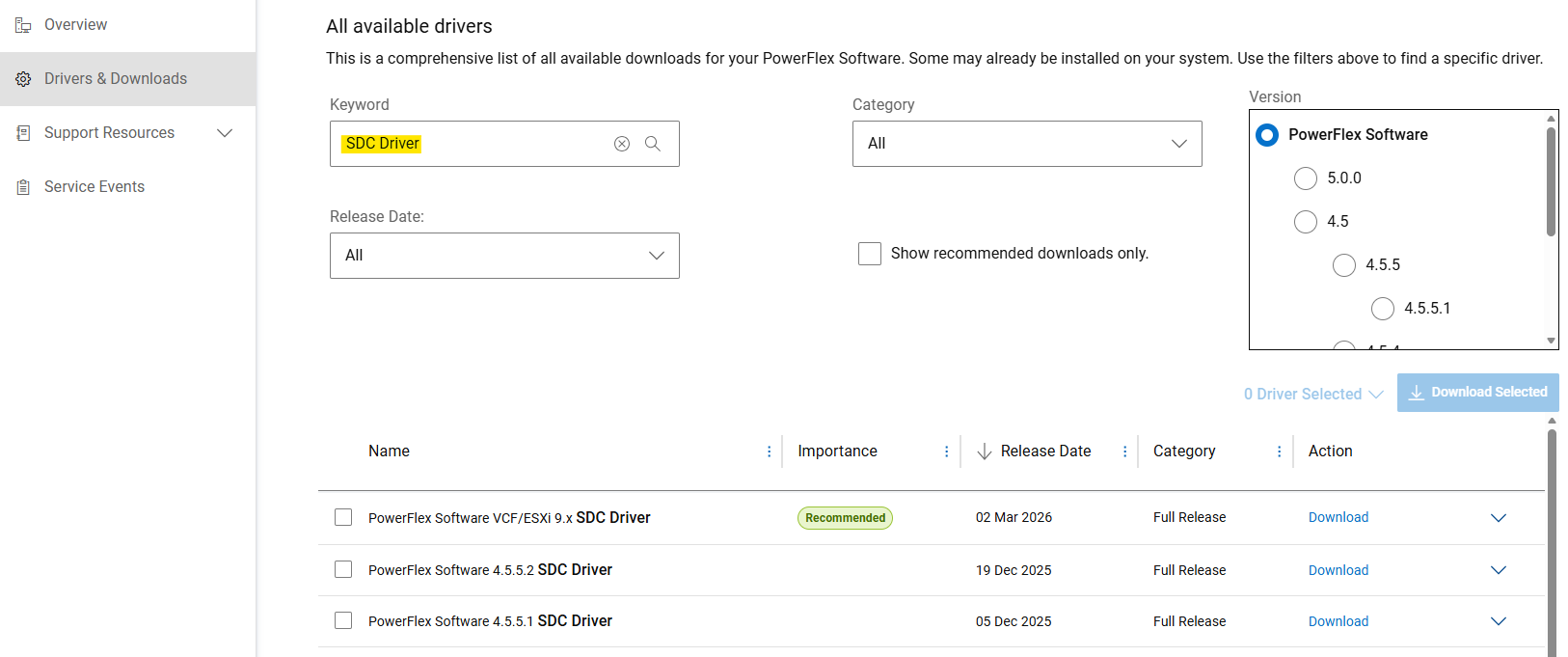
Download the "PowerFlex_*_SDCs_for_manual_install.zip" file matching the PowerFlex version intended to install. Be aware that the SDC is backwards and forwards compatible with PowerFlex system (see Release Notes).
Extract Debian-based package (.deb)
PowerFlex component packages are delivered as .tar files for Debian-based operating systems. Before installation, the .deb package must be extracted using provided siob_extract utility:
- Extract SDC .zip file for your specific OS Release from "
PowerFlex_*_SDCs_for_manual_install.zip" archive - Check integrity (md5 or sha256) and inflate the SDC .zip file
- Uncompress "
EMC-ScaleIO-sdc-*" .tar file - Extract .deb package using
siob_extractutility
# Extract SDC for Debian 12 (bookworm) / Proxmox VE 8.x
unzip PowerFlex_*_SDCs_for_manual_install.zip "*Debian12_SDC.*"

# Check integrity & inflate zip file
cd PowerFlex_*_SDCs_for_manual_install/
sha256sum PowerFlex_*_Debian12_SDC.zip
cat PowerFlex_*_Debian12_SDC.sha256
unzip PowerFlex_*_Debian12_SDC.zip

# Extract .deb package (using `siob_extract` utility)
cd PowerFlex_*_Debian12_SDC/
tar -xvf EMC-ScaleIO-sdc-*.Debian12.x86_64.tar
chmod +x siob_extract
./siob_extract EMC-ScaleIO-sdc-*.Debian12.x86_64.siob
ls EMC-ScaleIO-sdc-*.Debian12.x86_64.deb
For other OS Release, use: "*Debian13_SDC*", "*Ubuntu24.04_SDC*", "..."
Install SDC on the server and connect it to PowerFlex
- Collect MDM virtual IP addresses of the PowerFlex system (or all MDM managers IPs)
- Install SDC package
- Verify that the driver is loaded
MDM_IP="<MDM_IP1>,<MDM_IP2>,..." dpkg -i EMC-ScaleIO-sdc-*.deb
systemctl status scini.service
If scini.service fails to start, the "scini" driver is maybe not compatible with your kernel release.
In this case, see how to configure DTA 226282: PowerFlex: Recommended FTP User Used For Automated SDC Driver Delivery For New Kernel - FTP Service Disable (Needs Customer login)
or PowerFlex: On-Demand compilation of PowerFlex SDC drivers on Linux.
Using PowerFlex: Enable Secure Boot Enforcement for PowerFlex Compute Nodes which has some restrictions and requires additional steps.
Refer to documentation for recommended post-deployment tasks or to map volumes to SDC.