IDPA: Upgrade to 2.3 Fails on Avamar with "Avamar EBR Server Initialization Failed" Due to Lockbox Reset Failure
Сводка: The IDPA upgrade to version 2.3 fails on Avamar with the error "Avamar EBR Server initialization failed." This issue occurs when the ACM attempts to reset the lockbox on Avamar during the upgrade process. ...
Симптомы
The IDPA Upgrade to 2.3 fails on the Avamar server with the following error:
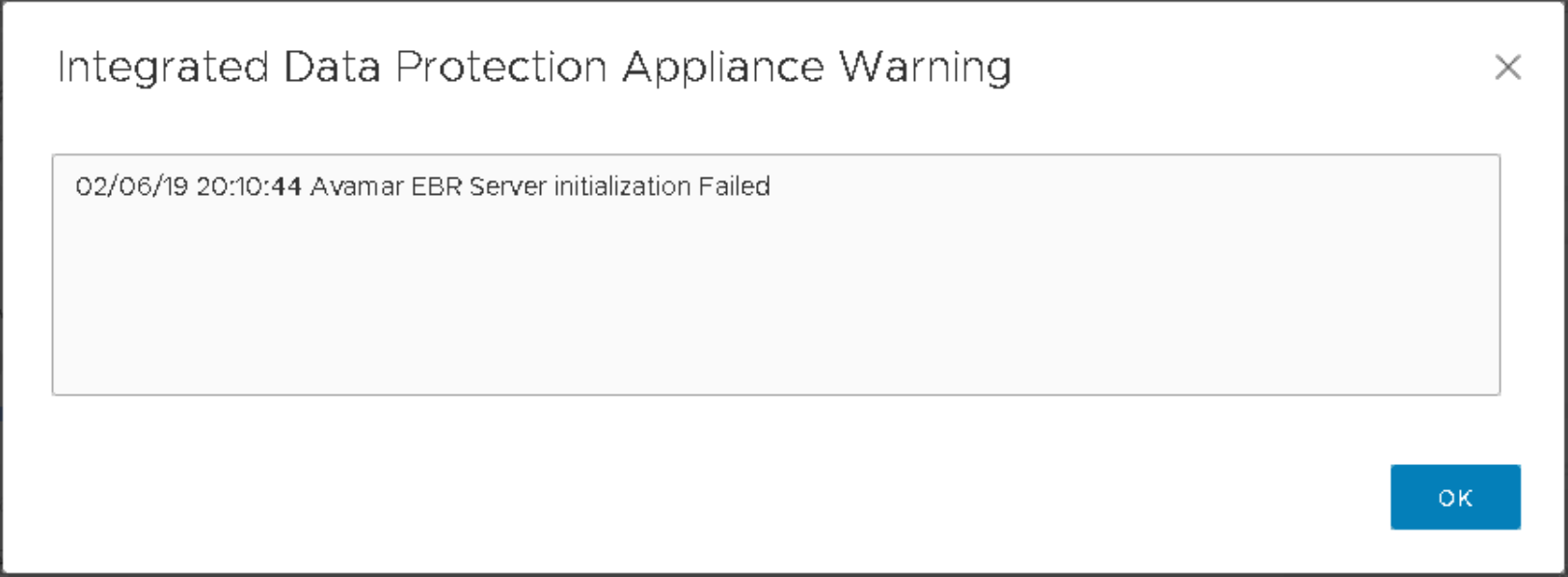
Avamar EBR Server initialization failed
A Lockbox reset failure on the Avamar Server causes this error while installing the Avsecurity rollup.
In the "avAppLevelUpgrade.log" log file, the following error message appears:
RUNNING,17,Package AvPlatformOsRollup_2018-R4-v5 is ready for installation
RUNNING,18,Started installation of Backup server packages. This may take 40 minutes
RUNNING,19,AvamarUpgrade1820,AvPlatformOsRollup_2018-R4-v5 avp installation failed
RUNNING,20,Initializing Avamar EBR server
RUNNING,21,Avamar EBR Server initialization Failed
RUNNING,25,Successfully upgraded Backup Server
RUNNING,25,Preparing to upgrade Backup Server hotfix
RUNNING,26,Ready to upgrade Backup Server hotfix
RUNNING,26,Upgrading Backup Server hotfix
In the "upgradeutility.log" log file, the following error appears:
2019-02-06 21:13:04,114 INFO  [upgrade-workflow-5]-util.ProcessBuilderExecutor: ERROR: main: another package is already active
2019-02-06 21:13:04,114 INFO  [upgrade-workflow-5]-av.AvamarUpgradeOperations: Failed to execute hot fix script. responseCode: 1
2019-02-06 21:13:04,114 INFO  [upgrade-workflow-5]-upgradeutil.UpgradeUtil: Getting latest progress percent from: /data01/tmp/patch/logs/status/avAppLevelUpgrade.log
2019-02-06 21:13:04,114 INFO  [upgrade-workflow-5]-upgradeutil.UpgradeUtil: prevPercent: 52 currentPercent: 44
2019-02-06 21:13:04,114 ERROR [upgrade-workflow-5]-av.AvamarRetryTask: Failed to upgrade Avamar.
com.emc.vcedpa.upgradeutil.common.exception.UpgradeException: Unable to upgrade Backup Server.
        at com.emc.vcedpa.upgradeutil.configure.av.AvamarUpgradeOperations.aveHotFix(AvamarUpgradeOperations.java:222)
        at com.emc.vcedpa.upgradeutil.configure.av.AvamarUpgradeOperations.upgrade(AvamarUpgradeOperations.java:166)
        at com.emc.vcedpa.upgradeutil.configure.av.AvamarRetryTask.run(AvamarRetryTask.java:56)
        at java.util.concurrent.ThreadPoolExecutor.runWorker(ThreadPoolExecutor.java:1149)
        at java.util.concurrent.ThreadPoolExecutor$Worker.run(ThreadPoolExecutor.java:624)
        at java.lang.Thread.run(Thread.java:748)
On the ACM GUI, the following Warning messages appear:
Причина
This failure occurs due to a lockbox reset failure on the Avamar server.
On the Avamar server, the "avinstaller.log.0" file under "/usr/local/avamar/var/avi/server_log" shows the following error:
INFO: PollMessageSender sent: <UpdateMessage><ProcessKey>AvamarUpgrade20190206Feb021549504018</ProcessKey><ProcessInstanceId>AvamarUpgrade20190206Feb021549504018.60013</ProcessInstanceId><Timestamp>2019/02/06-21:05:56.00982</Timestamp><Content>Unable to reset lockbox - operation failed</Content></UpdateMessage>

Feb 06, 2019 9:05:57 PM com.avamar.avinstaller.process.handler.ServerScriptHandler$TaskProcessor run
WARNING: From err out: 02/06 21:05:56 error: Unable to reset lockbox - operation failed
Additionally, the failure can be confirmed on the Avamar Installation Manager page by checking the error message.
Разрешение
Log in to the Avamar server as the admin user.
Switch to the root user: su - root
Step 1.
Delete or move "/etc/vcs/cst/csp.clb*" files only.
Step 2.
Run the following command to create a new lockbox with a specific passphrase:
/usr/local/rsa_cst/cst/builds/linux_gcc34_x64_r/lib/cstadmin initialize /etc/vcs/cst
Enter the passphrase twice when prompted
dmidecode | grep -i uuid | awk -F 'UUID: ' '{print "v"$2"*"}'
Step 3.
Run the following command to create an entry in the lockbox for the MC root user:
java -jar /usr/local/rsa_cst/cst/bin/lockbox-service.jar create 'mc_root@127.0.0.1.pw' '<enter root password to mc here>'
Step 4.
Restart emwebapp as root:
root@idpaave:~/#: emwebapp.sh --restart
Click the "Retry" button on the ACM to reattempt the upgrade on Avamar.