Dell Unity: Unable to Delete Tenant with NAS Server-Error code:0x716e02b
Сводка: Attempts to disassociate a tenant from a NAS server or to change the UUID fail with error: Unable to delete Tenant with NAS servers (Error code:0x716e02b)(User Correctable)
Данная статья применяется к
Данная статья не применяется к
Эта статья не привязана к какому-либо конкретному продукту.
В этой статье указаны не все версии продуктов.
Симптомы
Deleting Tenant fails with error:
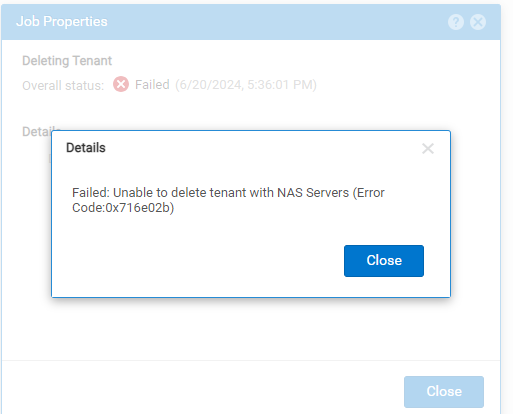
Unable to delete tenant with NAS Servers (Error code:0x716e02b)
Причина
Once created, the tenant configuration cannot be modified. This is prohibited for security purposes. The only allowed changes are to change the tenant name and to add or remove associated VLANs.
VLAN ID may be added to a tenant if:
VLAN ID may be added to a tenant if:
- The VLAN ID is not associated with an existing tenant
- Existing network interfaces do not use the VLAN ID
Разрешение
To modify the tenant configuration:
- NAS server must be deleted.
- Modify the tenant configuration as required.
- Create a new NAS server and add the tenants.
Дополнительная информация
What is the reason why UUID cannot be modified?
The Linux namespace module supports tenant functionality. Linux namespace name is the same as UUID, and Linux namespace cannot modify the name after creation.
See Chapter two, Change NAS Server Properties of Dell Unity Family Configuring SMB File Sharing.
The Linux namespace module supports tenant functionality. Linux namespace name is the same as UUID, and Linux namespace cannot modify the name after creation.
See Chapter two, Change NAS Server Properties of Dell Unity Family Configuring SMB File Sharing.
Затронутые продукты
Dell EMC Unity Family |Dell EMC Unity All FlashСвойства статьи
Номер статьи: 000226357
Тип статьи: Solution
Последнее изменение: 26 Jun 2024
Версия: 1
Получите ответы на свои вопросы от других пользователей Dell
Услуги технической поддержки
Проверьте, распространяются ли на ваше устройство услуги технической поддержки.