NetWorker: Unable to Load Drivers Using NetWorker BMR Wizard
Сводка: During a Bare Metal Recovery (BMR) performed through NetWorker, unable to load any operating system drivers, such as Network or Disk Drivers.
Симптомы
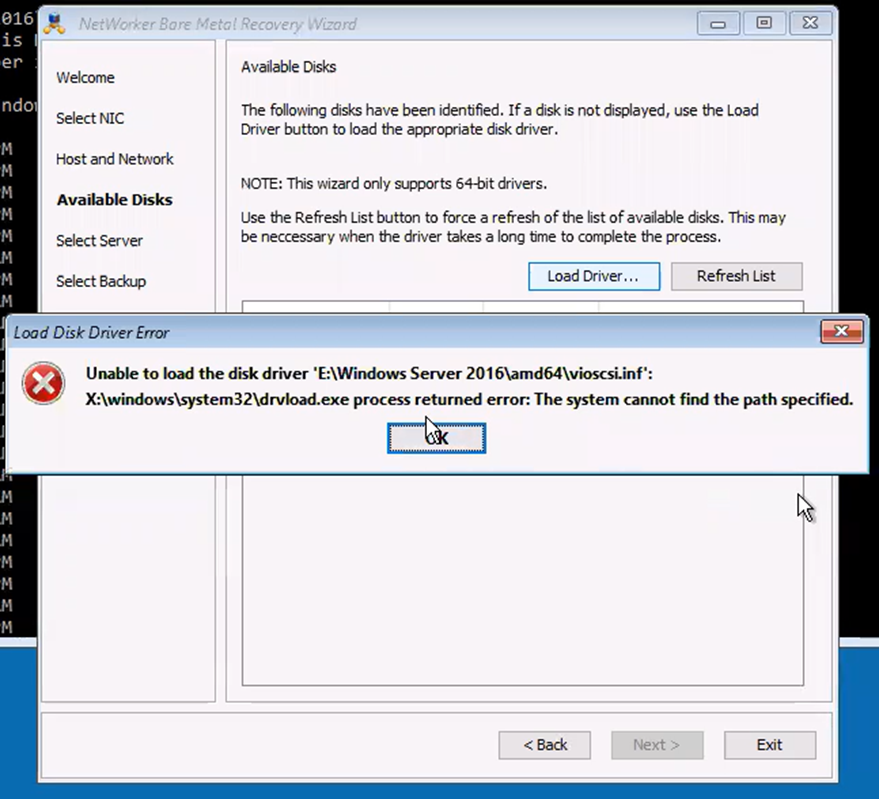
The following error is observed from the NetWorker Bare Metal Recovery (BMR) wizard:
Unable to load the disk driver 'E:\Windows Server 2016\amd64\vioscsi.inf'
X:\windows\system32\drvload.exe process returned error: The system cannot find the path specified.
Причина
The NetWorker BMR wizard is unable to fetch the drivers or upload the drivers. For example, WinPE is not supported with DISK Driver vioscsi.inf. The driver can be manually loaded.
Разрешение
drvload command.
Scenario
A Virtual CD Disk is attached to the VM and the location was assigned as E:\.
- From BMR Wizard terminal, go to
E:\ locationusing "cd" command:
cd E:\driver_location
- Load drivers using
drvloadcommand:
drvload driver_name.inf
After, click the "refresh list" option to refresh the drivers.
drvload fails, the issue is with WinPE or the driver.
drvload is a Microsoft WinPE utility, not a NetWorker command. A failure reported by drvload indicates that WinPE was unable to load the specified driver package. This typically points to a driver, path, architecture, compatibility, or WinPE-related issue rather than a NetWorker issue. If the same error occurs when running drvload manually from a WinPE command prompt, the driver-loading issue must be resolved at the Windows/VM layer before NetWorker BMR can proceed.