PowerProtect DD System Manager (DDSM) and Data Domain Management Server (DDMC) access fails with AD Authentication
Zhrnutie: PowerProtect DD System Manager (DDSM) and Data Domain Management Server (DDMC) access fails with AD Authentication
Tento článok sa vzťahuje na
Tento článok sa nevzťahuje na
Tento článok nie je viazaný na žiadny konkrétny produkt.
V tomto článku nie sú uvedené všetky verzie produktov.
Symptómy
The Data Domain appliance has been configured in the environment with Windows Active Directory Access Management. The PowerProtect DD System Manager (DDSM) and Data Domain Management Server (DDMC) authentication works successfully with local users, but fails with Active Directory (AD) users. When using an AD user for authentication, the DDSM login fails with "The user has insufficient privileges to access DD System Manager."
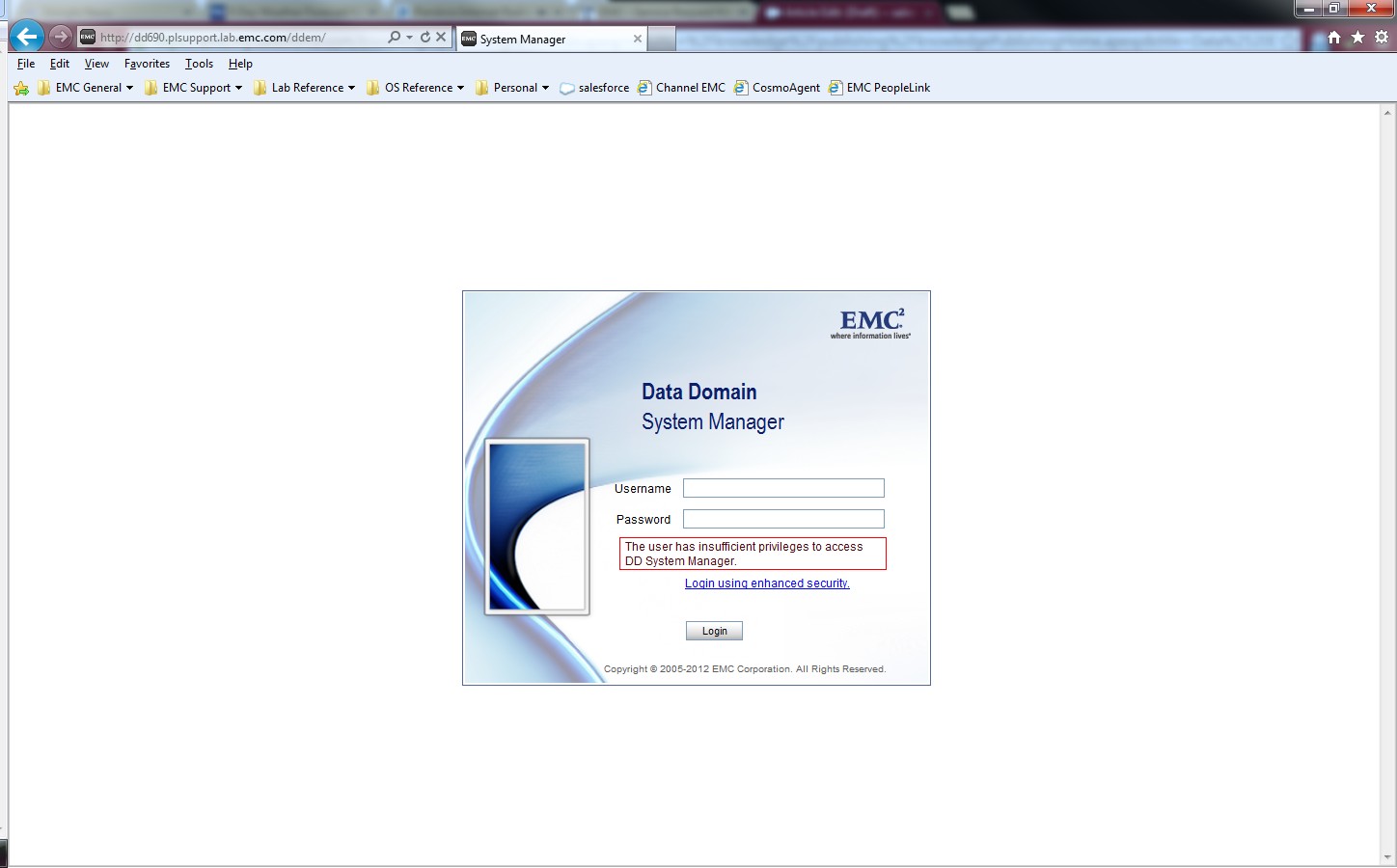
The Windows Authentication and Allowed Group settings under the "System Settings > Access Management > Windows" are properly configured for the Microsoft Active Directory LDAP. The authentication to Data Domain CIFS shares is successful with AD user accounts.
Error for DDMC:
Error for DDMC:
sms: NOTICE: In session create 5034-the user has insufficient privilegePríčina
The adminaccess authentication is disabled on the Data Domain.
Riešenie
Enable the adminaccess authentication option on the Data Domain system to allow AD user authentication using the DDSM and SSH.
sysadmin@MyDataDomain# adminaccess authentication show
CIFS authentication:    disabled
sysadmin@MyDataDomain# adminaccess authentication add cifs
CIFS authentication:    enabled
sysadmin@MyDataDomain# adminaccess authentication show
CIFS authentication:    enabled
The information and procedure is documented in the "Managing Access Control" section of the PowerProtect Data Domain Operating System Administration Guide.
Dotknuté produkty
Data DomainProdukty
Data DomainVlastnosti článku
Číslo článku: 000023929
Typ článku: Solution
Dátum poslednej úpravy: 30 mar 2026
Verzia: 5
Nájdite odpovede na svoje otázky od ostatných používateľov spoločnosti Dell
Služby podpory
Skontrolujte, či sa na vaše zariadenie vzťahujú služby podpory.