NVP vProxy: NetWorker vProxy fails network configuration
Zhrnutie: The vProxy appliance is deployed with a static IPv4 address that never appears on the VM and does not respond; wickedd reports duplicate‑IP errors because the address is in use on the network. ...
Tento článok sa vzťahuje na
Tento článok sa nevzťahuje na
Tento článok nie je viazaný na žiadny konkrétny produkt.
V tomto článku nie sú uvedené všetky verzie produktov.
Symptómy
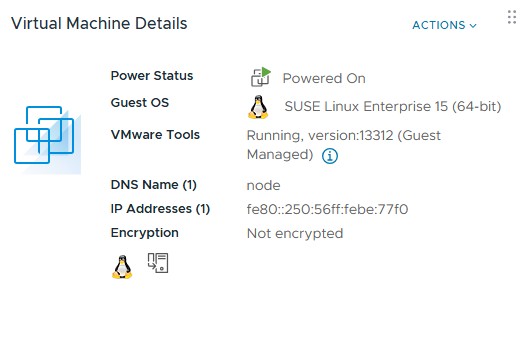
vProxy OVF is deployed with a specified IPv4 address but the deployed VM does not show the address and does not respond on the network to that address.
ip a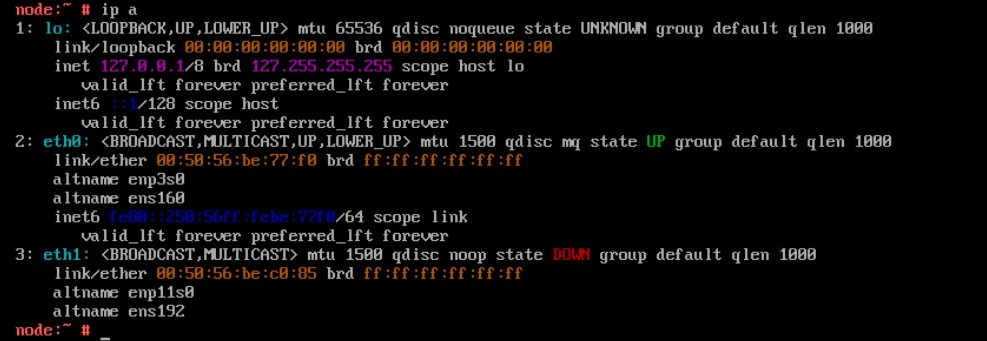
Reconfiguring the network parameters using the config_network.sh script fails to apply the static IPv4 address
/opt/emc/vproxy/bin/config_network.sh <Interface> <FQDN> <IP Address> <Netmask> <Gateway> <DNS List (comma separated)>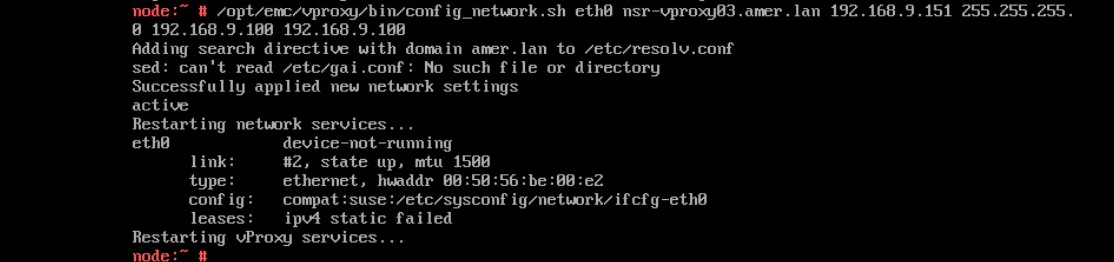
Status of the wickedd service shows duplicate IP address errors.
systemctl status wickedd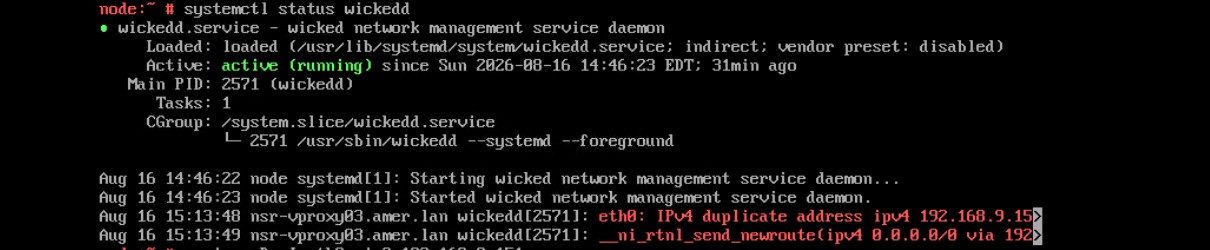
Príčina
Riešenie
Find a new unique address and use the following command to assign the new IP address.
- Log in to the vProxy and elevate to root.
- Run the following command.
/opt/emc/vproxy/bin/config_network.sh <Interface> <FQDN> <IP Address> <Netmask> <Gateway> <DNS List (comma separated)>*For more information, see NVP vProxy: How to Manually Change the vProxy Appliance Network Interface Settings
Dotknuté produkty
NetWorkerVlastnosti článku
Číslo článku: 000499204
Typ článku: Solution
Dátum poslednej úpravy: 17 aug 2026
Verzia: 1
Nájdite odpovede na svoje otázky od ostatných používateľov spoločnosti Dell
Služby podpory
Skontrolujte, či sa na vaše zariadenie vzťahujú služby podpory.