VMware vSphere 7 shows Persistent Memory (NVDIMM-N) as 0 MB after DIMM error
Summary: This article shows how to resolve an issue where vSphere 7.0 shows Persistent Memory (NVDIMM-N) as "0 MB" after a DIMM error, Persistent Memory (PMEM) namespace shows as "Not in Use."
Bu makale şunlar için geçerlidir:
Bu makale şunlar için geçerli değildir:
Bu makale, belirli bir ürüne bağlı değildir.
Bu makalede tüm ürün sürümleri tanımlanmamıştır.
Instructions
Symptom
The vSphere Web UI shows "Persistent Memory" as "0 MB" after a DIMM error.
Note: This issue happens after the physical DIMM issue has been fixed.
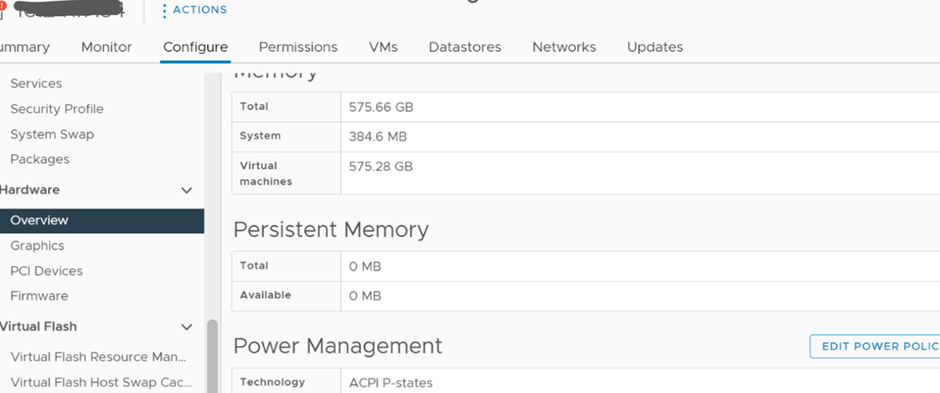
Solution
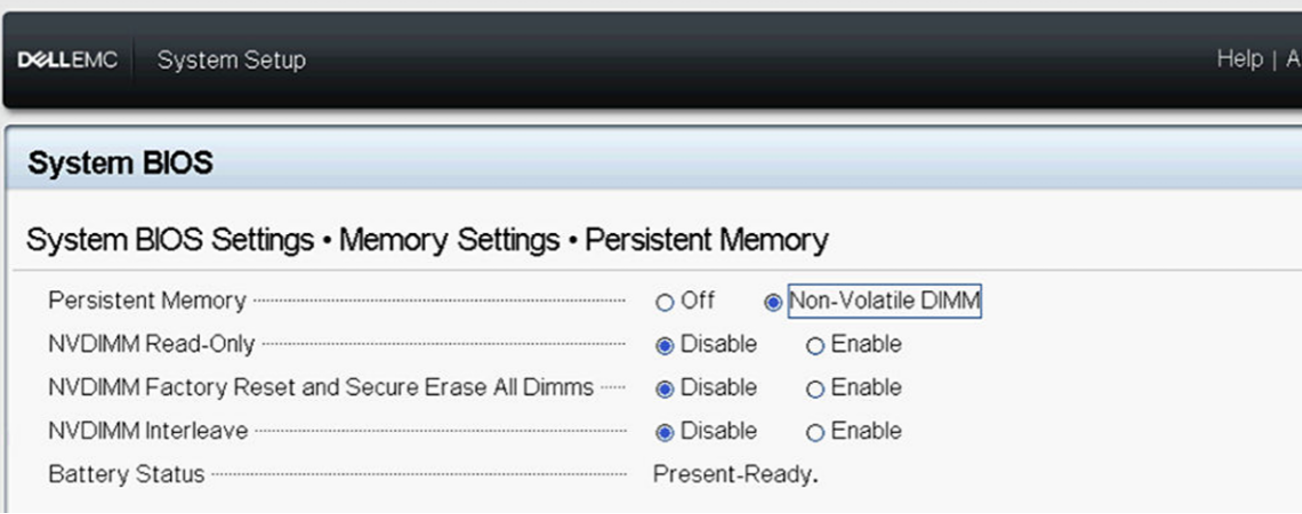
1) Ensure that the Persistent Memory is enabled in the BIOS as show below:
2) Log in to the ESXi host UI to check the Persistent Memory namespace setting.
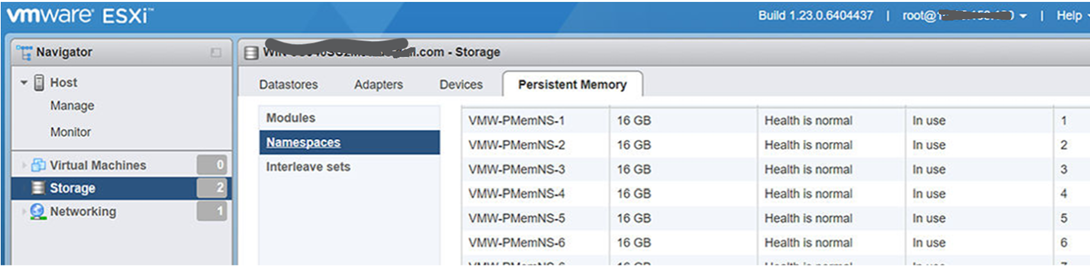
Delete the namespace if it shows as "Not in use," then reboot the host to let ESXi auto re-create the namespace.
3) Once rebooted, the namespace is re-created and functions again.
Etkilenen Ürünler
VMware ESXi 6.7.X, VMware ESXi 7.x, VMware ESXi 8.xMakale Özellikleri
Article Number: 000211598
Article Type: How To
Son Değiştirme: 17 May 2026
Version: 5
Sorularınıza diğer Dell kullanıcılarından yanıtlar bulun
Destek Hizmetleri
Aygıtınızın Destek Hizmetleri kapsamında olup olmadığını kontrol edin.