How to Obtain the CrowdStrike Customer Identification
Summary: Learn how to find your CrowdStrike Customer Identification (CID) by following these instructions. These instructions support Windows, Mac, and Linux.
Ця стаття стосується
Ця стаття не стосується
Ця стаття не стосується якогось конкретного продукту.
У цій статті зазначено не всі версії продукту.
Instructions
The CrowdStrike Customer Identification (CID) is used to:
- Activate the CrowdStrike Falcon Sensor
- Troubleshoot the CrowdStrike Falcon Console
Affected Products:
- CrowdStrike
Affected Operating Systems:
- Windows
- Mac
- Linux
Locate your customer ID (CID) in the CrowdStrike Falcon Console by following these instructions.
- In a Google Chrome or Microsoft Edge browser, go to your Falcon Console login URL.
- Falcon US-1: https://falcon.crowdstrike.com/login/
- Falcon US-2: https://falcon.us-2.crowdstrike.com/login/
- Falcon EU-1: https://falcon.eu-1.crowdstrike.com/login/
- Falcon US-GOV-1: https://falcon.laggar.gcw.crowdstrike.com/login/
- Falcon US-1: https://falcon.crowdstrike.com/login/
- Populate the CrowdStrike account holder’s credentials, and then click Log In.
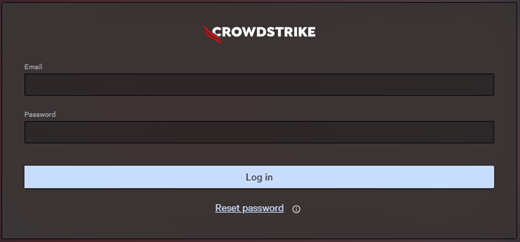
- In the left menu pane, select the Host setup and management app icon and then select Sensor downloads.
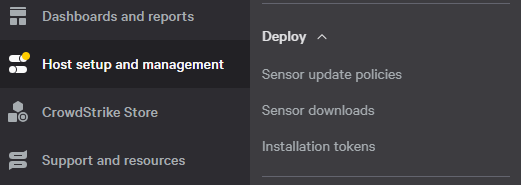 Note: The layout in the example may differ slightly from your environment.
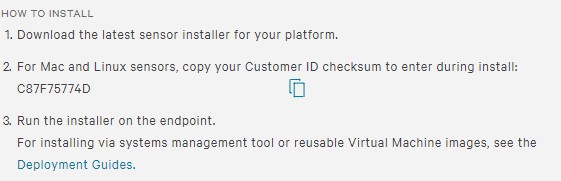
 - Under HOW TO INSTALL, document the Customer ID.
 Note:
Note:- The Customer ID differs in your environment.
- In the example, C87F75774D is the Customer ID.

Продукти, яких це стосується
CrowdStrikeВластивості статті
Article Number: 000129349
Article Type: How To
Востаннє змінено: 23 лип. 2026
Version: 19
Отримайте відповіді на свої запитання від інших користувачів Dell
Служба підтримки
Перевірте, чи послуги служби підтримки поширюються на ваш пристрій.