PowerStore: Migration session sync status is failed
摘要: Migration session sync will get into Failed state when iSCSI connection between appliances is not established.
本文适用于
本文不适用于
本文并非针对某种特定的产品。
本文并非包含所有产品版本。
症状
PowerStore Manager will display migration session status as Failed, with details as:
Transit object with Handle 96f91040-09bd-46c3-b47a-a516d21a7a75:751:686 : status not available.
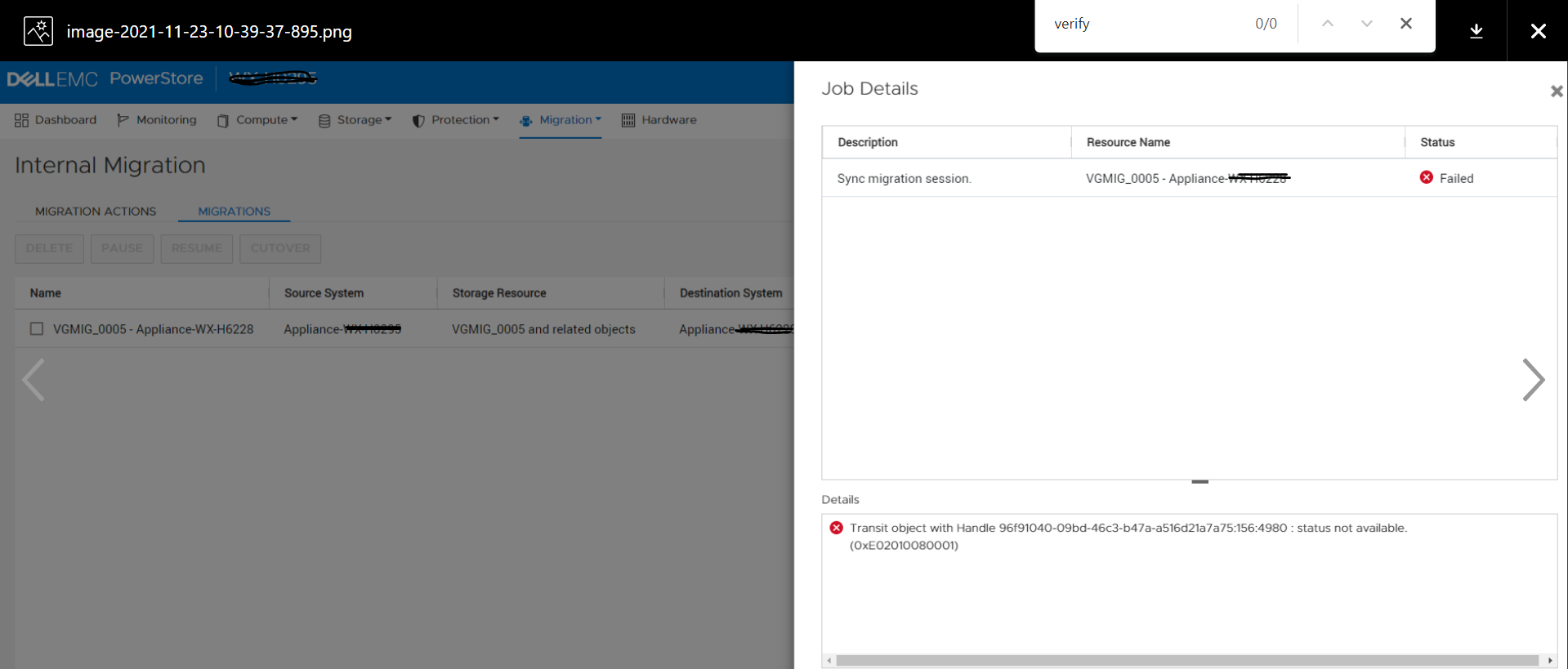
![]()
Transit object with Handle 96f91040-09bd-46c3-b47a-a516d21a7a75:751:686 : status not available.
原因
iSCSI connection between appliances may not be established if the appliances (belonging to the same cluster) are not brought up at the same time or if there was a network connectivity issue between appliances. In this scenario if migration session sync is attempted, it's status will change to Failed.
解决方案
The issue of this KB article is planned to be fixed in a future release. Please contact Technical Support for further assistance.
受影响的产品
PowerStore文章属性
文章编号: 000195834
文章类型: Solution
上次修改时间: 23 2月 2022
版本: 1
从其他戴尔用户那里查找问题的答案
支持服务
检查您的设备是否在支持服务涵盖的范围内。