AppSync: Unable to create a service plan completion report using AppSync GUI
摘要: Unable to export a service plan completion report using AppSync GUI.
本文适用于
本文不适用于
本文并非针对某种特定的产品。
本文并非包含所有产品版本。
症状
Unable to export a service plan completion report using AppSync 4.5 GUI.
If "Include table headers" is selected and "Export only selected rows" is NOT selected, downloading would not happen. Actually, nothing happened.
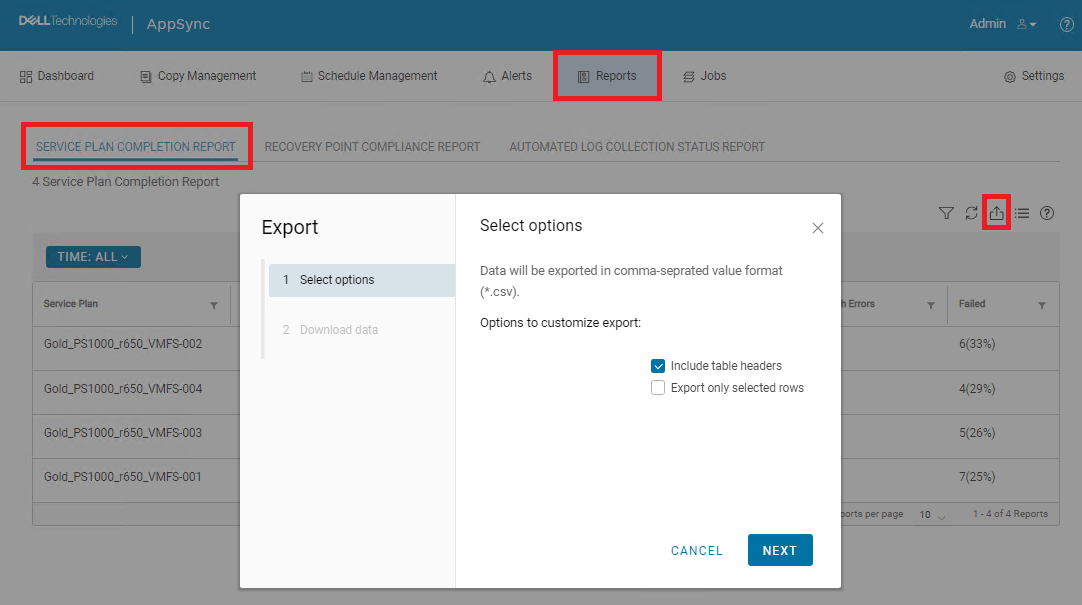
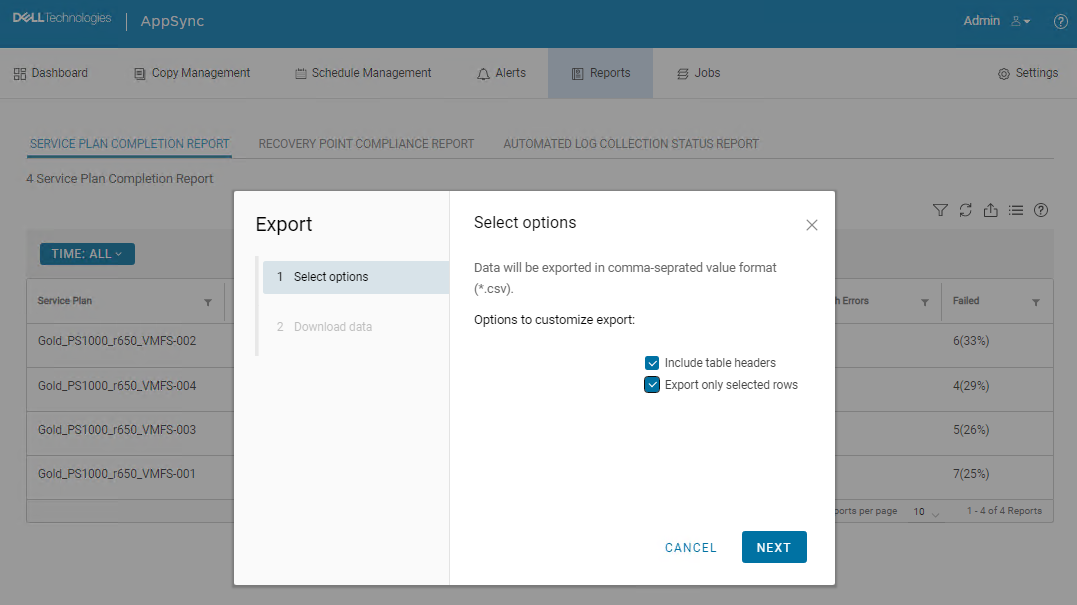
If both "Include table headers" and "Export only selected rows" are selected, downloading started and CSV file was downloaded. However, all data was missing.

原因
This is an AppSync UI bug.
解决方案
Workaround:
The following AppSync CLI command can be used to export a service plan completion report.
Sample command output:
Service_Plan_Completion_Report_2022_12_26_18_24_38.csv

Permanent fix:
This issue is expected to be resolved in the version following 4.5.
The following AppSync CLI command can be used to export a service plan completion report.
appsync-cli.bat -report report_type=spc detailed=true
Sample command output:
C:\EMC\AppSync\appsync-cli>appsync-cli.bat -report report_type=spc detailed=true
Picked up JAVA_TOOL_OPTIONS: "-Dos.name=Windows Server 2019"

Exporting SPC Details to: "C:\EMC\AppSync\Service_Plan_Completion_Report_2022_12_26_18_24_38.csv"
Service_Plan_Completion_Report_2022_12_26_18_24_38.csv
Permanent fix:
This issue is expected to be resolved in the version following 4.5.
其他信息
Refer to the release notes of the version following 4.5 to determine if the fix has been included.
受影响的产品
AppSync文章属性
文章编号: 000206985
文章类型: Solution
上次修改时间: 16 5月 2026
版本: 4
从其他戴尔用户那里查找问题的答案
支持服务
检查您的设备是否在支持服务涵盖的范围内。