PowerFlex:如何在基于 Debian 的服务器(Debian、Ubuntu 或 Proxmox)上安装 SDC
摘要: 以下过程说明如何在基于 Debian 的服务器上手动安装外部 SDC。 以下过程中的步骤与 Debian 和 Ubuntu 操作系统相关,包括 Proxmox 虚拟环境。
本文适用于
本文不适用于
本文并非针对某种特定的产品。
本文并非包含所有产品版本。
说明
检索 SDC 软件。
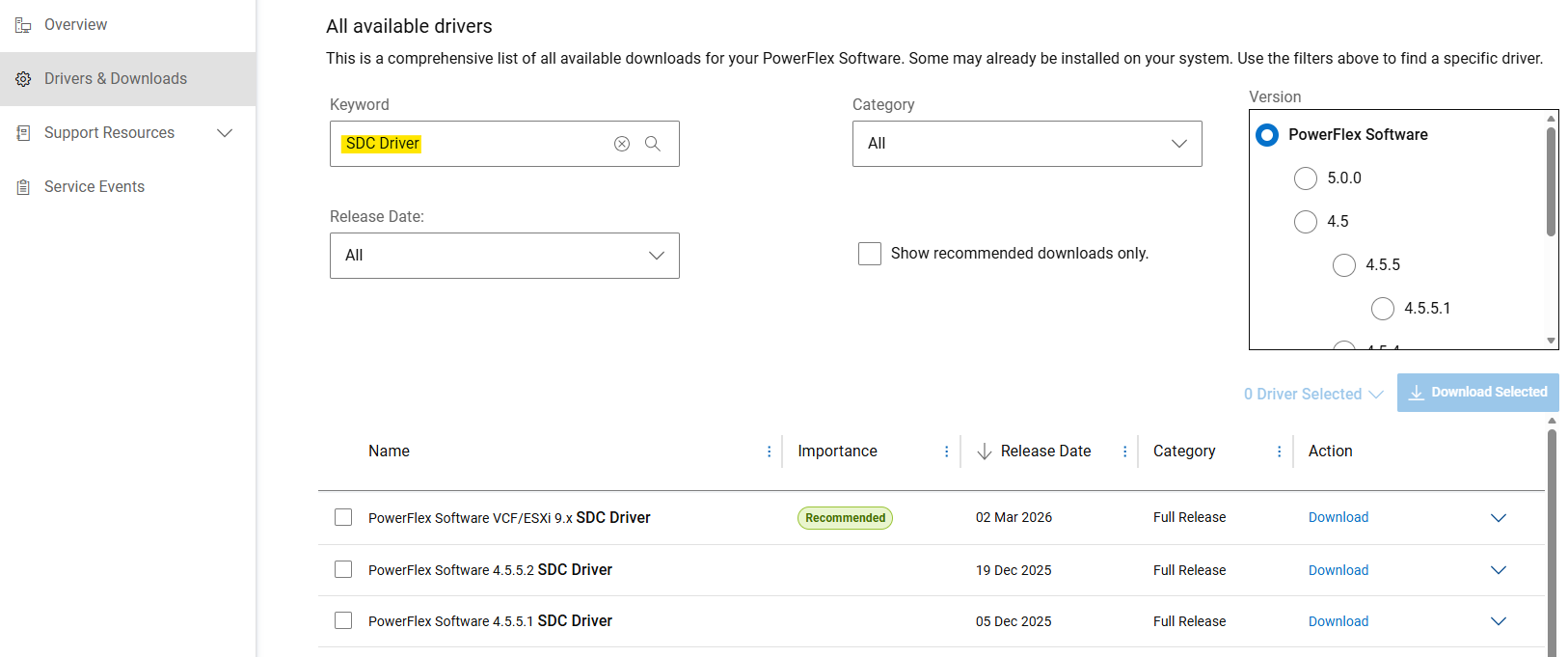
- 从戴尔支持站点获取用于手动安装的 SDC 驱动程序
- 在“驱动程序和下载”部分,搜索“SDC 驱动程序”作为关键字。
- 下载”
PowerFlex_*_SDCs_for_manual_install.zip“文件,该文件与要安装的 PowerFlex 版本匹配。
(SDC 向后和向前兼容 PowerFlex 系统版本。请参阅发行说明)
解压基于 Debian 的软件包 (.deb)
PowerFlex 组件包作为 .tar 文件,用于基于 Debian 的操作系统。在安装之前,请 .deb 必须使用提供的解压包 siob_extract 实用:
- 提取 SDC
.zip您的特定操作系统版本的文件(从”PowerFlex_*_SDCs_for_manual_install.zip“存档) - 检查完整性(md5 或 sha256)并扩充 SDC
.zipfile - 解压缩”
EMC-ScaleIO-sdc-*" .tarfile - 解压
.deb打包方式siob_extract实用程序
# Extract SDC for Debian 12 (bookworm) / Proxmox VE 8.x
unzip PowerFlex_*_SDCs_for_manual_install.zip "*Debian12_SDC.*"

# Check integrity & inflate zip file
cd PowerFlex_*_SDCs_for_manual_install/
sha256sum PowerFlex_*_Debian12_SDC.zip
cat PowerFlex_*_Debian12_SDC.sha256
unzip PowerFlex_*_Debian12_SDC.zip

# Extract .deb package (using `siob_extract` utility)
cd PowerFlex_*_Debian12_SDC/
tar -xvf EMC-ScaleIO-sdc-*.Debian12.x86_64.tar
chmod +x siob_extract
./siob_extract EMC-ScaleIO-sdc-*.Debian12.x86_64.siob
ls EMC-ScaleIO-sdc-*.Debian12.x86_64.deb对于其他操作系统版本,请使用:”*Debian13_SDC*“或”*Ubuntu24.04_SDC*”
在服务器上安装 SDC 并将其连接到 PowerFlex。
- 收集 PowerFlex 系统(或所有 MDM 管理器 IP)的 MDM 虚拟 IP 地址
- 安装 SDC 软件包
- 验证驱动程序是否已加载
MDM_IP="<MDM_IP1>,<MDM_IP2>,..." dpkg -i EMC-ScaleIO-sdc-*.deb
systemctl status scini.service
如果 scini.service 无法启动,”scini“驱动程序可能与您的内核版本不兼容。在这种情况下,请参阅如何配置 driver_sync (可能需要登录戴尔支持才能查看本文)或按需编译。此外 ,在 SDC 上使用安全启动 也有一些限制,并且需要执行额外的步骤。
请参阅文档以了解建议的部署后任务或将卷映射到 SDC。
受影响的产品
PowerFlex rack, PowerFlex Appliance, PowerFlex custom node, ScaleIO, PowerFlex Software文章属性
文章编号: 000462918
文章类型: How To
上次修改时间: 12 6月 2026
版本: 3
从其他戴尔用户那里查找问题的答案
支持服务
检查您的设备是否在支持服务涵盖的范围内。