Inspiron 5477/ Optiplex 7460 experience Panel failure symptoms includes : Flickering/Cloudy/Line/Colors/Dim/Dark/Ghost
摘要: The Inspiron 5477 or OptiPlex 7460 touch screen may flicker slightly or display with abnormal colors, after the computer resumes from Sleep Mode.
本文章適用於
本文章不適用於
本文無關於任何特定產品。
本文未識別所有產品版本。
症狀
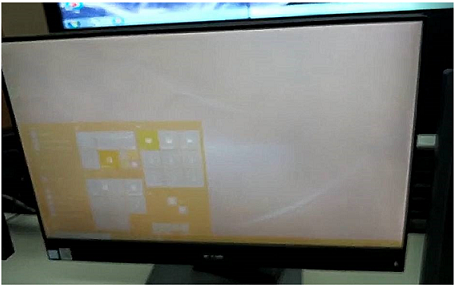
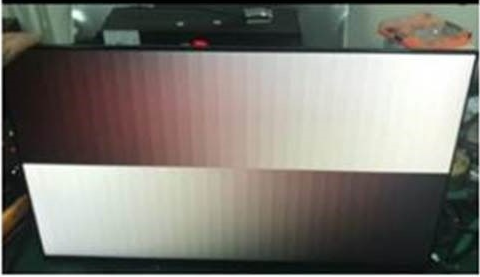
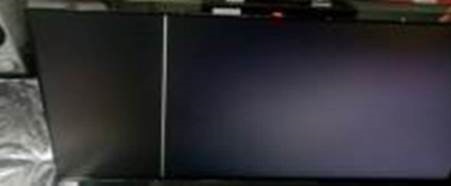
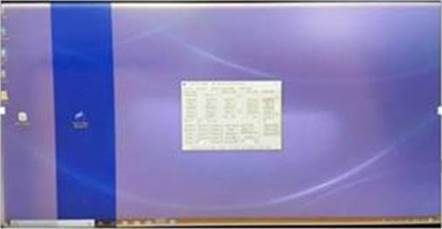
Inspiron 5477 and Optiplex 7460 All In One may experience Panel Failure symptoms include following symptoms:
- Flickering
- Cloudy
- Line
- Colors
- Dim
- Dark
- Ghost
This symptom occurs when the Touch Screen function was accidentally disabled by Windows 10 OS (Operating System) when the system is attempting to resume from the Sleep Mode.
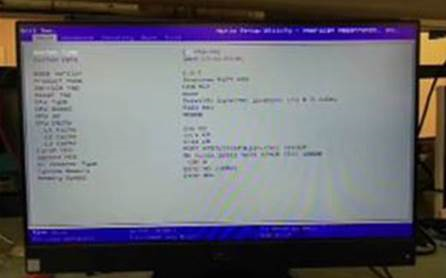
The issue can be seen in ePSA , BIOS screen, LCD BIST etc.
 |
 |
 |
 |
 |
 |
 |
|
原因
This issue could be reported randomly on:
- Inspiron 5477
- Optiplex 7460 All In One
解析度
Follow the instructions below to resolve this issue:
-
Download the firmware updater tool from the following link and follow the on-screen instructions to complete the firmware update, https://www.dell.com/support/home/drivers/driversdetails?driverId=81M7D
 Note: Do not power off the computer during the firmware upgrading process.
-
Run the Scalar Firmware Update Tool, it can be downloaded from the following link, https://www.dell.com/support/home/drivers/driversdetails?driverId=F6NV7.
 Note: This firmware updater needs to run for about 8 minutes, do not power off the computer during the firmware upgrading process.
-
Run the rolling pattern tool from the following link and wait for 2 hours, after 2 hours press the Esc button to quit the application and restart the computer to complete the updates, https://www.dell.com/support/home/drivers/driversdetails?driverId=R6TNF
- If the issue is not resolved after following the above steps, please contact your regional Tech Support for assistance.
 Note:This firmware(FW) update requires the LCD touch screen to be enabled. If you encounter problems during the firmware update process, please first confirm that the touch screen function under the system BIOS is turned on.
受影響的產品
Inspiron 5477, OptiPlex 7460 All-In-One文章屬性
文章編號: 000135019
文章類型: Solution
上次修改時間: 17 4月 2025
版本: 6
向其他 Dell 使用者尋求您問題的答案
支援服務
檢查您的裝置是否在支援服務的涵蓋範圍內。