PowerProtect:VM 備份失敗,並顯示ABV0018「無法建立 LWD 快照」。
摘要: 虛擬機器 (VM) 備份失敗,並在建立輕量增量 (LWD) 快照步驟期間退出狀態ABV0018。
本文章適用於
本文章不適用於
本文無關於任何特定產品。
本文未識別所有產品版本。
症狀
PowerProtect Data Manager 用於透過 Transparent Snapshot Data Mover (TSDM) 解決方案保護 vSphere 環境。在「建立 LWD 快照」步驟期間,虛擬機器 (VM) 備份失敗,並出現退出狀態ABV0018。PowerProtect Data Manager 介面工作詳細資料顯示:
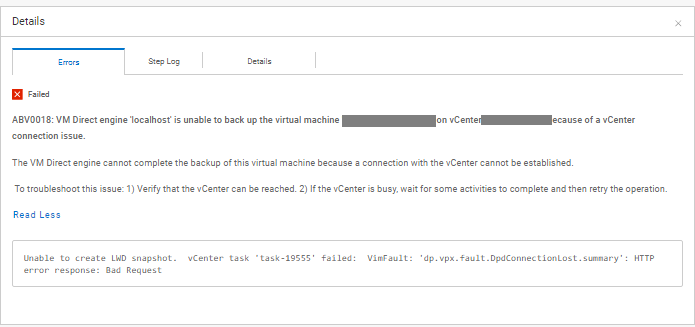
ABV0018: VM Direct engine 'localhost' is unable to back up the virtual machine 'my-vm' on vCenter 'my-vcenter.domain.local' because of a vCenter connection issue.

The VM Direct engine cannot complete the backup of this virtual machine because a connection with the vCenter cannot be established.

 To troubleshoot this issue: 1) Verify that the vCenter can be reached. 2) If the vCenter is busy, wait for some activities to complete and then retry the operation.

Read Less
Unable to create LWD snapshot.  vCenter task 'task-19555' failed:  VimFault: 'dp.vpx.fault.DpdConnectionLost.summary': HTTP error response: Bad Request
備份匯出記錄顯示:
YYYY-MM-DD HH:MM:SS DEBUG:  [a2f5cd4b522e3631;9701a8efeb09207a] SDM Data Mover: Create LWD Snapshot: vCenter SOAP call 'DpSnapshot' was accepted.
YYYY-MM-DD HH:MM:SS ERROR:  [a2f5cd4b522e3631;9701a8efeb09207a] SDM Data Mover: Create LWD Snapshot: vCenter task 'task-19480' failed:  VimFault: 'dp.vpx.fault.DpsFault.summary': Operation was canceled
YYYY-MM-DD HH:MM:SS ERROR:  [a2f5cd4b522e3631;9701a8efeb09207a] SDM Data Mover: Create LWD Snapshot: Unable to create LWD snapshot.
YYYY-MM-DD HH:MM:SS DEBUG:  [a2f5cd4b522e3631;9701a8efeb09207a] SDM Data Mover: Create LWD Snapshot: Retrying in 15s...
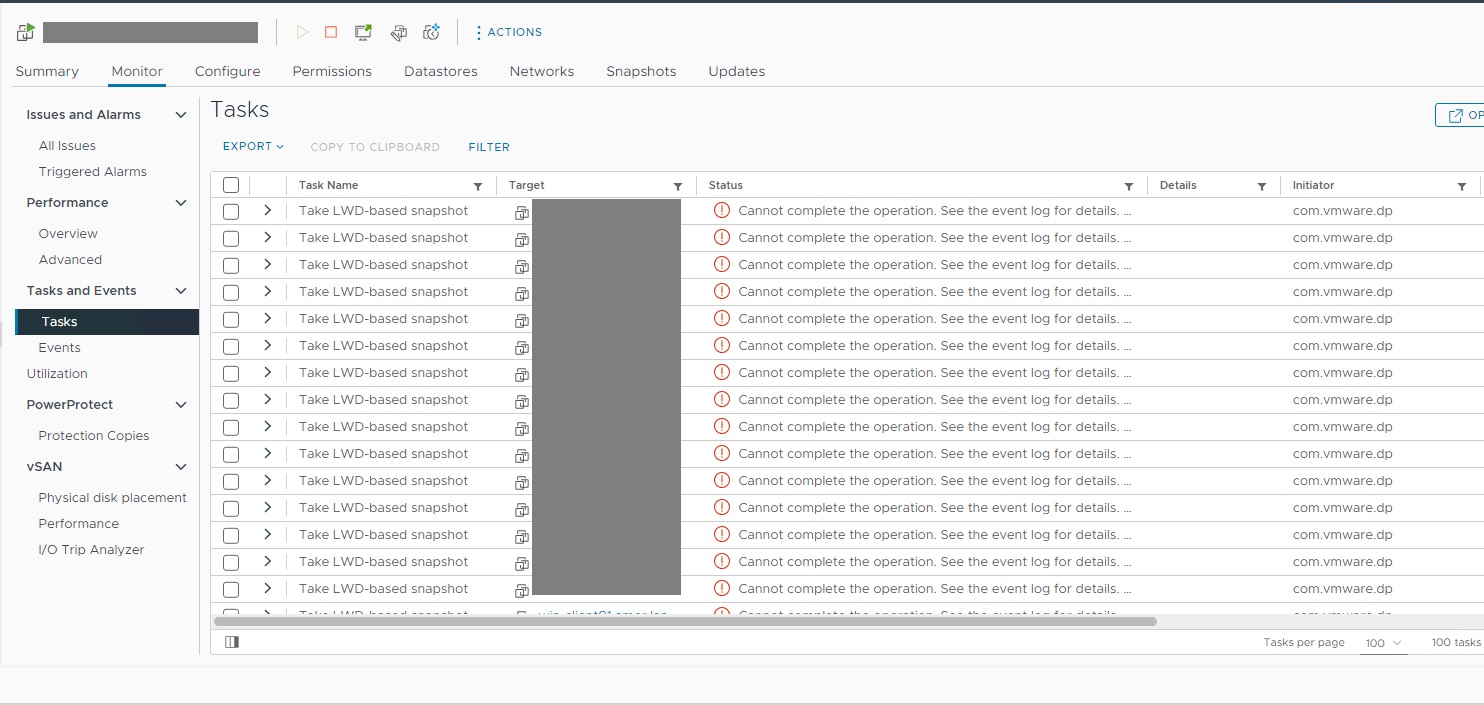
在拍攝 LWD 型快照時,vSphere Web Client 會顯示受影響 VM 的工作會顯示連續的錯誤工作。
原因
vSphere Web 用戶端會顯示代管受影響 VM 之 ESXi 伺服器上處於「已停止」狀態的 DPD 精靈。
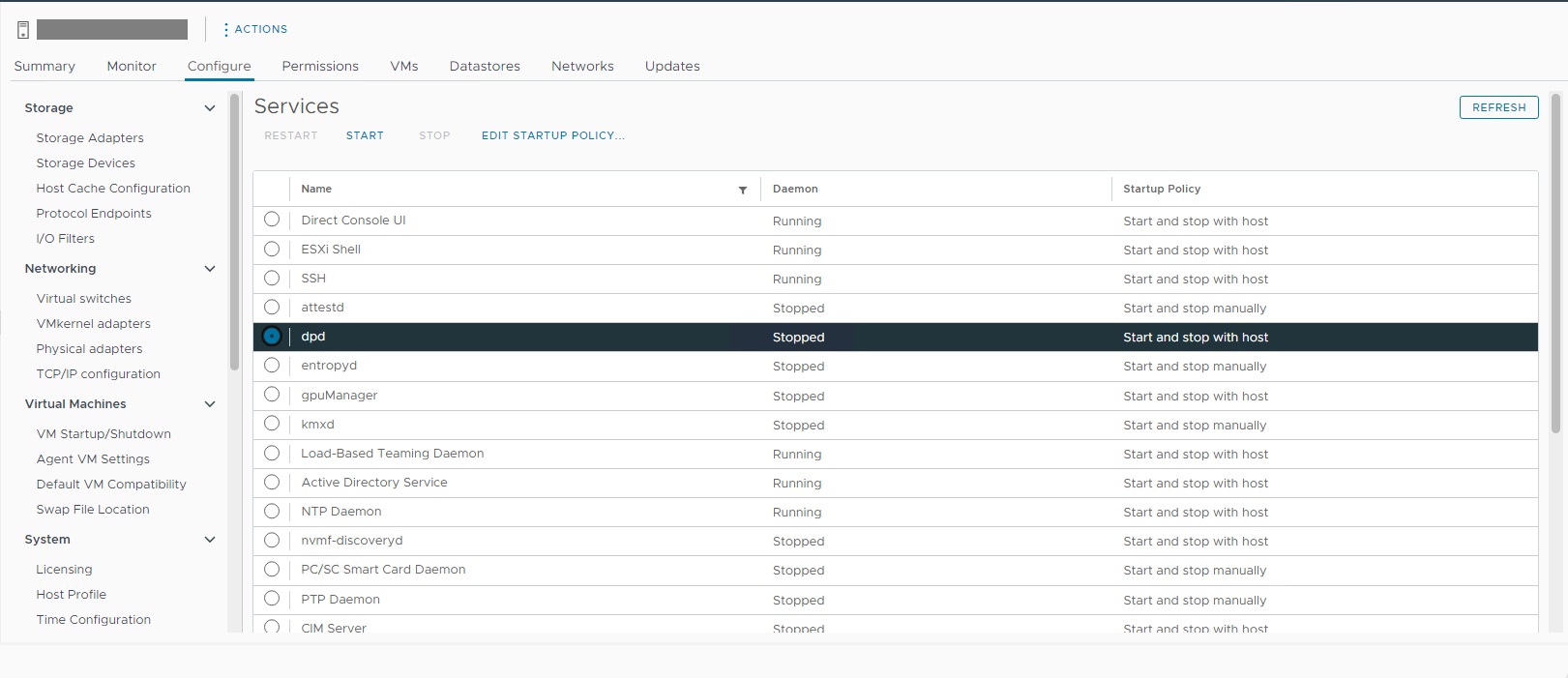
DPD 處於停止狀態的原因不明。
解析度
必須在受影響的 ESXi 主機上重新啟動 DPD。可使用 ESXi ssh 工作階段啟動 DPD:
如有需要,請聯絡 VMware 支援,進一步調查顯示停止狀態的 DPD。
[root@my-esx:~] /etc/init.d/dpd status
dpd is stopped
[root@my-esx:~] /etc/init.d/dpd start
Starting dpd:Setting the memory limit for dpd resource pool on this host to 320 MB
Setting max number of file descriptors to 800
Setting MALLOC_ARENA_MAX to 20
success

[root@my-esx:~] /etc/init.d/dpd status
dpd is running
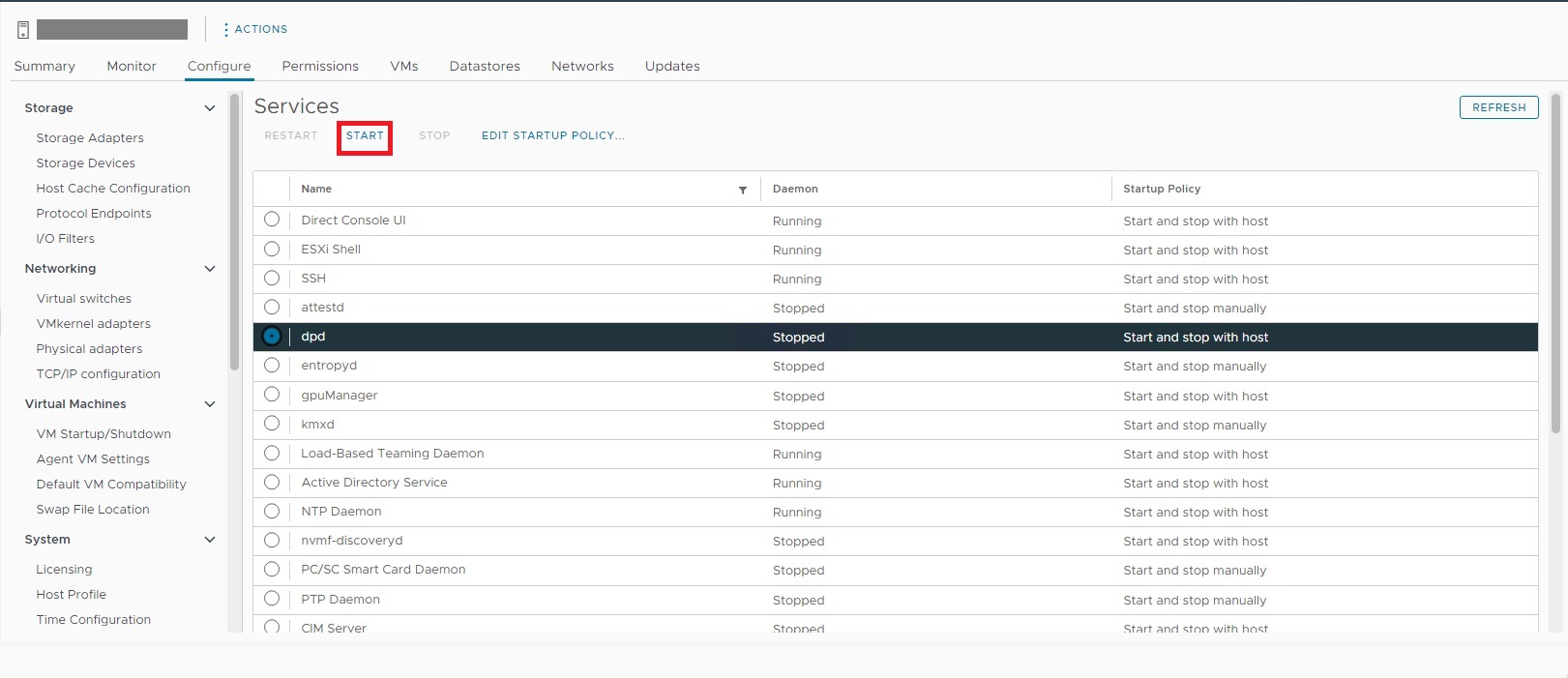
您也可以在「設定 > 服務」下,使用受影響 ESXi 主機的 vSphere Web Client 來啟動 DPD:
如有需要,請聯絡 VMware 支援,進一步調查顯示停止狀態的 DPD。
文章屬性
文章編號: 000223337
文章類型: Solution
上次修改時間: 21 11月 2025
版本: 2
向其他 Dell 使用者尋求您問題的答案
支援服務
檢查您的裝置是否在支援服務的涵蓋範圍內。