How to access your Data Domain Transformational Licensing Agreement (TLA) in Software Licensing Central (SLC)
摘要: This Knowledge Article outlines how to access your Data Domain Transformational Licensing Agreement (TLA) in Software Licensing Central (SLC)
本文章適用於
本文章不適用於
本文無關於任何特定產品。
本文未識別所有產品版本。
說明
Your Transformational Licensing Agreement (TLA) is available to activate within Software Licensing Central (SLC); Licensing.emc.com.
The User needs a support profile in order to access SLC. A support profile is created in the support center; https://www.dell.com/support/home
To access your TLA, the User can deeplink directly from the Customer facing object (CFO) or License Authorization Code (LAC) letter. Alternatively, enter the TLA Sales order number or LAC number directly into SLC.
1.CFO/ LAC letter
The CFO/LAC letter has information such as your LAC number, Sales order number, PO number, and products purchased. A deeplink is also available which brings the User directly into the 'activate' page within SLC.
Sample CFO letter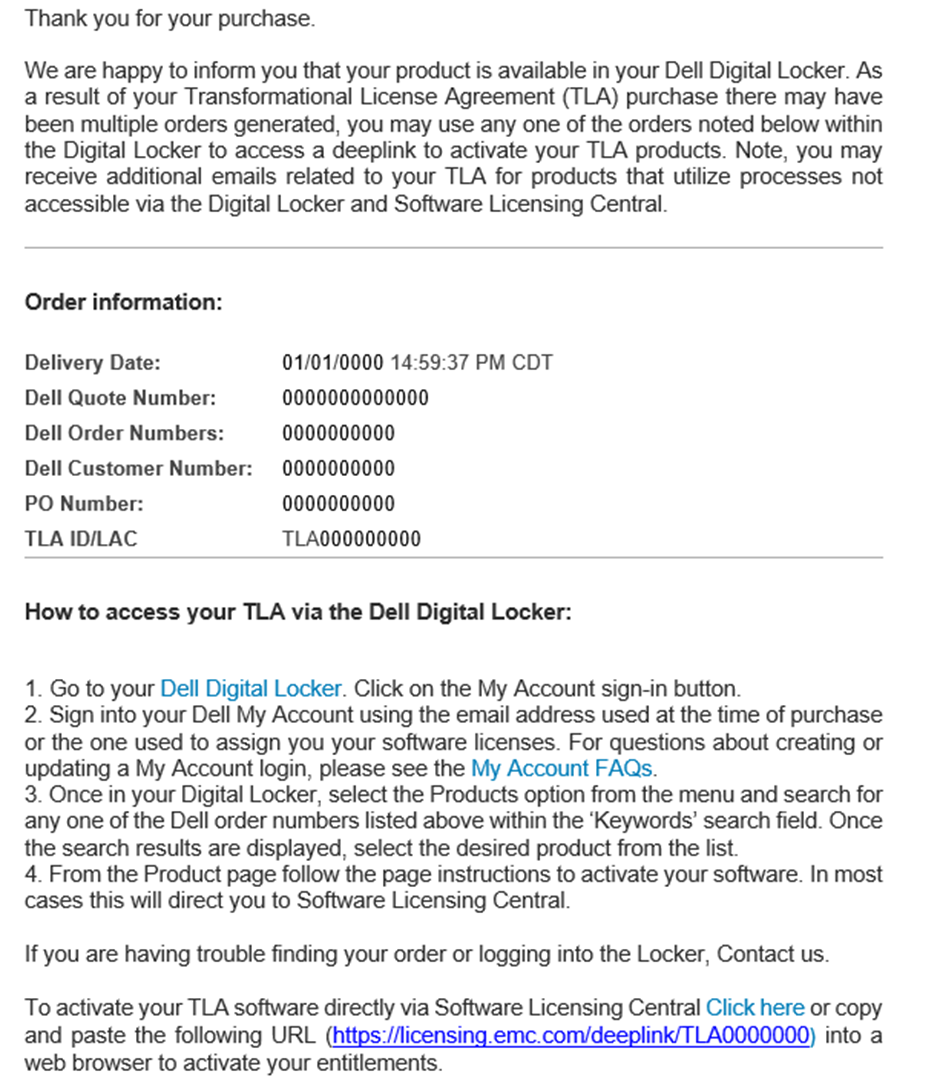
Sample LAC letter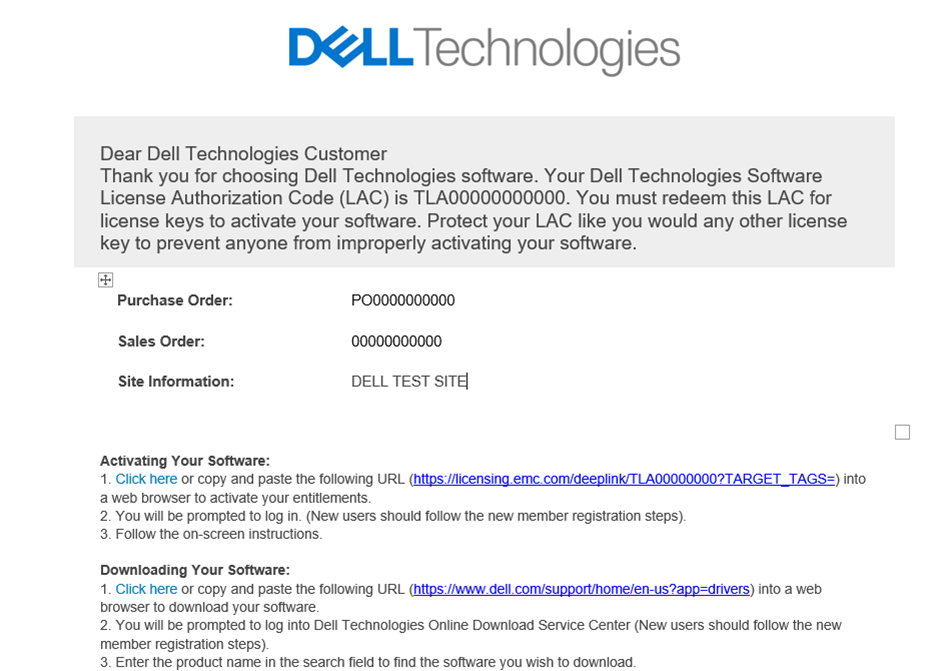
2. To Activate directly in Software Licensing Central
The User can also access Software Licensing Central (SLC) directly by visiting; Licensing.emc.com. Click to the Activation tab and enter your LAC number OR TLA Sales order number.
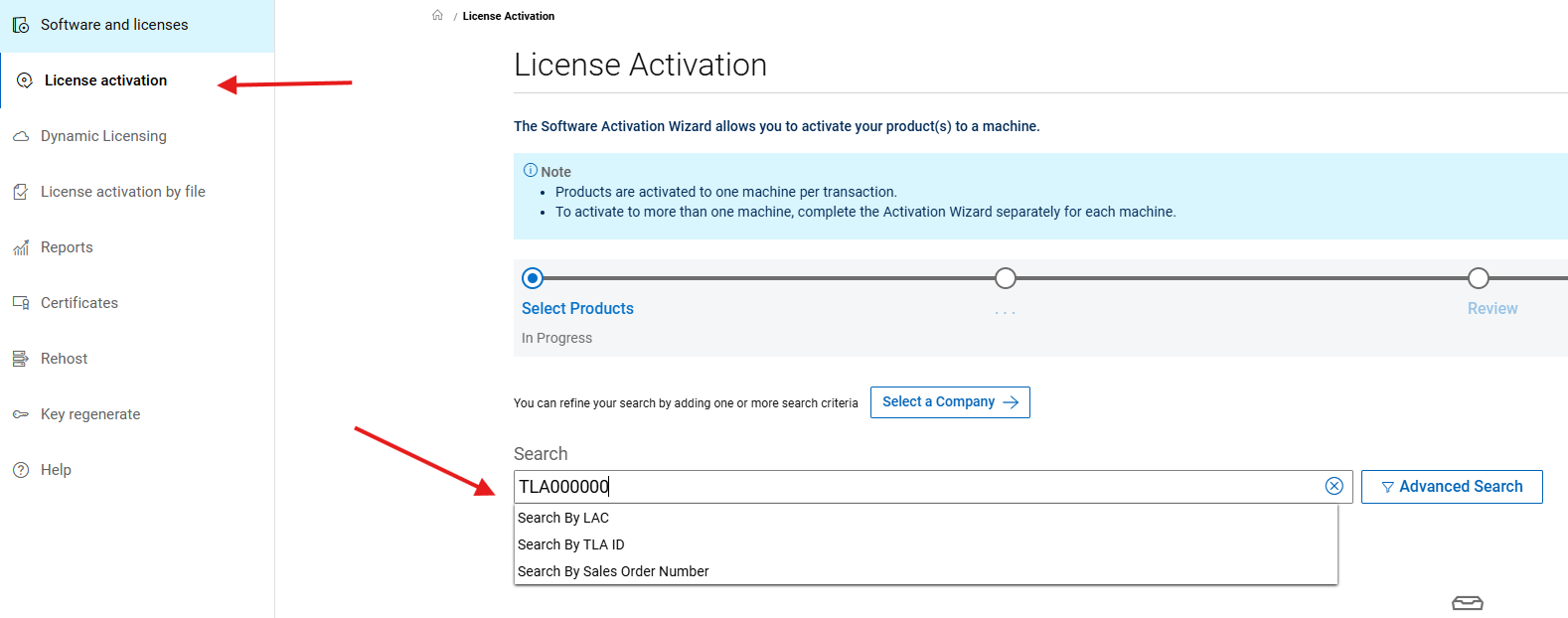
Additional search attributes are displayed when the User clicks the Advanced Search link.
受影響的產品
Data Domain文章屬性
文章編號: 000225425
文章類型: How To
上次修改時間: 25 6月 2025
版本: 3
向其他 Dell 使用者尋求您問題的答案
支援服務
檢查您的裝置是否在支援服務的涵蓋範圍內。