PowerProtect:由於錯誤代碼,DM5500 的升級作業停滯在 25%:UPG0032
摘要: 由於升級保護引擎時發生錯誤,DM5500 的升級無法繼續。
本文章適用於
本文章不適用於
本文無關於任何特定產品。
本文未識別所有產品版本。
症狀
將 PowerProtect Data Manager 應用裝置升級至 5.19 版本時,升級會卡在 25%。
顯示的錯誤類似於以下內容:Error Code: UPG0032
Reason: VM Direct Protection Engines update failed.
Cause: VM Direct Protection Engine 'HostName' health status is Failed. Response Action: Ensure that the VM Direct Protection Engine is operational, or disable the protection engine if it does not need to be updated. Refer to the user documentation for troubleshooting.
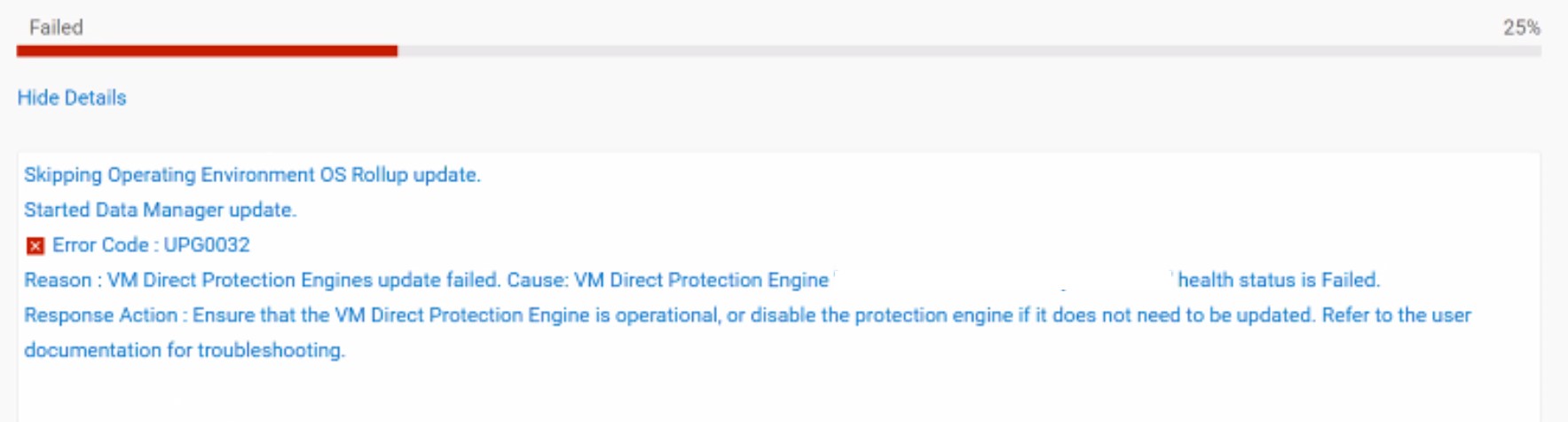
使用者介面中提供的選項為「下載記錄」或「重試」。沒有選項可略過升級 Protection Engine 並完成其餘元件的升級。兩者都沒有取消升級和還原所有更改的選項。
原因
執行升級時,PowerProtect Data Manager 應用裝置 (PPDMA DM5500) 無法與託管保護引擎的 Broadcom VMWARE vCenter 通訊,或無法連線至保護引擎。因此,保護的狀態會標示為「失敗」狀態。
解析度
如果遇到上述狀況,請聯絡 Dell 支援,並提及本文。
受影響的產品
PowerProtect Data Manager Appliance, PowerProtect Data Manager Software文章屬性
文章編號: 000334804
文章類型: Solution
上次修改時間: 10 9月 2025
版本: 2
向其他 Dell 使用者尋求您問題的答案
支援服務
檢查您的裝置是否在支援服務的涵蓋範圍內。