DDPM 第一次載入需要 10 至 16 秒
摘要: 下列文章提供 Dell Display and Peripheral Manager (DDPM) 首次載入時存取擴充基座資訊所需的時間相關資訊。DDPM 可能需要 10 至 16 秒才能啟動。
本文章適用於
本文章不適用於
本文無關於任何特定產品。
本文未識別所有產品版本。
症狀
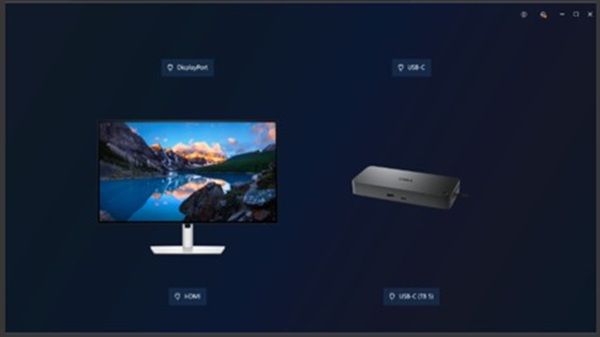
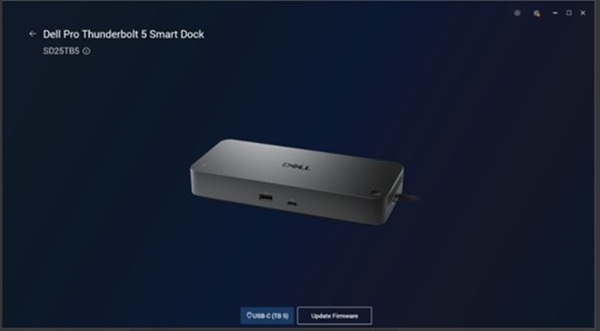
在啟動 DDPM 並按一下擴充基座映像後,畫面上會出現擴充基座資訊後有 10 至 16 秒的延遲:
受影響的產品:
Dell Display and Peripheral Manager (DDPM) version 2.2.0Dell Dock WD19Dell Dock - WD19SDell Performance Dock - WD19DCDell Performance Dock - WD19DCSDell Pro Dock WD25Dell Pro Dock WD25ZDell Pro Smart Dock SD25Dell Pro Thunderbolt 4 Dock WD25TB4Dell Pro Thunderbolt 4 Smart Dock SD25TB4Dell Pro Thunderbolt 5 Dock WD25TB5Dell Pro Thunderbolt 5 Smart Dock SD25TB5Dell Thunderbolt Dock - WD19TBDell Thunderbolt Dock - WD19TBSDell Thunderbolt Dock - WD22TB4
原因
DDPM 需要這 10 至 16 秒的時間才能與擴充基座通訊,以及擷取和快取擴充基座資訊以供顯示。
解析度
Dell Technologies 正在發佈 2.2.0 版 DDPM,以解決此問題。DDPM 發行於 2026 年 1 月 27 日。
因應措施:
如果擴充基座資訊在 16 秒後未出現,請再次按一下擴充基座圖片。在最初的 10-16 秒審訊後,任何後續檢查都會立即載入。
受影響的產品
Dell Display and Peripheral Manager, Dell Pro Smart Dock SD25, Dell Pro Thunderbolt 4 Smart Dock SD25TB4, Dell Pro Dock WD25, Dell Pro Thunderbolt 4 Dock WD25TB4, Dell Pro Dock WD25Z, Dell Dock WD19, Dell Performance Dock - WD19DC
, Dell Performance Dock – WD19DCS, Dell Dock – WD19S
...
產品
Dell Pro Thunderbolt 5 Smart Dock SD25TB5, Dell Pro Thunderbolt 5 Dock WD25TB5, Dell Thunderbolt Dock - WD19TB, Dell Thunderbolt Dock – WD19TBS, Dell Thunderbolt Dock – WD22TB4文章屬性
文章編號: 000404871
文章類型: Solution
上次修改時間: 21 1月 2026
版本: 5
向其他 Dell 使用者尋求您問題的答案
支援服務
檢查您的裝置是否在支援服務的涵蓋範圍內。