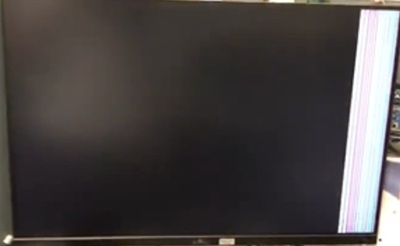
連接至擴充基座的 HDMI 連接埠時,外接顯示器會閃爍
摘要: 瞭解外接顯示器的螢幕閃爍狀況。
本文章適用於
本文章不適用於
本文無關於任何特定產品。
本文未識別所有產品版本。
症狀
出現下列訊息時,按下 繼續 之後,外接顯示器可能會出現螢幕閃爍:
Dock is connected to a non-Thunderbolt port and will perform as a standard USB-C dock offering video, data, and power. For optimal speed and resolution, use a Thunderbolt port if available.
在 BIOS 設定中 啟用「啟用擴充基座警告訊息 」,且持續不到一秒鐘時,就會發生此問題。
受影響的平台:
- Dell Pro 14 PC14250
受影響的擴充基座:
- Dell 擴充基座 WD19
- Dell 擴充基座 - WD19S
- Dell 效能擴充基座 - WD19DC
- Dell Pro 擴充基座 WD25
- Dell Pro 智慧擴充基座 SD25
- Dell Pro Thunderbolt 4 擴充基座 WD25TB4
- Dell Pro Thunderbolt 4 智慧型擴充基座 SD25TB4
- Dell Pro Thunderbolt 5 擴充基座 WD25TB5
- Dell Pro Thunderbolt 5 智慧型擴充基座 SD25TB5
- Dell Thunderbolt 擴充基座 - WD19TB
- Dell Thunderbolt 擴充基座 - WD22TB4
原因
此問題正在調查中。
解析度
Dell 工程部門知道此問題,且正在設法解決。得知詳細資訊後,本文將會更新。
因應措施:
進入 BIOS 設定以停用 擴充基座警告訊息,或在訊息出現時按一下不再 顯示 。

受影響的產品
Dell Pro 14 PC14250, Dell Pro Smart Dock SD25, Dell Pro Thunderbolt 4 Smart Dock SD25TB4, Dell Pro Thunderbolt 5 Smart Dock SD25TB5, Dell Pro Dock WD25, Dell Pro Thunderbolt 4 Dock WD25TB4, Dell Pro Thunderbolt 5 Dock WD25TB5, Dell Dock WD19
, Dell Performance Dock - WD19DC, Dell Dock – WD19S, Dell Thunderbolt Dock - WD19TB, Dell Thunderbolt Dock – WD22TB4
...
文章屬性
文章編號: 000412351
文章類型: Solution
上次修改時間: 13 1月 2026
版本: 2
向其他 Dell 使用者尋求您問題的答案
支援服務
檢查您的裝置是否在支援服務的涵蓋範圍內。