Avamar: Migrate Backups Between Data Domain Using Replication and Replication Restore
摘要: The purpose of this article is to explain a method to move backups from one Data Domain to another Data Domain within the same Avamar server.
本文章適用於
本文章不適用於
本文無關於任何特定產品。
本文未識別所有產品版本。
說明
A brief summary of this article:
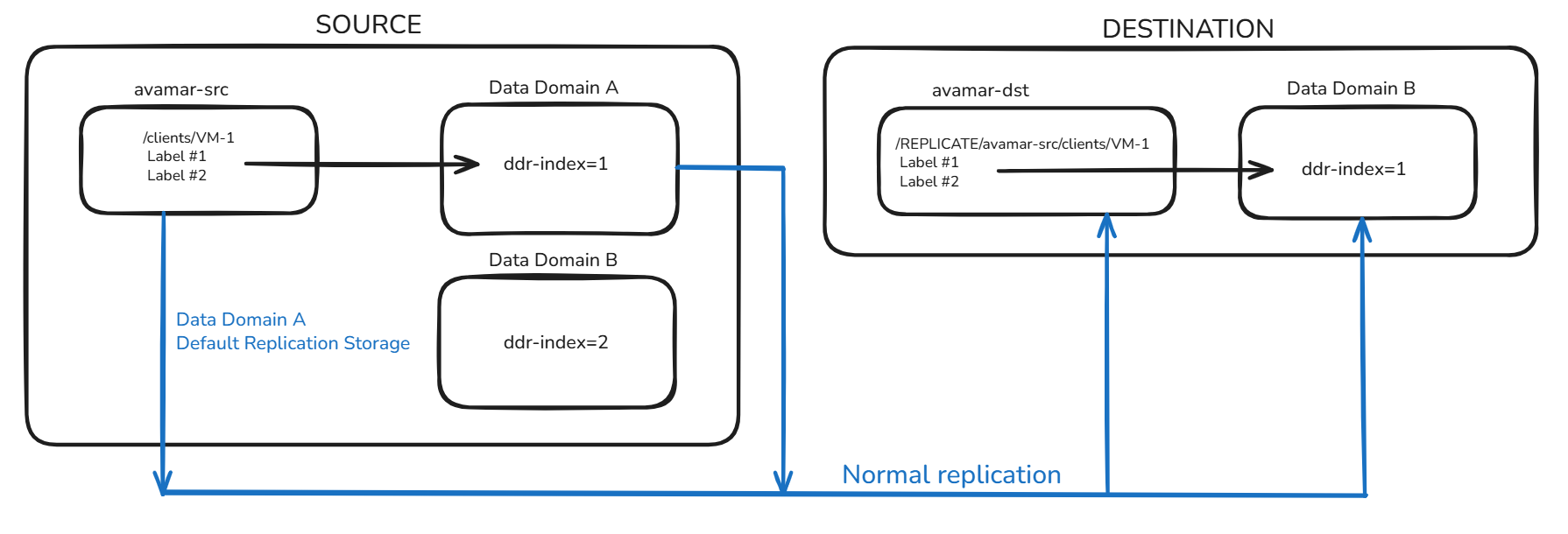
- The source Avamar SRC has Data Domain A and Data Domain B integrated
- The backups for the client /clients/VM1 are stored on Data Domain A (ddr-index=1)
- The Avamar SRC replicates to the destination Avamar (DST), which has Data Domain B integrated
- Data Domain A is planning to be decommissioned
- There is a requirement to move the backups from Data Domain A (ddr-index=1) to Data Domain B (ddr-index=2)
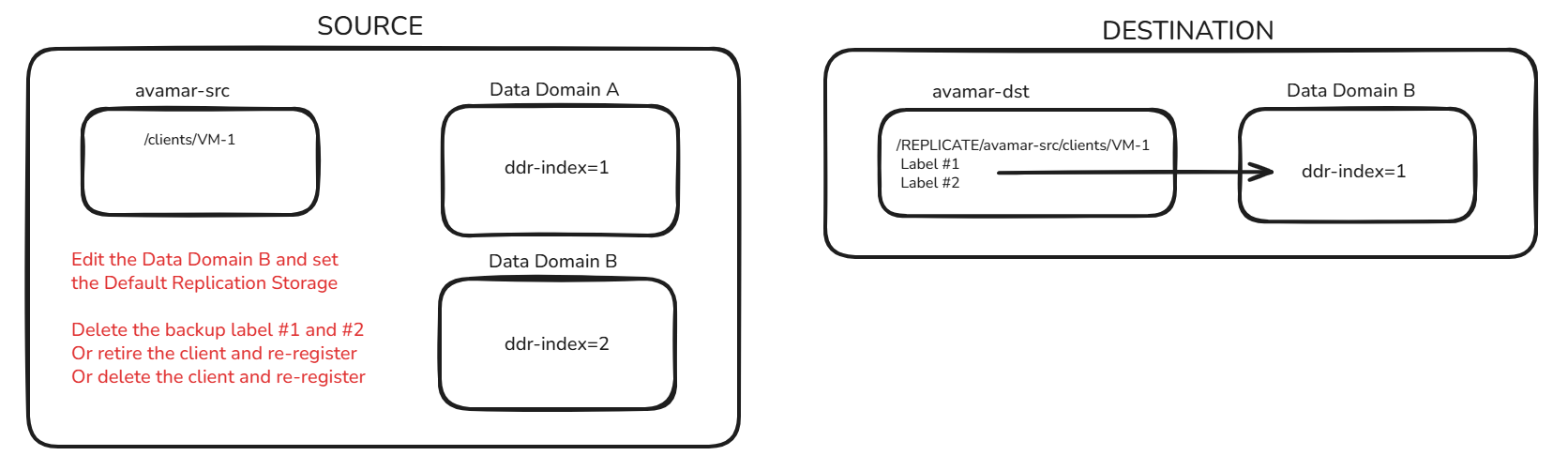
- Edit Data Domain B and configure it to be the Default Replication Storage
- Remove the backups stored on Data Domain A (ddr-index=1) or retire/delete the client and register it again
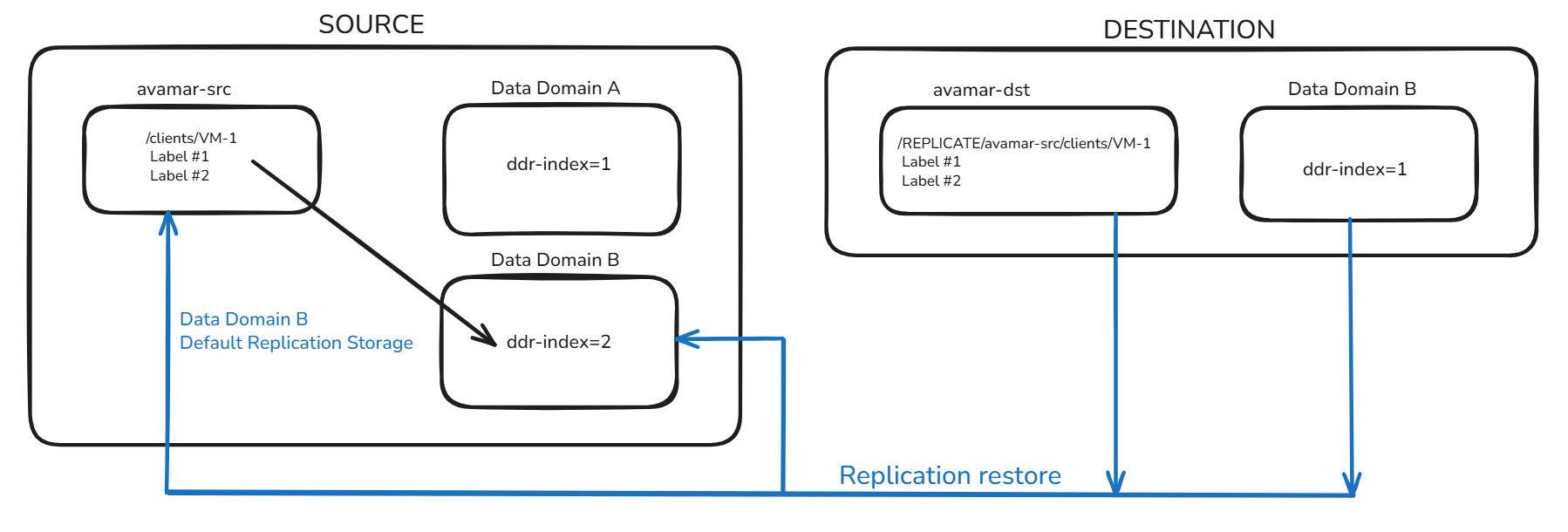
- Perform a replication restore on the Avamar DST back to the Avamar SRC
- The backups are stored on Data Domain B (ddr-index=2)
The image shows the current setup: backups run on Avamar SRC and Data Domain A, then replicate to Avamar DST and Data Domain B.
It is necessary to edit Data Domain B in Avamar and select it as the Default Replication Storage. It is also required that the backups be removed, or that the client be retired or deleted. If the client is retired/deleted, then it must be re-registered.
From the Avamar DST, start the replication restore. The backups are created on the Avamar SRC and stored on Data Domain B.
This type of activity requires a thorough assessment of the environment and careful planning to prevent data loss or service disruption. These design-related decisions typically fall outside the scope of Dell Technical Support, and Dell Professional Services best handles them.
受影響的產品
Avamar, Data Domain, Avamar Server文章屬性
文章編號: 000420816
文章類型: How To
上次修改時間: 02 2月 2026
版本: 1
向其他 Dell 使用者尋求您問題的答案
支援服務
檢查您的裝置是否在支援服務的涵蓋範圍內。