Articles
Invalid entry. Please use only Letters, numbers and any special characters except <>)(%/;,=#-/*
30 out of 81 shown
81 out of 81 shown
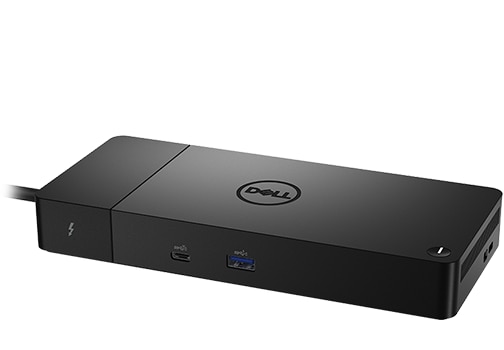
Check Dell docking station compatibility, install the right drivers, and troubleshoot common issues. For complete setup instructions, visit our Dell Docking Station Setup Guide.
Updated: July 29, 2026
ID: 000126484
This article provides information about different types of Dell docking stations. Find information about how to find a compatible docking station for your Dell laptop.
Updated: July 06, 2026
ID: 000124295
Manage Dell monitors, keyboards, mice, webcams, pens & audio devices on Windows 11/10 with Dell Display & Peripheral Manager.
Updated: August 06, 2026
ID: 000287285
This article explains the procedure to open a Service Request (SR) using the Dell support page.
Get help fast for your Dell device. No more waiting on hold. No more tech headaches.
Dell makes it simple to fix problems, schedule repairs, or get support—right from your device or our support website.
Updated: August 03, 2026
ID: 000132371
During a dock firmware update, a message occurs stating "Warning: The AC adapter and battery must be plugged in before the Dock Firmware can be updated. Press OK when they are both plugged in or CANCEL to quit".
Updated: July 16, 2026
ID: 000330971
This article provides information about how to resolve a Power On Self-Test (POST) warning message during startup: Multiple docking stations are not simultaneously supported.
Updated: July 16, 2026
ID: 000128984
The following article provides further information about the charging behavior of Dell and third-party powered docking stations and hubs that use USB Type-C AC adapters.
Updated: July 16, 2026
ID: 000205967
Discover how to quickly locate the 20-digit Dell PPID (Part Piece Identification) number on any Dell component. Complete walkthrough for batteries, adapters, monitors, docking stations, keyboards, mice, and motherboards with both physical and digital methods.
Updated: July 07, 2026
ID: 000125347
External monitors connected using a Thunderbolt Dock may not display video when resuming from sleep or booting up a Linux system.
Updated: July 03, 2026
ID: 000467649
Learn about dim power LEDs on a WD19 series Dell Dock, Dell Performance Dock, Dell Thunderbolt Dock, or a WD22 series Dell Thunderbolt Dock.
Updated: July 02, 2026
ID: 000452739
This article provides information about the display issue in Daisy Chain Mode.
Updated: July 01, 2026
ID: 000204691
Learn what to do if garbage flashes on a docked monitor after receiving a message about a non-Thunderbolt port and then clicking Continue.
Updated: May 24, 2026
ID: 000435825
This article provides more information about the Dell WD22TB4 Dock LAN LED displaying different colors depending on connection speed to the network when connected to Dell Pro Micro Thin Client Q9M1260.
Updated: May 24, 2026
ID: 000435777
This article provides more information about the Dell U5226KW monitor may go black when connected using the Thunderbolt 4 port and set to 6144×2560 @120Hz.
Updated: May 24, 2026
ID: 000414269
Learn about the screen flickering on an external monitor.
Updated: May 24, 2026
ID: 000412351
Information about the Realtek USB controller disappearing in Windows 11 Device Manager on the WD22TB4 docking station after resuming from hibernate.
Updated: May 23, 2026
ID: 000375521
The computer cannot detect an external Jabra PanaCast webcam when connecting the Jabra PanaCast to a dock USB port.
Updated: May 23, 2026
ID: 000335072
Information about dual daisy chained monitors not showing video when connected to certain Dell docking station's Multi-Function DisplayPort (MFDP).
Updated: May 23, 2026
ID: 000309382
Dell Dual Charge Dock HD22Q, Dell Dock WD19, and Dell Thunderbolt Dock - WD22TB4 cannot use LAN port and Dell Firmware Utility (DFU) cannot upgrade the dock. This occurs after disabling the Enabled External USB Port or enable Type-C dock LAN in the BIOS.
Updated: May 22, 2026
ID: 000289260
This article provides information about why the wireless network disconnects on a Dell Pro laptop when it is connected to a Dell dock.
Updated: May 22, 2026
ID: 000286996
Learn about the failure occurs with the Realtek USB GBE Ethernet Controller Driver when setting a Virtual Local Area Network (VLAN) tag for the network.
Updated: May 22, 2026
ID: 000263770
This article provides information about no video issue seen on an external monitor that is connected to XPS 13 9345 through Dell Thunderbolt Dock.
Updated: May 22, 2026
ID: 000245459
Learn what to do when the Dell Thunderbolt Dock - WD22TB4 Dell Firmware Update Utility states "Error: Failed to get Dell Dock information" or USB ports do not work.
Updated: May 22, 2026
ID: 000242628
Information about audio or video cutting out when using conferencing applications or playing video with certain Dell docks and a third-party headset.
Updated: May 21, 2026
ID: 000240763
The article provides information about the USB detection issue that Inspiron 14 5441 and Latitude 5455 may have after restart.
Updated: May 21, 2026
ID: 000237516
The following article provides information about Ubuntu support for Wake-on-LAN (WOL) through a wired connection on a dock.
Updated: May 21, 2026
ID: 000226965
This article provides information about the USB detection issue seen on a Dell Qualcomm laptop.
Updated: May 21, 2026
ID: 000226583
The following article provides information about a firmware update error on Laptops with a Qualcomm Central Processor Unit (CPU). The Dell Firmware Update (DFU) Utility reports an Error: Firmware Update Failed.
Updated: May 21, 2026
ID: 000226348
This article provides guidance for monitors not being detected when connected to a USB-C port on some laptops with Qualcomm processors.
Updated: May 21, 2026
ID: 000225866
This article provides information about the recent firmware (FW) update v01.00.36 for WD19, WD22TB4, and HD22Q Series docks has been reported to cause issues with connected USB devices.
Updated: May 20, 2026
ID: 000224626
USB Audio issues and distortion on Dell WD19, WD22TB4, and HD22Q series docks after updating to dock firmware revision 01.00.36.
Updated: May 20, 2026
ID: 000224068
This article discusses the Dell U3425WE monitor refresh rate decreases after rebooting, when the Thunderbolt Daisy Chain setting is set to optimized.
Updated: May 20, 2026
ID: 000223924
This article provides information about the No Power issues and the basic troubleshooting for Dell USB-C and Thunderbolt Docking Stations WD19S, WD19DCS, and, WD22TB4 Series.
Updated: May 20, 2026
ID: 000223850
This article provides information about an error encountered when updating the firmware on the Dell Thunderbolt Dock WD22TB4.
Updated: May 20, 2026
ID: 000223592
The following article provides information about an Ethernet network problem on some of the Dell USB Type-C docks. This happens on the Dell WD19S, WD19DCS, and WD22TB4 docks.
Updated: May 19, 2026
ID: 000219827
When a Precision 7000 series laptop is connected to a dock using a single USB Type-C cable, it does not charge correctly.
Updated: May 19, 2026
ID: 000219644
This article provides information about loud static or buzzing noise coming from Dell docks, when connected to Latitudes, mobile workstations and XPS laptops.
Updated: May 19, 2026
ID: 000219595
This article provides information about the Dell WD22TB docks being detected as USB4.0 devices in Device Manager, and not as Thunderbolt4.
Updated: May 18, 2026
ID: 000217113
Learn how to correctly use Thunderbolt 3 and 4 peripherals connected to the Dell docking station.
Updated: May 18, 2026
ID: 000217062
Learn what to do when monitors connected to Dell docking stations experience blanking when using an HDMI, USB Type-C, or DisplayPort output.
Updated: May 18, 2026
ID: 000214256
This article contains information about the monitor's echo-canceling speakerphone showing incorrect information after the computer returns from sleep.
Updated: May 17, 2026
ID: 000213376
This article discusses not being able to update the firmware of a WD19TB dock when a thunderbolt monitor is connected.
Updated: May 17, 2026
ID: 000211189
Learn why docking stations may wake a Latitude and Precision laptop from hibernation even if Wake-on-LAN and Wake-up On Magic Packet options are disabled.
Updated: May 16, 2026
ID: 000210472
Learn about external monitors displaying a black screen after changing the refresh rate on a Latitude or Precision laptop, and the monitor is connected to a dock using the USB Type-C Multi-Function DisplayPort (MFDP).
Updated: May 16, 2026
ID: 000210214
Learn about what to do if a Dell Thunderbolt WD22TB4 dock’s USB ports stop working after connecting a powered device.
Updated: May 16, 2026
ID: 000207819
This article provides information about the reduction of the connectable audio device options in the MyDell Application's user interface when a 3.5mm aux cable is inserted into the dock.
Updated: May 16, 2026
ID: 000207711
After hibernation when connected to a WD22TB4 dock, USB storage will be redetected on the Latitude 7230 Rugged Extreme Tablet.
Updated: May 16, 2026
ID: 000207695
When Wake-on-LAN is disabled in the BIOS, the computer wakes from S4 (hibernation) because of a Wake-on-LAN packet sent from the Thunderbolt dock LAN port.
Updated: May 16, 2026
ID: 000207621
Learn to resolve no video on a BitLocker pin screen when using a WD19 or WD22 dock and a Belkin UN-3 KVM (keyboard, video, mouse) device.
Updated: May 16, 2026
ID: 000206493
The following article provides information about how to use the diagnostic indicators that are built into Dell Wired Docking Stations from the WD series.
Updated: May 15, 2026
ID: 000202072
Check your warranty status, renewing your warranty, transferring ownership, international warranty support, expired warranty support or register your Dell product.
Updated: May 14, 2026
ID: 000132024
The following article supplies information about Cyberlink PowerDVD errors when playing HDCP movies on an external monitor through DisplayPort on a Dell docking station.
Updated: May 14, 2026
ID: 000199314
The following article provides information about the proper way to insert and remove the USB Type-C connector on Dell laptops and devices. (For example: Docking Stations and Monitors.)
Updated: May 13, 2026
ID: 000198334
The following article provides information about a detection issue with the Dell Thunderbolt WD22TB4 docking station. Repeatedly disconnecting and reconnecting the docking cable to a laptop within ten seconds can result in the laptop not detecting that the dock is connected.
Updated: May 13, 2026
ID: 000197795
When a Thunderbolt device (dock or hard drive) is plugged in to a USB-C port, the device has a yellow bang in device manager.
Updated: May 13, 2026
ID: 000197714
This article covers how to download and install CyberLink PowerDirector and PhotoDirector through Dell Optimizer or Dell Purchased Apps.
Updated: May 09, 2026
ID: 000185038
You can secure your Dell desktop, laptop, docking stations or monitors with a cable, using the security slot.
Updated: May 07, 2026
ID: 000179489
system may experience issues such as a Blue Screen Error or the external graphics processor (eGPU) may not be detected and other issues after the system is woken up with a eGPU attached.
Updated: May 03, 2026
ID: 000149051
Learn how to roll back a device driver to a previous version on Dell computers running Windows. Restore stability by following these simple steps to resolve driver conflicts or issues after an update.
Updated: May 03, 2026
ID: 000148845
How to get a USB-C or Thunderbolt docking station to work with a computer using Group Policy.
Updated: May 02, 2026
ID: 000146415
Learn about DisplayPort over USB Type-C, also called USB-C, and its advantages. Find information about how to identify if the USB Type-C port on your personal computer supports DisplayPort technology.
Updated: May 01, 2026
ID: 000141328
The following article provides information about the correct way to troubleshoot a Dell AC adapter if the status light is off or flickering. Dell AC adapters come with a status Light Emitting Diode (LED) on the adapter or a ring of them around the connector to the device.
Updated: May 01, 2026
ID: 000140032
The following article provides information about the installation process required to upgrade the Dell WD19 and WD19S series dock. It requires you to fit the appropriate Cable Module Customer Kit from Dell.
Updated: April 20, 2026
ID: 000127539
This article covers Dell DisplayPort Cables 20th pin not being wired.
Updated: April 19, 2026
ID: 000132935
How to Use the Dell Support Site to Identify and Install the Drivers for Your Dell Personal Computer
This article provides information about how to download Dell drivers from the Dell.com/support website for your Dell computer.
Updated: April 19, 2026
ID: 000132380
The following article provides information about dealing with a failure message for the dock fan received on WD19 and WD22 docks.
Updated: April 19, 2026
ID: 000130177
The following article is a guide on how to check the current firmware version on a Dell wired USB-C or Thunderbolt dock.
Updated: April 19, 2026
ID: 000129828
Learn how to report a lost or stolen Dell laptop or desktop, including necessary details. Follow our guide for timely action and how to contact Dell Support.
Updated: April 19, 2026
ID: 000129627
This article provides information about changes to the display of USB and Thunderbolt settings on newer BIOS versions.
Updated: April 19, 2026
ID: 000126580
Learn how to find and check your laptop or tablet model with our guide. Identifying the product allows you to get model-specific support such as drivers, manuals, and specifications.
Updated: April 19, 2026
ID: 000124353
A guide for providing guidance on using an Apple USB-C host (example: MacBook Pro) with the Dell Thunderbolt Docks (WD19TB, WD19TBS, WD22TB4, SD25TB4) explaining the limitations or issues you might encounter when using them together.
Updated: April 19, 2026
ID: 000124312
This article describes power requirements for Precision 15/17 7xxx computers, and Thunderbolt docks to resolve any power-related error messages you may observe.
Updated: April 19, 2026
ID: 000124228
This article provides information about how to return service parts to Dell in the United States Region only.
Updated: April 07, 2026
ID: 000178919
Follow the steps below to use your mobile device to scan the Service Tag QR code or Barcode on your Dell device. The Service Tag is the best way to access specific information about your Dell device.
Updated: March 19, 2026
ID: 000130977
This article provides quick answers to common questions about Dell drivers. For detailed guides, we have dedicated pages to help you with specific driver tasks.
Updated: February 06, 2026
ID: 000123347
This article provides information about how to download and install or update Dell drivers for your Dell desktop, laptop, all-in-one, workstation, printer, monitor, tablets, and so on.
Updated: January 27, 2026
ID: 000183911
Learn how to subscribe to email alerts for Dell driver updates. Get notified when new drivers are available for your Dell computer. Easy setup and management.
Updated: January 27, 2026
ID: 000139419
Dell Client Platform Firmware Update Utility remediation is available for an Improper Link Resolution Vulnerability that could be exploited by malicious users to compromise the affected system.
Updated: January 14, 2026
ID: 000227591
The following article provides information about the Industry Standard Compatibility with Dell Commercial Docks.
Updated: June 09, 2025
ID: 000181877
Dell Dock Firmware and Dell Client Platform remediation is available for an Improper Link Resolution vulnerability during installation that could be exploited by malicious users to compromise the affected system.
Updated: April 17, 2024
ID: 000217981
Dell Dock Firmware remediation is available for Intel Thunderbolt Driver vulnerability that may be exploited by malicious users to compromise the affected systems.
Updated: February 27, 2024
ID: 000219970