

Unsolved
5 Posts
0
691
March 14th, 2023 16:00
Aurora R14, issues RAM upgrade (speed) and temperatures in AWCC
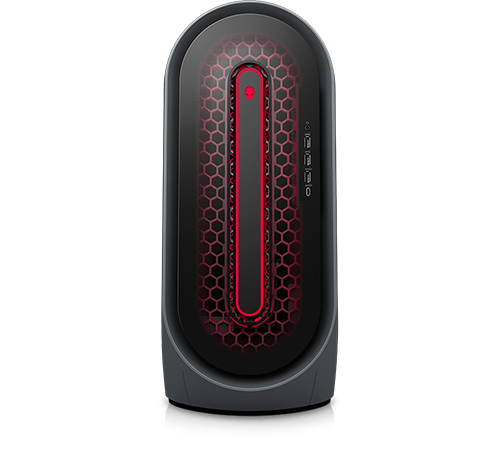
Alienware Aurora Ryzen Edition R14
Hi all,
I am experiencing some issues after exchanging some hardware. I know Alienware is not made for this, but I wanted to try anyway.
- I exchanged the small AM4 processor to Ryzen 9 5950X - no issues here.
- I exchanged the graphics card (small Nvidia) to AMD RX6950XT - no issues here except AWCC showing wrong graphics card
1. I took out 2x8GB Fury 2400 Ram and installed 4x16 GB Fury 3600 - they work, but when I enter the exact recommended values for their speed, the system just does not restart. I have to reset Bios then.
2. My fans (respectively temperature) does not look reliable (all 4 temps show equal). How can all be the same temp right after switching on as well as during gaming?
Help is highly appreciated!
Cheers,
Skragan


0 events found
ewongsmx
2 Intern
•
176 Posts
0
March 14th, 2023 16:00
Hi @Skragan ,
Thank you for your question.
Regarding the RAM upgrade, it's possible that the issue is with compatibility. The recommended values for RAM speed may not be supported by your motherboard. It's recommended to check the motherboard's specifications to see what speeds are supported. If possible, try reducing the speed to the nearest supported value and see if that resolves the issue. If not, try contacting Alienware support to see if they have any recommendations or if the RAM you installed is compatible with your motherboard.
Regarding the temperature readings, it's possible that the temperature sensors are not working properly or are not properly calibrated. Try updating the motherboard's BIOS and the temperature monitoring software to the latest version. If that doesn't resolve the issue, try downloading and running a hardware monitoring tool like CPU-Z or HWiNFO to see if the readings are accurate. If the readings are still incorrect, it may be a hardware issue and you may need to contact Alienware support for further assistance.
I hope this information helps. Good luck!
Vanadiel
8 Professor
•
7.1K Posts
•
29.6K Points
0
March 14th, 2023 17:00
If you entered the timing values manually in the BIOS, you have to enter them in hex. The values on the ram are decimal, you will have to convert them to hex.
Skragan
5 Posts
0
March 23rd, 2023 14:00
Thanks for the hints, that I will try next!
Skragan
5 Posts
0
April 3rd, 2023 03:00
Ok, dell support of course does not support this. Anyone wants to buy my case with Mainboard and power supply? I´ll buy something that is compatible.
Skragan
5 Posts
0
April 3rd, 2023 03:00
Hi all,
entering the data in hex didn`t help. I have installed 2x
2 Kingston Fury RGB Type KF436C16RB1AK2/32
so all together 64GB.According to Datasheet, they run at
XMP1 3600 DDR4 @1,35V 16-20-20, so I have entered CAS 10h, tRCD 14h, tRP 14h
Screen stays black. Any further ideas?