

Unsolved
2 Posts
0
1023
August 17th, 2022 01:00
Aurora R14, will not register HDMI input after sleep
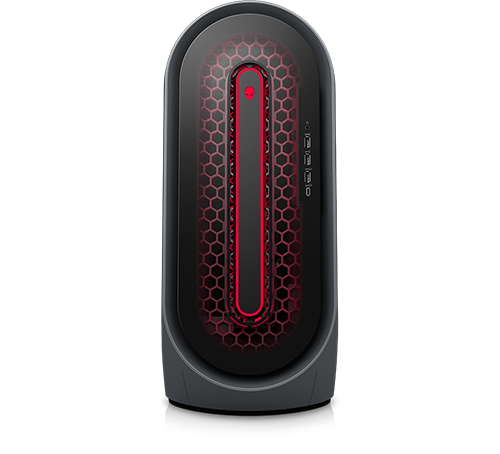
Alienware Aurora Ryzen Edition R14
Intro: I have an essentially brand new pc, ordered in May, received in June, and used for the first time in July. I use a Radeon RX 6800 XT graphics card. I am running Windows 11 and am up to date on all updates as of the afternoon of August 16th. This was a problem I encountered Day 1 of usage, that I successfully avoided until now.
Context: The problem occurs so far exclusively after the PC has entered a sleep state, which has only ever happened twice. The first time was on the first day I used it, when I let it go to sleep by itself. The second time was today, after intentionally putting it into sleep mode out of old habit. After the first time this occurred and have since disabled the auto-sleep function. I turn it off after use every single day. The first time the problem happened, I got frustrated trying to fix it and went to bed. When I woke up, I turned it on to continue trying to fix the problem only for it to have seemingly fixed itself.
The problem: When the PC is woken up from sleep mode, it is no longer able to register my monitor's HDMI input. My monitor simply provides the "input not supported" message. My primary monitor is an equally new Acer. I also have a Samsung 2015 HD TV that can be used as a very low quality monitor (I have used it with this PC successfully before). Changing which monitor I use does not solve this problem. I also have two different HDMI cables, an older one and a brand new one I got with the new Acer monitor. When the PC turns on I can successfully use the keyboard, key backlight turns on and I can toggle caps lock.
Failed solutions: Switching the HDMI cable and/or monitor does not solve this problem. I have tried blowing out any dust from the PC's HDMI port, both of my monitor's HDMI ports, and all four of my two cables' HDMI plugs. I do not have any other valid cable/port combinations for the PC and either of my monitors (which have support for VGA which the PC does not support, and AV but the only AV cable I own is for a PS1). On direction of an alienware support rep I have opened up the cover, removed and put back that the graphics card and this had no effect on the problem. I have tried using Fn+8 as well as Windows+Shift+Ctrl+B.
Request: Please give me literally any advice at all on how to solve this problem, or any idea why this has only occurred after putting my PC into sleep mode. Please do not ask me to do anything that involves clicking. I can use the keyboard and login/navigate menus and such but as I cannot achieve any display, using the mouse to click on anything is not a feat I am capable of achieving.
Vanadiel
8 Professor
•
7.1K Posts
•
29.7K Points
0
August 17th, 2022 06:00
When this happens try turning power to the monitor on/off and see if it comes back on.
bigbruggsy
8 Posts
0
September 7th, 2022 21:00
My R14 has an issue where none of the display ports work. At least my hdmi works otherwise it would be an expensive paperweight. Currently Dell has no solution for my PC. I hope they did with yours.
clowncapture
2 Posts
0
September 7th, 2022 21:00
They did not. Replaced graphics card and had same issue, then replaced motherboard and had same issue. I've decided to strip it for parts and buy a new and cheaper computer instead with some of the parts out of the r14. Hope you figure something out with yours.
Disgruntledhelpme
2 Posts
0
January 6th, 2023 18:00
I have the exact same problem. When the R14, purchased in November, wakes from sleep or hibernate, 7 times out of ten the monitor will not recognize the HDMI input.
I sometimes can hit the input button on the monitor multiple times, while shaking the mouse clicking the space and it will bring the computer display up....this is a roll of the dice each time. Mostly it won't work and I have to reboot the computer.
I have not found any replies yet to this problem that shows up here and on Reddit. I have a new monitor, 4K, new computer, new HDMI cables.
Is there any damage to the computer to simply leave it on for 14 hours --I use it for work, turn the monitor off and then at the end of the day just power it off. I don't like leaving a computer on for that many hours daily but this routine of having to reboot to make it work is awful.