

Unsolved
This post is more than 5 years old
4 Posts
0
7813
July 12th, 2018 10:00
X51-R3, Windows 10 install error 0x8007025D
My friend recently gave me his old alienware x51 r3 with no hard drive or ram. I just picked up some ram last night and put in a spare ssd.
I have tried both the dell install and the microsoft windows 10 installers and getting a message box saying "windows cannot install required files. make sure all files required for installation are available, and restart the installation. Error code: 0x8007025D"
I have never had any issues installing windows before, and cannot find much on this error.
The PC is out of warranty and I dont have access to the original restore software due to it not having a hard drive.
No Events found!
speedstep
11 Legend
•
47K Posts
0
July 12th, 2018 10:00
You have to start over you are totally hozed and or have corrupt drive or media.
Windows cannot install required files. Make sure all files required for installation are available, and restart the installation. Error Code 0x8007025D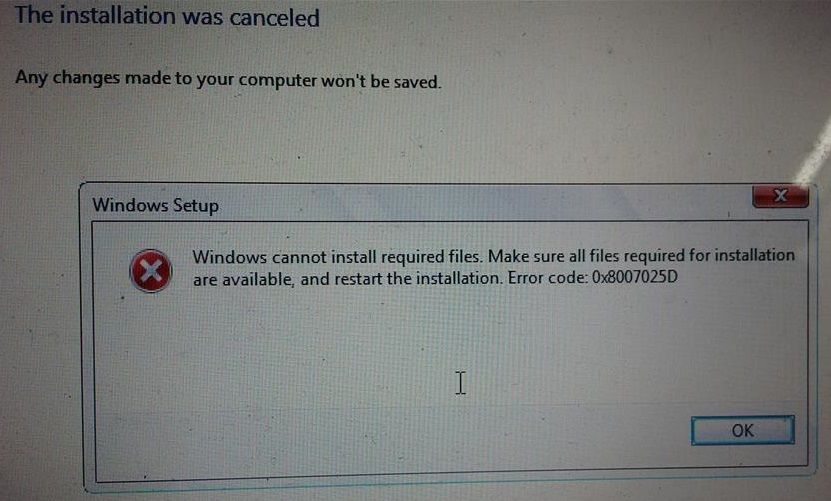 Installation was Cancelled
0x8007025D - 0x2000C
The installation failed in the SAFE_OS phase with an error during APPLY_IMAGE operation
The only option at this point is clean scorched earth install from DVD.
Install from USB is not possible when there are no USB 2.0 ports.
According to windows support, 0x8007025D = ERROR_BAD_COMPRESSION_BUFFER = the specified buffer contains ill-formed data. USB 3.0 uses the Message Signaled Interrupt (MSI) mode for communications with the system. USB 2.0 uses the much older Interrupt Request (IRQ) system.
If the HDD or SSD has a bad sectors the Windows installation tries to copy files to this space, an error is returned to the buffer, which in turn displays error 0x8007025D. Any drive with such bad sectors is dying and should not be used.
https://support.microsoft.com/en-us/help/2755139/
A media driver your computer needs is missing. This could be a DVD,USB or hard disk driver. If you have CD, DVD or USB flash drive on it, please insert it now.
CalebCook
4 Posts
0
July 12th, 2018 11:00
So what should I do? I have tried multiple drives that I know work fine, including that ssd. Is it an issue with the pc?
I tried the USB 2.0 port and it went past the error but blue screened at 80% getting files ready. (now it wont replicate that)
Also in the bios it recognizes the ssd, but wont boot from it even if it has an OS on it, saying "Internal hard drive not found. to resolve try to reseat the drive. no bootable devices."
jonnyjain820
5 Posts
0
October 15th, 2018 23:00
I have purchased new Dell laptop and I am also got the same error code 0x8007025D while we can upgrade my operating system into window 10 operating system. For the solution, we can restart the process of installation but I cannot get the proper solution then we can contact at Windows Technical Support which can available for help 24 hours.