

Unsolved
This post is more than 5 years old
2 Posts
0
18480
September 8th, 2015 11:00
XPS 13 (L322X) Windows 8 Error Code: 0xc0000001 & BIOS Issue
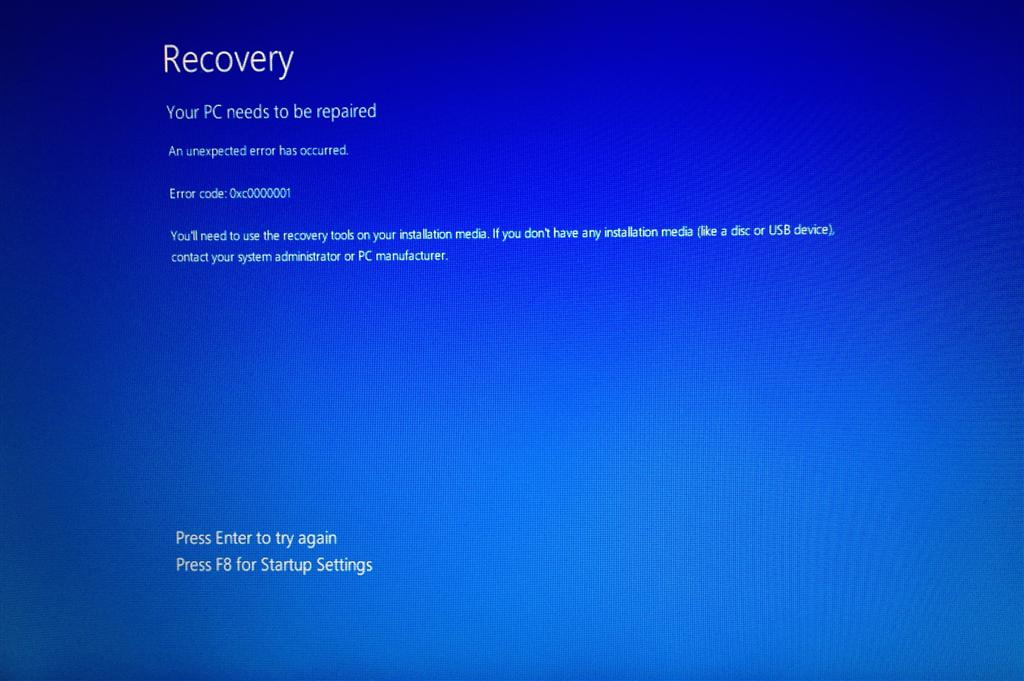
After downgrading from Win10 to Win8.1 my DELL XPS 13 L322x (2012), I cannot restart windows. Always Error code 0xc0000001 appears and requesting recovery media.
1- After a couple of restart, F8 option for startup settings under recovery comes, I tried all options 1-9, esc. NO LUCK. Esc brings Windows Boot manager with two option to Select Windows 8.1 and Windows Memory Diagnostic, BOTH NOT HELPFUL
2-I installed the win 8.1 recovery to USB 2.0 drive as it was suggested under error code , BUT USB was not recognized to run recovery and repeatedly same error code came. (I tried both USB slots)
3- So, I wanted to reach BIOS setup to check the boot device order. Tried Fn+Power, F2, F12, DEL, FN-F2, FN-F12. Nothing worked to reach the BIOS setup at all, just continues to boot. D+Power brought colorful screen and a beep. F2 gives very fast disappearing bar under Dell logo and then continues to boot and ends up failing.
4- I used external keyboard to do all in the stage 3. NO LUCK, again.
Am I missing something to reach BIOS Menu or use USB Recovery media to turn back Windows 8.1?
Thanks for kind advice.


0 events found