


Unsolved
3 Posts
0
676
August 17th, 2022 14:00
Hardware Acceleration issue with Sketchup
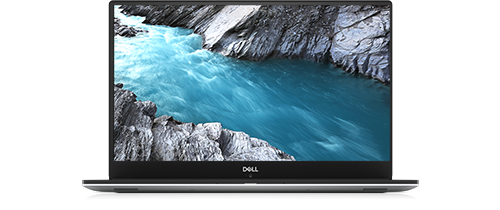
XPS 15 9570
Hi, its seems that i have hardware acceleration problem with my laptop, a dell xps 15 9570. The problem occurs with Sketchup. At some point the program crashes and if i try to reopen it appear the message telling me that the hardware acceleration is disabled or not supported. I also tried to run the Sketchup checkup application and i return a warning telling me that its seems that my computer is using the intel integrated graphic card while there is the dedicated one provided by NVIDIA. I have already updated the NVIDIA drivers, the INTEL graphic drivers, tried to uninstall and reinstall them, force windows 10 to use the NVIDIA graphic card when Sketchup is opened, modified the NVIDIA control panel settings but nothing. I'm losing all the hopes. The funny thing is that i use the program every day in the last two years with the same laptop and now it gives me problems. Thank you for the help.
ejn63
10 Elder
•
30.3K Posts
1
August 17th, 2022 16:00
Have there been any updates to the software? This is a software-mulitplexed GPU system -- the Intel GPU is the only one that has a physical connection to the display panel, so Windows will always see it as the primary GPU. The nVidia GPU is not a true, discrete GPU -- it is a co-processor that feeds all video data to the Intel GPU before it is displayed. That behavior is cast in silicon -- it cannot be changed.
If it's been working correctly for some time but now doesn't, something on the software level must have changed (or the nVidia GPU is beginning to fail, which isn't out of the question on a system that's now on the order of four years old).
Mic1998
3 Posts
0
August 18th, 2022 01:00
Hi, thank you for the response.
I always used the 2020 version, now i downloaded the 2021 and the problem is always there. Also the 2019 gives me the same problem. SO i think that is not a problem related to the program since it's not possible that all versions have the same issue. I think that something on windows failed with some update, so at this point i will try to restore the initial settings saving my data so all the updates must but reinstalled. Is there a way to check if its an hardware problem related to the NVIDIA GPU? Because all the Dell tests completed correctly.
Thank you again.
Mic1998
3 Posts
0
August 18th, 2022 01:00
Oh and i forgot to mention that the problem occurs with the blue screen associated with the following error: DRIVER_POWER_STATE_FAILURE. For this i update all the related drivers and now the blue screen seems that is solved.