

Unsolved
1 Rookie
•
3 Posts
0
1022
September 9th, 2022 14:00
P2419HC, M3B110 firmware not installing, #2
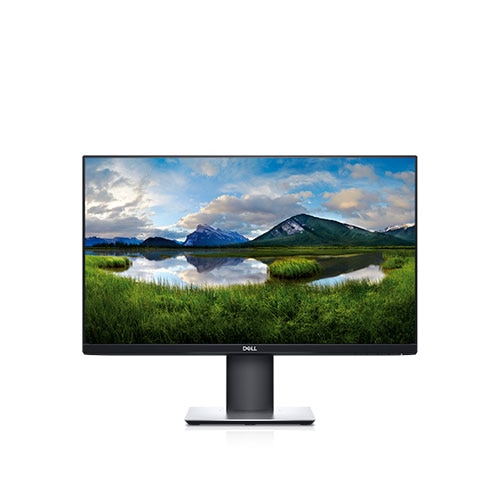
Dell P2419HC
I've been having issues with this P2419HC recently where the USB-C connection will disconnect randomly. I see there is a firmware update available but I am unable to get the P2419HC to update from M3B108 to M3B110. The update tool can see the P2419HC and knows there is an update available but when the update process starts, it completes within seconds, the P2419HC reboots and turns back on with the same firmware version.
Does anyone know how to resolve this issue? I have followed all directions in the update manual and have tried the process with both USB-C only connection on a dell laptop and also with a USB-C to A cable and HDMI cable using a Microsoft Surface. Neither methods have been successful.
Thanks in advance.
DELL-Chris M
Community Manager
•
56.9K Posts
•
232.1K Points
0
September 10th, 2022 02:00
The purchased 3 year warranty expired on June 1, 2022. A failed firmware update could break the P2419HC. Review the information below.
* There should only be two cables connecting the monitor to the PC when doing a firmware update =
- Single video cable
- USB upstream cable
* All other USB peripheral devices should be disconnected from the monitor
* Close/end task all unnecessary software applications (Browsers, Dell SupportAssist, Dell Update Application, Dell Display Manager, Dell Display and Peripheral Manager, Steam, Anti-virus, etc.)
* Open the Monitor OSD Menu
* Go to Others
* Go to Factory Reset and run it
* Make sure DDC/CI is set to On
* Exit the Menu
Steps for Updating the Firmware For Your Dell Monitor
anotherlightingguy
1 Rookie
•
3 Posts
0
September 12th, 2022 13:00
Chris,
Thanks you for your response. Following the steps above I was unable to get the firmware to update. Please see below steps used. Let me know if there is anything I am missing.
1) Connect USB-C cable from a single monitor to laptop (as there is no USB-B port similar to older monitors for upstream communication).
2) Connect HDMI from monitor to Dell USB-C/HDMI adapter.
3) Restart computer to ensure all applications are closed.
3) Confirm video source of monitor is HDMI.
4) Reset monitor to Factory Defaults in the OSD Menu.
5) Confirm that DDC/CI is turned on.
6) Run Dell_P2419HC_FWUpdate_M3B110_Windows firmware update package.
7) Update Utility shows Current Firmware M3B108, New Firmware M3B110.
Run update. Update takes 3 seconds for the progress bar to reach 100% and then monitor shows Dell splash screen before restoring HDMI desktop video source.
9) Followed utility instructions to "Turn off the monitor and unplug both the USB and power cables, then replug the power cable and restart the monitor" to complete update.
10) Monitor continues to show M3B108 firmware.
anotherlightingguy
1 Rookie
•
3 Posts
0
September 22nd, 2022 11:00
@DELL-Chris M Do you have any additional steps I can try? The monitors keep causing me issues by randomly disconnecting video, flashing black and not connecting all USB devices.
Thanks in advance.
DELL-Chris M
Community Manager
•
56.9K Posts
•
232.1K Points
0
September 23rd, 2022 05:00
Other than testing our steps using different PC's, I cannot think of any other steps to try.