

1 Rookie
•
75 Posts
0
4250
August 4th, 2022 15:00
New Optiplex 7000 not booting
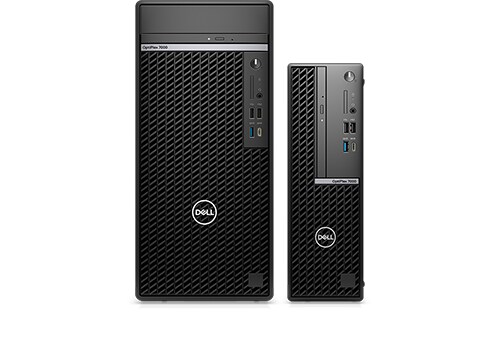
OptiPlex 7000
Hi
This is the second new Optiplex 7000 not booting.
Brand new Optiplex 7000. Came up the first time. Worked for several minutes. On PC restart automatically started updating flash BIOS. PC was left running to finish off BIOS updated.
A few minutes later when pc was inspected it was off and there is a power light pattern on it;
3 amber flashes, short pause, 6 white flashes then long pause.
The pc would not boot now. Very disappointing that a brand new pc has gone down like this. Please treat it as priority as there is down time for the company with the second Optiplex 7000 down.
Thanks
Regards


0 events found
No Events found!
DELL-Jesse L
Moderator
•
17.9K Posts
•
69K Points
0
August 29th, 2022 07:00
Update = After completing troubleshooting, a DELL-Cares agent setup a part replacement.
yahya01
1 Rookie
•
75 Posts
0
August 4th, 2022 12:00
Hi
Almost new Optiplex has stopped booting with a blue screen message INACCESSIBLE BOOT DEVICE.
Running quick tests comes out fine, all tests pass.
Booting from a Win 10 USB does not show a disk to install Win 10 on. Also going into command prompt from the Win 10 USB also does not show any disk. List Disk in DISKPART also does not list any disk except the USB disk we booted from.
SupportAssist OS Recovery seems to see the disk but we have not finished the process for now to avoid loosing data
What is the problem and how can we recover disk and data?
Thanks
Regards
Yahya
JOcean
11 Legend
•
12.6K Posts
•
69.5K Points
0
August 4th, 2022 16:00
This forum post might help. As described by @redxps630 start the RTC reset by turning off the system and leave it connected to AC power. Then press and hold the power button for 20 seconds. The RTC reset will happen after you release the button. (Thanks to @redxps630 for this procedure).
yahya01
1 Rookie
•
75 Posts
0
August 5th, 2022 06:00
Hi
Tried that no luck.
Regards
ricardo.vix
1 Rookie
•
6 Posts
2
August 6th, 2022 11:00
It's showing "INACCESSIBLE BOOT DEVICE" because Optiplex BIOS come from factory with storage set as RAID MODE. You probably changed to AHCI, so you won't be able to access the boot drive again without formatting.
If you want to use it in raid mode (which won't give you any benefit if you don't use raid), you must format it.
The reason why win10 usb boot don't show you a disk to install is because you changed the storage to RAID on bios and the win10/11 iso don't have the raid drivers for optiplex 7000 yet.
To solve this you have 2 options:
1) Set storage to AHCI on bios;
2) Keep RAID MODE, but you must download the "Intel Rapid Storage Technology Driver and Application" from Optiplex 7000 drivers page on dell website, extract it to the flash drive with win10/11 iso and on the drive selection screen (when formatting) press f6, go to the drive folder (if i'm not mistaken it's "\15063\Drivers\F6\VMD\f6vmdflpy-x64") and install the driver, then you be able to see and select it.
computer monster
1 Rookie
•
45 Posts
0
August 7th, 2022 08:00
hi yahia . what is the program that you made the usb drive from it ?
if the creation of the usb does not made correctly the pc will not boot .
try recreating this usb on rufus then try.
on the pc that you create the usb from it do these steps...
if the computer show windows badge on the usb drive it means that the usb will work 100% if your hardware is compatible with your copy of windows.
tell my what copy of windows do you need to boot
computer monster
1 Rookie
•
45 Posts
0
August 7th, 2022 08:00
this reply for youif you are booting from iso image on usb
computer monster
1 Rookie
•
45 Posts
0
August 8th, 2022 16:00
Sorry i did not read this but if the pc can not read dvds try to open the pc and check if the dvd driver cable is connected . My optiplex gx 270 had the same problem and that was the solve
yahya01
1 Rookie
•
75 Posts
0
August 8th, 2022 18:00
Hi
Nothing was changed on pc which was in production. Client called and told about blue screen. The last thing done on pc was installing Microsoft Defender for Business and another third party anti-malware scanner; both done remotely.
I had already downloaded the Intel driver and was able to detect the drive in Win 10 setup and do a new Win 10 install. However the previous Win 10 setup and apps are lost. What is confusing is what caused this driver issue and would it happen again.
Thanks
Regards
yahya01
1 Rookie
•
75 Posts
0
August 8th, 2022 18:00
Hi Jasper
No dvd with the pc.
Thanks
Regards
computer monster
1 Rookie
•
45 Posts
0
August 9th, 2022 02:00
if your service plan not expired try to enter your service tag or express service tag in customer support and then contact with dell by the contact number shown for you or fill some info to book a sirvice day
DELL-Cares
Moderator
•
27.6K Posts
•
16 Points
0
August 17th, 2022 13:00
Hi,
I'm John, one of the Supervisors at Dell Social Media Support.
I see that you have stopped responding to our resolution expert and I think you are busy at the moment. Could you please reply to this message when you’re available, so that we can get the issue resolved.
Thanks for your time and patience.
Best regards,
John
Supervisor
Dell Social Media Team
Disappointed_Dell_customer
1 Message
0
October 11th, 2023 19:11
I purchased a top of the line OptiPlex 7000 in July. The longest this computer has worked in a row is two days. Dell has replaced the motherboard five times, I sent the computer in for repair once and they shipped me a new computer once. Same issue. Five white lights and three amber lights.
Dell’s tech support is great but the quality of this system is extremely disappointing. I’ve been a loyal Dell customer for decades but not for much longer.
Do NOT buy an OptiPlex 7000.
MMoore169
1 Rookie
•
1 Message
0
April 11th, 2024 14:01
Hello, I know this is an older thread just wanted to provide for anyone still having this issue or some one who is now having this issue. We just bought one of these systems from Dell. Tried to boot it and this happened. How we resolved it is it would boot into Windows Recovery from there I accessed the cmd prompt. I then formatted the nvme m.2 drive as GPT format as follows:
1.) Type diskpart and press Enter.
2.) Type list disk and press Enter. This will list all the disks
connected to your computer.
3.) Type select disk <disk number> and press Enter. Replace <disk number> with the number of the disk you want to format.
4.) Type clean and press Enter. This will erase all the data on the disk.
5.) Type create partition primary and press Enter. This will create a new primary partition on the disk.
6.) Type format fs=ntfs quick and press Enter. This will format the partition with the NTFS file system.
7.) Type convert gpt
8.) Type assign letter=<drive letter> and press Enter. Replace <drive letter> with the letter you want to assign to the disk.
9.) Type exit and press Enter.
After this I was able to install Windows using a USB drive and it now is working perfectly.
(edited)