

5 Journeyman
•
1.9K Posts
•
7.9K Points
1
4758
December 18th, 2022 16:00
Reliability Monitor Logging FirmwareTPM.exe APPCRASHs Since 19-Nov-2022
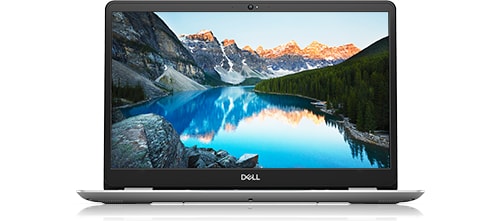
Inspiron 15 5584
I have a Dell Inspiron 5584 running Win 10 Pro v22H2. Since 19-Nov-2022 I’ve been seeing errors for a FirmwareTPM.exe APPCRASH logged in my Win 10 Reliability Monitor. This error can occur multiple times a day or I can go 4 or 5 days without a crash. These crashes occur silently and seem to be harmless but I’m wondering if anyone knows the purpose of this FirmwareTPM.exe executable or what triggers these APPCRASHs.
Event Viewer shows the faulting application path is always C:\WINDOWS\TEMP\invxxxx_tmp\FirmwareTPM\FirmwareTPM.exe (where “xxxx” is a unique string of alphanumerics for each APPCRASH) and the faulting module is VCRUNTIME140.dll v14.32.31332.0, but I am unable to find an executable called FirmwareTPM.exe anywhere on my computer.
User alienware17r4 posted on this same topic on 05-Dec-2022 at 17 R4, firmwaretpm.exe stopped working in the Alienware Laptop board. As far as I can tell this error only occurs on Dell computers that use SupportAssist and/or Dell Update, and might occur when the Inventory Collector / Dell Inventory Utility at C:\Program Files (x86)\Dell\UpdateService\Service\InvColPC.exe is trying to inventory installed hardware components and drivers.
Since these FirmwareTPM.exe APPCRASHs started on 19-Nov-2022 I've updated from Dell Update for Windows Universal v4.7.0 to v4.7.1 (30-Nov-2022), from Dell SupportAssist v3.12.3.5 to v3.13.0.236 (02-Dec-2022), and from Win 10 Pro v21H2 to v22H2 (06-Dec-2022) and none of these updates has resolved the problem. I also created exceptions in CCleaner Free Portable v6.06 on 04-Dec-2022 to ensure that the C:\Windows\invcol.tmp file and C:\WINDOWS\TEMP\ folder are not cleaned if I use the Custom Clean scan of CCleaner to purge my temporary system files, but that hasn't helped either.
From my latest FirmwareTPM.exe APPCRASH of 17-Dec-2022:
Note that I have not manually launched Dell Update for Windows Universal v4.7.1 for more than a week, and I also disabled my Dell SupportAssist and Dell TechHub services to prevent SupportAssist from launching at Windows startup [although a few DellDataVault (DDV) services still load at boot-up]. Dell SupportAssist OS Recovery (a.k.a. Dell SupportAssist Remediation / System Repair) is installed but my Dell SupportAssist Remediation service is normally disabled. None of this has entirely eliminated the FirmwareTPM.exe APPCRASHs but the first image above of my Reliability Monitor shows that the frequency of these crashes has significantly decreased from at least once a day to about once every six days ever since I stopped launching SupportAssist and Dell Update.
-----------
64-bit Win 10 Pro v22H2 build 19045.2251 * Firefox v108.0.1 * Microsoft Defender v4.18.2211.5-1.1.19900.2 * Malwarebytes Premium v4.5.19.229-1.0.1860 * Macrium Reflect Free v8.0.7175 * * Dell SupportAssist v3.13.0.236 * Dell Update for Windows Universal v4.7.1 * Dell SupportAssist Remediaton v5.5.5.16206 * Inspiron 5583/5584 BIOS v1.21.0
Dell Inspiron 15 5584, Intel i5-8265U CPU, 8 GB RAM, 256 GB Toshiba KBG40ZNS256G NVMe SSD, Intel UHD Graphics 620
moha56
32 Posts
0
February 15th, 2023 08:00
Thanks for posting, Mitch. It's a shame that Dell themselves cannot tell us anything about what is the actual cause and when/if/what the fix really is and is it released. Seems the "users" are left guessing blindly.
lmacri
5 Journeyman
•
1.9K Posts
•
7.9K Points
0
February 15th, 2023 09:00
Hi Mitch1924:
Just an FYI that I haven't seen any FirmwareTPM.exe errors logged in my Reliability Monitor since 10-Feb-2023 @ 7:10 AM, although that's no guarantee they won't return in a another day or two like they have in the past.
I was still getting these errors after my SupportAssist self-updated to v3.13.2.14 on 08-Feb-2023, and my Dell SupportAssist Remediation (a.k.a. Dell SupportAssist OS Recovery Tools) just updated to v5.5.5.16458 today , so if Dell has actually released a fix for these errors I don't think your software updates were responsible.
I agree with moha56. A status update from Dell about the bug fix for these FirmwareTPM.exe APPCRASHs - and whether this will be be implemented as a "silent" over-the-air (OTA) fix and/or require installation of a software update by end users - would be greatly appreciated.
-------------
64-bit Win 10 Pro v22H2 build 19045.2486 * Firefox v110.0.0 * Microsoft Defender v4.18.2301.6-1.1.200000.2 * Malwarebytes Premium v4.5.22.236-1.0.1915 * Macrium Reflect Free v8.0.7279 * SupportAssist v3.13.2.14 * Dell Update for Windows Universal v4.7.1 * Dell SupportAssist Remediation v5.5.5.16458 * Inspiron 5583/5584 BIOS v1.21.0
Dell Inspiron 15 5584, Intel i5-8265U CPU, 8 GB RAM, 256 GB Toshiba KBG40ZNS256G NVMe SSD, Intel UHD Graphics 620
Mitch1924
2 Intern
•
21 Posts
0
February 15th, 2023 11:00
Hi, One thing I did notice that there were a number of Dell SA "reconfigurations" noted in Reliability Monitor after the updates. It may be that the fix, if there, is hidden among them. Time will tell. After installing the SA Plug in update Support Assist wouldn't run and a Critical "Support Assist Agent has stopped" fault was registered, however a reboot seems to have resolved the issue.
Mitch
lmacri
5 Journeyman
•
1.9K Posts
•
7.9K Points
0
February 15th, 2023 15:00
Hi Mitch1924:
If you're referring to the "Successful Application Reconfiguration" events logged for Information Only in the Reliability Monitor, they're caused by sloppy programming in the Dell SupportAssist OS Recovery Tools v5.x (a.k.a. Dell SupportAssist Remediation) and I first noticed them in April 2021. These events are typically logged ~ 30 minutes after boot-up when Dell SuppportAssist Remediation creates its daily snapshot / system repair point in the hidden and protected C:\ProgramData\Dell\SARemediation\SystemRepair\ folder. See Dell employee NikhilKiroula's 02-Jul-2021 explanation in DELLKaren's thread "Successful Application Reconfiguration" and SupportAssist.
I normally have my Dell SupportAssist Remediation service disabled at Start | Windows Administrative Tools | Services to prevent Dell SupportAssist Remediation from starting at boot-up (I use Macrium Reflect Free to create full disk images for emergency recovery instead) so I don't normally see these "Successful Application Reconfiguration" events logged in my Reliability Monitor. However, Dell Update installed the SupportAssist OS Recovery Tools v5.5.5.16458 update today, which re-enabled my Dell SupportAssist Remediation service, and when I checked my Reliability Monitor this afternoon I could see about 100 of these "Successful Application Reconfiguration" events had been logged today at 10:12 AM. These events should stop once I've disabled my Dell SupportAssist Remediation service again.
I have no idea if or when Dell intends to fix this annoying glitch in their Dell SupportAssist OS Recovery Tools v5.x programming code.
-------------
64-bit Win 10 Pro v22H2 build 19045.2486 * Firefox v110.0.0 * Microsoft Defender v4.18.2301.6-1.1.200000.2 * Malwarebytes Premium v4.5.22.236-1.0.1915 * Macrium Reflect Free v8.0.7279 * SupportAssist v3.13.2.14 * Dell Update for Windows Universal v4.7.1 * Dell SupportAssist Remediation v5.5.5.16458 * Inspiron 5583/5584 BIOS v1.21.0
Dell Inspiron 15 5584, Intel i5-8265U CPU, 8 GB RAM, 256 GB Toshiba KBG40ZNS256G NVMe SSD, Intel UHD Graphics 620
Mitch1924
2 Intern
•
21 Posts
0
February 21st, 2023 06:00
Don't want to speak too soon, but it looks like the SupportAssist OS recovery Tools and/or the SA Plugin updates have resolved the TPM issue. No TPM crashes since then.
Mitch.
lmacri
5 Journeyman
•
1.9K Posts
•
7.9K Points
0
February 21st, 2023 09:00
Hi Mitch1924:
As I noted in my 15-Feb-2022 post <above>, I haven't seen any FirmwareTPM.exe crashes since 10-Feb-2023 @ 7:10 AM, but I' now have a whole new batch of problems that I documented in my 10-Feb-2023 thread Dell SupportAssist OS Recovery Plugin for Dell Update Rolled Back to v5.5.4.16189.
For example, both SupportAssist v3.13.2.14 and Dell Update for Windows Universal v4.7.1 still detect one available update for a Realtek Memory Card Reader Driver v10.0.18362.31252 released in 2019 that I've never bother installing since I purchased my laptop ...
... but can't find four newer updates that are currently listed on the support page <here> for my Inspiron 5584 and recommended for my unique Service Tag, including:
I'm used to waiting 5 or 6 days before updates posted on my Inspiron 5584 support page are detected by SupportAssist or Dell Update so I'm not too worried that my latest BIOS update still isn't detected, but a three week lag for the other three updates is concerning.
I'm wondering now if Dell pushed out a fix for the FirmwareTPM.exe error around 10-Feb-2023 that inadvertently broke update checks with SupportAssist and Dell Update, or if the SupportAssist v3.13.2.14 update on 08-Feb-2023 that rolled my Dell SupportAssist OS Recovery Plugin for Dell Update app back to v5.5.4.16189 messed something up. Here are the Dell programs I currently have installed :
-------------
64-bit Win 10 Pro v22H2 build 19045.2486 * Firefox v110.0.0 * Microsoft Defender v4.18.2301.6-1.1.200000.2 * Malwarebytes Premium v4.5.22.236-1.0.1915 * Macrium Reflect Free v8.0.7279 * SupportAssist v3.13.2.14 * Dell Update for Windows Universal v4.7.1 * Dell SupportAssist Remediation v5.5.5.16458 * Fusion Service v2.1.31.0 * Inspiron 5583/5584 BIOS v1.21.0
Dell Inspiron 15 5584, Intel i5-8265U CPU, 8 GB RAM, 256 GB Toshiba KBG40ZNS256G NVMe SSD, Intel UHD Graphics 620
Mitch1924
2 Intern
•
21 Posts
0
February 22nd, 2023 04:00
Hi Imacri,
I've had previous mismatches between Drivers offered by SA and those available on the Dell Drivers and Downloads page. What i found worked for me, was to go to the Drivers and Downloads page for your Service Tag and have that page access Support Assist to check for updates - it seems to "flush" Support Assist through and correct/show updates. There is always a delay of around 5 - 7 days between updates showing on the Dell website and being available on Support Assist. Often, rather than wait, I download and install them manually from the website, especially if it is a big update like a graphics driver which i wish to install in my own time.
Also I have found a quick uninstall (using the MS Uninstaller) and new download of Support Assist from the web page, and not the Drivers and Downloads page, resets Support Assist.
Hope this helps.
Mitch.
lmacri
5 Journeyman
•
1.9K Posts
•
7.9K Points
0
February 26th, 2023 06:00
Just an FYI that my outdated Dell Update for Windows Universal v4.7.1 finally detected an available update for my Dell Inspiron 5583/5584 System BIOS v1.22.1 (rel. 14-Feb-2023).
Unfortunately, Dell Update for Windows Universal v4.7.1, SupportAssist v3.13.2.14 and the blue "Check for Updates" button on the support page <here> for my Inspiron 5584 still aren't detecting two available updates for my Inspiron 5584 that were released in late January 2023 (see my post today in my 10-Feb-2023 thread Dell SupportAssist OS Recovery Plugin for Dell Update Rolled Back to v5.5.4.16189) but I'm going to mark this thread as solved since I still haven't seen a FirmwareTPM.exe error logged since 10-Feb-2023.
I'm disappointed that someone from Dell didn't post here to inform us that a bug fix was released (and what application update, if any, was required to fix the FirmwareTTPM.exe APPCRASHs), but kudos to all the users who were affected by this FirmwareTPM.exe error and provided feedback in this thread.
-------------
64-bit Win 10 Pro v22H2 build 19045.2604 * Firefox v110.0.0 * Microsoft Defender v4.18.2301.6-1.1.200000.2 * Malwarebytes Premium v4.5.23.241-1.0.1927 * Macrium Reflect Free v8.0.7279 * SupportAssist v3.13.2.14 * Dell Update for Windows Universal v4.7.1 * Dell SupportAssist Remediation v5.5.5.16458 * Fusion Service v2.2.14.0 * Inspiron 5583/5584 BIOS v1.22.1
Dell Inspiron 15 5584, Intel i5-8265U CPU, 8 GB RAM, 256 GB Toshiba KBG40ZNS256G NVMe SSD, Intel UHD Graphics 620