

Unsolved
7 Practitioner
•
2.6K Posts
•
9.6K Points
1
4966
October 14th, 2022 15:00
Support Assist, Windows 11, Updated with a new Install, odd things happening?
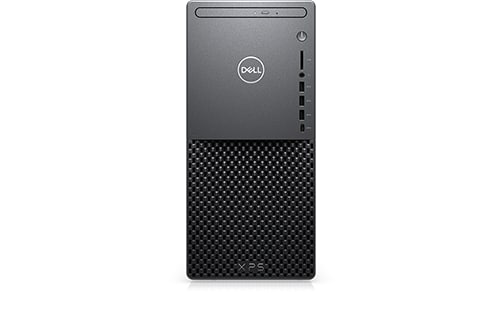
XPS 8940
Here is when it installed:
A day later I was checking my Reliability Viewer (Win 11 Home, 22H2 version) and I see this happened:
159 reconfigurations??? (The list posted is a partial) Huh???
So today when I booted I checked this first, yay, none.
Looked a little later, 156 of them reconfigured and now, 310???:
This is insane? Did NOT happen until Support Assist was installed?
Now I find sometime yesterday these were installed:
The last one, the Recovery Plugin was also installed with the Support Assist on the 12th.
Are these a 'one-time' thing with the Dell updates or is something else going on?

No Events found!
ispalten
7 Practitioner
•
2.6K Posts
•
9.6K Points
0
February 21st, 2023 07:00
By the way, the quick way to find if Fast Start is working or even available, you can do it from a CMD prompt run as Administrator:
--------
C:\> powercfg -a
The following sleep states are available on this system:
Standby (S3)
The following sleep states are not available on this system:
Standby (S1)
The system firmware does not support this standby state.
Standby (S2)
The system firmware does not support this standby state.
Hibernate
Hibernation has not been enabled.
Standby (S0 Low Power Idle)
The system firmware does not support this standby state.
Hybrid Sleep
Hibernation is not available.
The hypervisor does not support this standby state.
Fast Startup
Hibernation is not available.
-----------------------
I am giving up on this I guess? No clue why to how to stop it? It has no apparent visual effect on my operation and seems to be only one time per boot?
lmacri
5 Journeyman
•
1.9K Posts
•
7.9K Points
0
February 21st, 2023 08:00
Hi ispalten:
Under normal circumstances, if Dell SupportAssist Remediation / System Repair is turned on and working then that 30 minute delay is normal. From my 14-Oct-2022 post <here> in this thread:
"The logging of these "Successful Application Reconfiguration" events are a long-standing problem that are caused by Dell SupportAssist Remediation (a.k.a. Dell SupportAssist OS Recovery or System Repair) and occur approx 30 min after boot-up at the same time that Dell SupportAssist Remediation creates a Dell system repair point (snapshot) in the hidden folder at C:\ProgramData\Dell\SARemediation\SystemRepair\. See Dell employee NikhilKiroula's 02-Jul-2021 post on page 8 of DellKaren's "Successful Application Reconfiguration" and SupportAssist."
Just an FYI that Microsoft's Your Phone app was re-branded in March 2022 and is now called Phone Link (see the March 2022 announcement at Evolving the connection between your phone and your Windows PC). According to the 01-Apr-2022 ghacks.net article How to uninstall Phone Link on Windows devices the package name for this app (i.e., Microsoft.YourPhone) has not changed, only the display name.
Settings | Apps | Apps and Features and the Windows Apps tab of my Revo Uninstaller Free do not detect a Your Phone or Phone Link app on my laptop (Your Phone used to be integrated with my Win 10 OS and I am certain it was installed at one time but I don't recall uninstalling it, so it might have been automatically removed during a Feature update to my Win 10 OS ) ...
... but if I use TreeSize Free (and choose to Run as Administrator at launch) I can still see remnants of old Your Phone installations dating back to Aug 2022 in my hidden and protected C:\Program Files\WindowsApps folder.
-------------
64-bit Win 10 Pro v22H2 build 19045.2486 * Firefox v110.0.0 * Microsoft Defender v4.18.2301.6-1.1.200000.2 * Malwarebytes Premium v4.5.22.236-1.0.1915 * Macrium Reflect Free v8.0.7279 * SupportAssist v3.13.2.14 * Dell Update for Windows Universal v4.7.1 * Dell SupportAssist Remediation v5.5.5.16458 * Fusion Service v2.1.31.0 * Inspiron 5583/5584 BIOS v1.21.0 * Revo Uninstaller Free Portable v2.4.2 * TreeSize Free Portable v4.6.3
Dell Inspiron 15 5584, Intel i5-8265U CPU, 8 GB RAM, 256 GB Toshiba KBG40ZNS256G NVMe SSD, Intel UHD Graphics 620
ispalten
7 Practitioner
•
2.6K Posts
•
9.6K Points
0
February 21st, 2023 09:00
Oh, I knew about the delay of 30 minutes, it was just I checked thinking re-installing the day before would fix it (foolish of me of course)? So I checked it after looking at my emails and that is why? I should have waited...
I've got a licensed Revo, and it does show Phone Link:
Odd part, if I search for 'Your Phone' it does show as Phone Link, which is useless for me as I have an iPhone. I still use Dell's discontinued Dell Mobile Connect which still works for me.
However, I wonder if these are really Phone Link Updates (which I can't find listed in the Windows Update logs?
So I searched the package name, found this - https://support.itsolver.net/hc/en-au/articles/5765741657359-How-to-fix-failed-Windows-Update-0x80073D02-9NMPJ99VJBWV-Microsoft-YourPhone
Not probably worth doing that even. If one Google's Microsoft Your Phone, Phone Link comes up.
Just in case I need to use it (wife has an Android) I'll ignore those.
Now the MYSTERY part...
I do HAVE the folders here:
---------------------------
C:\Program Files\WindowsApps>dir *your*
Volume in drive C is OS
Volume Serial Number is 9A97-C0F4
Directory of C:\Program Files\WindowsApps
02/15/2023 08:00 AM
02/15/2023 08:00 AM
02/15/2023 08:00 AM
02/15/2023 08:00 AM
0 File(s) 0 bytes
4 Dir(s) 113,529,421,824 bytes free
So I look at 2/15 on the Rel. Mon.:
-----------------------
Note the DATE, 2/15/23!!! See above when the Fails were, 2/14/23!!!!
Nope, not there, and like the last one above, all the others except a ZUNE update @ noon are Reconfigures...
MS screw up, didn't even log that it updated the program... sheesh...
lmacri
5 Journeyman
•
1.9K Posts
•
7.9K Points
1
February 22nd, 2023 06:00
Hi ispalten:
If you want to investigate further:
Phone Link is a UWP (Universal Windows Platform) app that is available on the Windows Store. That means it will be updated in the background by the Microsoft Store, not Windows Update, and when you see a notation in your Reliability Monitor that lists the source as something like 9WZDNCRFJ364-Microsoft.SKYPEAPP (see the image below from my Win 10 Reliability Monitor for 21-Feb-2023 that shows my Skype app was updated yesterday) or 9NMPJ99VJBWV-Microsoft.YourPhone that indicates the update was pushed out by the Microsoft Store.
If you want to see what UWP apps were recently updated launch your Microsoft Store app, click on the Library button, and choose the Apps tab. If any of your apps have a pending update you can click the blue Get Updates button to start the update. The image below I captured today confirms my Skype app updated yesterday on 21-Feb-2023.
I log into Windows with my Microsoft account (i.e., not a local account) and if I check the settings of my Microsoft Store profile I can see that I allow the Microsoft Store to update apps automatically.
If Phone Link is the only UWP app you have problems updating see the MS support article Fix problems with apps from Microsoft Store. If you're having problems with multiple UWP apps failing to update then Win 11 has a built in troubleshooter for Windows Store apps at Start | Settings | System | Troubleshoot | Other Troubleshooters - see TheWindowsClub 17-Dec-2021 article Windows Store Apps Troubleshooter for Windows 11/10. However, I've never used this Windows Store Apps troubleshooter so I'm not sure what problems it can automatically fix, and you might find this troubleshooter reports that it has increased the time your system remains in idle mode to allow apps enough time to update or makes some other change to your system that you might decide to undo.
Note that these troubleshooters are gradually being removed from the Win 11 OS and users will eventually be redirected to an online "Get Help" portal to run their troubleshooters - see the recent Microsoft announcement at Deprecation of Microsoft Support Diagnostic Tool (MSDT) and MSDT Troubleshooters.
From my Win 10 machine at Start | Settings | Update & Security | Troubleshoot | Additional Troubleshooters | Find and Fix Other Problems:
-------------
64-bit Win 10 Pro v22H2 build 19045.2486 * Firefox v110.0.0 * Microsoft Defender v4.18.2301.6-1.1.200000.2 * Malwarebytes Premium v4.5.22.236-1.0.1915 * Macrium Reflect Free v8.0.7279 * SupportAssist v3.13.2.14 * Dell Update for Windows Universal v4.7.1 * Dell SupportAssist Remediation v5.5.5.16458 * Fusion Service v2.1.31.0 * Inspiron 5583/5584 BIOS v1.21.0
Dell Inspiron 15 5584, Intel i5-8265U CPU, 8 GB RAM, 256 GB Toshiba KBG40ZNS256G NVMe SSD, Intel UHD Graphics 620
ispalten
7 Practitioner
•
2.6K Posts
•
9.6K Points
0
February 22nd, 2023 07:00
@lmacri
Thanks, you nailed it....
I never use that part of Windows, I think of that 'stuff' more for the MS Surface or Laptops... not a desktop. The only 'app' I use is Messenger and pin it to my taskbar.
As you can see, Store apps update for me OK, and I am not aware of them happening... look at the My Dell for instance. The Support Assist I did install, but it also added an icon to my Desktop whereas My Dell did not. Support Assist was new though.
Now I looked at today's Rel. Mon. and I do see My Dell and Paint were installed:
However, never saw the failed Phone installed? Maybe it was buried somewhere... doesn't matter.
So, as far as I'm concerned, the Reliability Monitor is faulty. Well, only in the sense that it 'scrapes' the Event Viewer and reports that, BUT if there was a failure or even a warning, it gets taken into account on the 'health' of the PC.
All too often it seems it can only rely on the contents of the Event Viewer, and we all know, not everything in it is 'important' and even is to be considered normal.
At any rate, I learned more not to worry about this.
Thanks
lmacri
5 Journeyman
•
1.9K Posts
•
7.9K Points
0
March 1st, 2023 05:00
Hi ispalten:
Just an aside, but thought you might be interested in the 28-Feb-2023 BleepingComputer article Microsoft Phone Link Can Now Sync Your iPhone with Windows 11. At present this new capability is being rolled out to users in the Windows Insiders Program for beta-testing so I'm not sure when it will reach Win 11 users on the stable release channel.
-------------
64-bit Win 10 Pro v22H2 build 19045.2604 * Firefox v110.0.1 * Microsoft Defender v4.18.2301.6-1.1.200000.2 * Malwarebytes Premium v4.5.23.241-1.0.1927 * Macrium Reflect Free v8.0.7279 * SupportAssist v3.13.2.14 * Dell Update for Windows Universal v4.7.1
Dell Inspiron 15 5584, Intel i5-8265U CPU, 8 GB RAM, 256 GB Toshiba KBG40ZNS256G NVMe SSD, Intel UHD Graphics 620
ispalten
7 Practitioner
•
2.6K Posts
•
9.6K Points
0
March 1st, 2023 06:00
Hi @lmacri.
Well, thanks for the UPDATE. Interesting the MS would now do that?
Funny thing though, just today Reliability Monitor showed TWO fails to update the Phone Link. I got so 'mad' I went to Revo Uninstaller and uninstalled Phone Link! Talk about timing
As I said though, I've got the Dell app working (for now). I also get Give Away of the Day (https://www.giveawayoftheday.com/ ) daily emails, and they often have iPhone programs.... Some are totally free, others for a limited time, and all usually licensed. On my 8700 I had an iPhone program that did the same as the Dell program. They've had a few recently too. All I really use it for it to get pictures off the iPhone that I might need. Other than that, I rarely use it Although there are function I can use it for that I might rarely need. I don't expect to make calls from the PC via the phone to someone, which can be done with some programs...
I guess at some point after it is updated, I can check it out, and if it is better than the Dell unsupported app get it.
Thanks for the head up.
lmacri
5 Journeyman
•
1.9K Posts
•
7.9K Points
0
April 30th, 2023 06:00
Hi ispalten:
Just an FYI that beta testing of Microsoft's Phone Link for iOS has finished and the rollout to all Windows 11 users is expected to be completed by the middle of May 2023 - see Sergiu Gatlan's 26-Apr-2023 BleepingComputer article Microsoft Rolls Out Phone Link for iOS to All Windows 11 Users for more information. If you're still interested in trying this app, Microsoft has added a "For iOS Users" tab to the Phone Link page at https://www.microsoft.com/en-us/windows/sync-across-your-devices that includes instructions on how to install the Phone Link app from the Microsoft Store if it isn't currently installed on your Win 11 computer.
I've never used Microsoft's Phone Link (or the discontinued Dell Mobile Connect) so I can't tell you how well this redesigned app works.
Also note that I have uninstalled SupportAssist, Dell SupportAssist OS Remediation (a.k.a Dell SupportAssist OS Recovery Tools / System Repair) and the Dell SupportAssist OS Recovery Plugin since the last time I posted in this thread and I don't intend to reinstall them. See my 22-Mar-2023 post in my thread Dell SupportAssist OS Recovery Plugin for Dell Update Rolled Back to v5.5.4.16189.
-------------
64-bit Win 10 Pro v22H2 build 19045.2846 * Firefox v112.0.2 * Microsoft Defender v4.18.2303.8-1.1.20200.4 * Malwarebytes Premium v4.5.27.262-1.0.1991 * Macrium Reflect Free v8.0.7279 * Dell Update for Windows Universal v4.8.0 * My Dell v2.2.4 * Dell Inspiron 5583/5584 BIOS v1.22.1
Dell Inspiron 15 5584, Intel i5-8265U CPU, 8 GB RAM, 256 GB Toshiba KBG40ZNS256G NVMe SSD, Intel UHD Graphics 620
ispalten
7 Practitioner
•
2.6K Posts
•
9.6K Points
0
April 30th, 2023 07:00
@lmacri
In my quest for a reasonable free replacement for Dell Mobile connect, I found Intel Unison (https://www.intel.com/content/www/us/en/products/docs/unison/overview.html ) and it is so much better than Dell's program. You get it now in the Windows Store and both IOS and Android stores.
All I need do is start the program on the PC and the phone/iPad and start connect. Boom, PC has the photo's instantly it seems...
It just works.
I've got all the SA and other stuff loaded and working... not messing with it. At least for now. Seems today from looking a Reliability Viewer when I powered on the XPS it updated Support Assist to Version 3.14.0.91 even?
lmacri
5 Journeyman
•
1.9K Posts
•
7.9K Points
0
April 30th, 2023 10:00
Hi ispalten:
I just checked at https://www.dell.com/support/home/en-ca/product-support/product/dell-supportassist-pcs-tablets/docs and can confirm the release notes for SupportAssist v3.14.0 (published 27-Apr-2023) are available <here>.
I noticed the Known Issues section <here> of those release notes lists a new bug where installation of SupportAssist v3.14 (which now requires at least MS .NET Runtime v6.14.0 or a higher version of MS .NET Runtime v6.x) "fails if an empty .net folder is still present from the previous uninstallation". I hope that doesn't trigger a whole new round of installation failures for other users.
-------------
64-bit Win 10 Pro v22H2 build 19045.2846 * Firefox v112.0.2 * Microsoft Defender v4.18.2303.8-1.1.20200.4 * Malwarebytes Premium v4.5.27.262-1.0.1991 * Macrium Reflect Free v8.0.7279 * Dell Update for Windows Universal v4.8.0 * My Dell v2.2.4 * Dell Inspiron 5583/5584 BIOS v1.22.1
Dell Inspiron 15 5584, Intel i5-8265U CPU, 8 GB RAM, 256 GB Toshiba KBG40ZNS256G NVMe SSD, Intel UHD Graphics 620
ispalten
7 Practitioner
•
2.6K Posts
•
9.6K Points
0
April 30th, 2023 12:00
@lmacri
Interesting...
I assume you meant .NET Runtime V6.0.14.
Well, this does seem odd for me at least?
See, these are the RUNTIMES I have:
C:\Users\xxxx>dotnet --info
global.json file:
Not found
Host:
Version: 6.0.16
Architecture: x64
Commit: 1e620a42e7
.NET SDKs installed:
No SDKs were found.
.NET runtimes installed:
Microsoft.NETCore.App 3.1.32 [C:\Program Files\dotnet\shared\Microsoft.NETCore.App]
Microsoft.NETCore.App 5.0.17 [C:\Program Files\dotnet\shared\Microsoft.NETCore.App]
Microsoft.NETCore.App 6.0.14 [C:\Program Files\dotnet\shared\Microsoft.NETCore.App]
Microsoft.NETCore.App 6.0.15 [C:\Program Files\dotnet\shared\Microsoft.NETCore.App]
Microsoft.NETCore.App 6.0.16 [C:\Program Files\dotnet\shared\Microsoft.NETCore.App]
Microsoft.WindowsDesktop.App 5.0.17 [C:\Program Files\dotnet\shared\Microsoft.WindowsDesktop.App]
Download .NET:
https://aka.ms/dotnet-download
Learn about .NET Runtimes and SDKs:
https://aka.ms/dotnet/runtimes-sdk-info
Also it seems when versions are installed, ZERO content folders are left:
Directory of C:\Program Files\dotnet\shared\Microsoft.NETCore.App
04/12/2023 08:24 AM
02/22/2023 08:53 PM
12/13/2022 08:27 PM
05/11/2022 09:30 AM
03/15/2023 10:56 AM
04/12/2023 09:31 AM
04/12/2023 08:24 AM
0 File(s) 0 bytes
7 Dir(s) 88,422,162,432 bytes free
C:\Program Files\dotnet\shared\Microsoft.NETCore.App>dir 6.0.14
Volume in drive C is OS
Volume Serial Number is 9A97-C0F4
Directory of C:\Program Files\dotnet\shared\Microsoft.NETCore.App\6.0.14
03/15/2023 10:56 AM
04/12/2023 08:24 AM
0 File(s) 0 bytes
2 Dir(s) 88,422,162,432 bytes free
C:\Program Files\dotnet\shared\Microsoft.NETCore.App>dir 6.0.15
Volume in drive C is OS
Volume Serial Number is 9A97-C0F4
Directory of C:\Program Files\dotnet\shared\Microsoft.NETCore.App\6.0.15
04/12/2023 09:31 AM
04/12/2023 08:24 AM
0 File(s) 0 bytes
2 Dir(s) 88,422,162,432 bytes free
However the v3 and V5 have a single folder. I'll assume I either have had a problem where the later versions on .NET were install for V6 but the old folders were emptied but not removed...
That said, I do have the last V6 (V7 is now available as well, and I suppose Windows Update will push that down sometime soon?
So, I do have empty V6 folders and Support Assist DID install...
What I see in Rel. Viewer:
Those are the Update and Install that happened at boot.
Of course, NOW I'm back to all those RECONFIGURES again, with what seems to be 3 done at the same time?
A few days earlier, this is what I'd see, the GameInput only and only ONCE per boot:
Very ANNOYING...
lmacri
5 Journeyman
•
1.9K Posts
•
7.9K Points
0
May 1st, 2023 08:00
Hi ispalten:
Sorry for the typo. Yes, I meant MS .NET Runtime v6.0.14 or higher (i.e., not v6.14.0).
I have no idea under what circumstances an installation of the current SupportAssist v3.14.x "fails if an empty .net folder is still present from the previous uninstallation". Perhaps this only happens during a clean reinstall of SupportAssist with an offline installer (e.g., SupportAssistInstaller.exe), and not when SupportAssist is already installed and the program self-updates during an automatic check for a product update.
Just an FYI that the images below show that I don't see any remnants of older MS .NET Runtime v6.0.x installations on my Inspiron 5584. I believe that is what is normally expected, because when Windows Update delivers an available update for MS .NET Runtime v6.0.x during the monthly Patch Tuesday updates I believe the installer is supposed to remove all traces of the previous v6.0.x installation.
Note that I uninstalled the now unsupported (and insecure) MS .NET Runtime v5.0.17 from Control Panel | Programs | Programs and Features back in Dec 2022 after the system requirements for SupportAssist v3.12.3.5 (rel. 11-Oct-2022) changed to MS .NET Runtime v6.0.9 or higher.
I don't know if this is relevant to what you see in Reliability Monitor when SupportAssist auto-updates, but keep in mind that SupportAssist has two components - the main Dell SupportAssist program displayed in both Control Panel | Programs | Programs and Features and Settings | Apps | Apps and Features, plus the "helper" SupportAssist APPx module that is only listed at Settings | Apps | Apps and Features, and those two components typically have different version numbers. The version number shown in the SupportAssist interface at Options (gear icon) | About should be the same version number of the main program listed at Control Panel | Programs | Programs and Features. See my 22-Feb-2023 post in HeyTony's Brand New XPS17 Issues With Locking Up, Blue Screen and Update of SupportAssist for more information this separate APPx module. Note: If you have Dell Update for Windows Universal v4.8.x installed on your computer this program also has a separate APPx module.
I don't have Dell SupportAssist Remediation v5.5.x (a.k.a Dell SupportAssist OS Recovery Tools) installed anymore so I can't tell you what all that garbage in my Reliability Monitor would look like today, but I noted the following in my 04-May-2021 post on page 1 of DELLKaren's "Successful Application Reconfiguration" and SupportAssist :
"... I also went back through my logs and confirmed that these "Successful Application Reconfiguration" events come in repeating sets. I typically see a total of 192 events (4 repeating sets for the same 48 installed programs like iTunes, Dell SupportAssist, Macrium Reflect Free Edition, etc.) logged in the Win 10 Reliability Monitor and Event Viewer. All 192 of these events are logged within about 15 seconds of each other in one time-stamp period and they usually start about 30 min after boot-up, assuming that the Dell SupportAssist Remediation service is running and the System Repair feature is enabled in the Dell SupportAssist settings...."
I don't know the reason for this, but perhaps multiple set of events are logged if you have more than one Windows user account on your computer (i.e., because SupportAssist Remediation has to inventory the different programs and UWP apps accessible to each user when it creates a Dell system restore point / snapshot). These events are logged 30 min after boot-up, so if you happen to re-boot your computer in the middle of the day you'll probably get a whole new batch of events logged as well.
I also noticed that if I disabled the Dell SupportAssist Remediation service at Start | Windows Administrative Tools | Services to prevent Dell SupportAssist Remediation from automatically starting at boot-up (which prevents the creation of new Dell system restore points / snapshots and stops the logging of these events in Reliability Monitor) that the logging would usually start again the next time I installed an update for the Dell SupportAssist OS Recovery Tools v5.x because that would often turn the service back on.
-------------
64-bit Win 10 Pro v22H2 build 19045.2846 * Firefox v112.0.2 * Microsoft Defender v4.18.2303.8-1.1.20200.4 * Malwarebytes Premium v4.5.27.262-1.0.1991 * Macrium Reflect Free v8.0.7279 * Dell Update for Windows Universal v4.8.0 * My Dell v2.2.4 * Dell Inspiron 5583/5584 BIOS v1.22.1
Dell Inspiron 15 5584, Intel i5-8265U CPU, 8 GB RAM, 256 GB Toshiba KBG40ZNS256G NVMe SSD, Intel UHD Graphics 620
ispalten
7 Practitioner
•
2.6K Posts
•
9.6K Points
0
May 1st, 2023 17:00
@lmacri
Interesting our DOTNET INFO shows I also have an active V5?
I've deleted the empty 2 V6 folders... I don't why they were left, but they didn't both the install either.
Another 'interesting' point...SA's System Repair. NEVER was able to turn that on in settings, forget the error I got, but it just couldn't be set. I removed and re-install SA stuff and never could get it set. After the new update was installed, a few hours later I got a notification that SA had saved my System... Huh???
What is up with that?
No, I only run ONE Account, me as Administrator. I looked in Task Scheduler and only once a week on Tues. is SA Update run? I can't find any other references of DELL or SUPPORTASSIST in it either? I searched the Registry for 'SupportAssist' and there was well over 1,000 entries found before I stopped it, all are probably valid, and I didn't know what I was looking for.
I guess I'll live with it, it seems to do no harm, and I don't even know when it is running the reconfigures?
lmacri
5 Journeyman
•
1.9K Posts
•
7.9K Points
0
May 1st, 2023 19:00
Hi ispalten:
I had all my SupportAssist automatic background scans disabled [Options (gear icon) | Settings | Automate Scans and Optimizations | Set Your System to Automatically Run Scans and Performance Optimization | OFF] but I do recall that SupportAssist would run a self-check for a program update each time the program was launched (i.e., each time I opened the user interface).
I no longer have SupportAssist v3.x or Dell SupportAssist Remediation v5.5.x installed on my Inspiron 5584 so I can't tell you how the current versions should behave. Hopefully someone else will jump in to this thread and provide feedback.
-------------
64-bit Win 10 Pro v22H2 build 19045.2846 * Firefox v112.0.2 * Microsoft Defender v4.18.2303.8-1.1.20200.4 * Malwarebytes Premium v4.5.27.262-1.0.1991 * Macrium Reflect Free v8.0.7279 * Dell Update for Windows Universal v4.8.0 * My Dell v2.2.4
Dell Inspiron 15 5584, Intel i5-8265U CPU, 8 GB RAM, 256 GB Toshiba KBG40ZNS256G NVMe SSD, Intel UHD Graphics 620
ispalten
7 Practitioner
•
2.6K Posts
•
9.6K Points
0
May 7th, 2023 06:00
@lmacri
I'm still 'annoyed' over this happening... so I searched again (Googled "Windows Installer reconfigured the product every day for the same product in the Reliability viewer windows 11") to see if there is any new info...
Found this, https://learn.microsoft.com/en-us/troubleshoot/windows-server/admin-development/windows-installer-reconfigured-all-applications, which is interesting. Sort of states it is due to a call that is the culprit.
Date listed as on 02/23/2023 and under Windows Server, but applies to "Windows 10 - all editions, Windows Server 2012 R2" but I suspect Windows 11 too.
From it:
==============
Cause
This problem can happen if one of the following conditions is true:
Win32_Productclass.Win32_Productclass.Resolution
If you're using a group policy with the WMIFilter that queries
Win32_Product, modify the filter to useWin32reg_AddRemovePrograms.If you have an application that uses the previous class, contact the vendor to get an updated version that doesn't use this class.
=======================
On the HOME edition and of course, I can't easily change the suggested one... but I suspect it could be being done by Dell s/w somehow because of the last line above?
What do you think?