

1 Rookie
•
4 Posts
0
7834
August 11th, 2022 12:00
Need Help To Do a Clean Windows 11 Install on my XPS15-9570
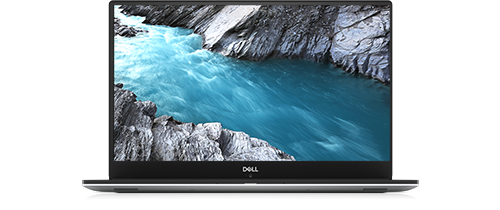
XPS 15 9570
I want to do a clean install of Win11 on my XPS15 (Win10 Pro). Dell's OS Recovery appears to only allow me to restore Win10. I created a Win11 USB installation, using the Microsoft's Media Creation Tool, on my XPS15-9570.
So do I just boot from the USB drive and hope for the best?
What do I about all the Dell-specific drivers and support software?
Thanks for your advice,
Steve
PS I've done backups of all my files and have files to re-install MS-Office, Adobe Photoshop, Quicken, etc.
0 events found
No Events found!
RoHe
12 Elder
•
45.2K Posts
•
172.6K Points
0
August 11th, 2022 12:00
To do the clean install, plug the Win 11 USB in with PC fully powered off. Then power on and tap F12. When the F12 menu opens, select the option to boot from USB and follow the prompts.
Win 11 will probably install all the drivers you need. If any problems come up or if a driver is missing, you can find all the Win 11 drivers and whatever Dell software you need on the Support site. Enter your Service Tag on that page which should help you find drivers specific for your hardware.
Why not just do an update from Win 10 to Win 11, rather than a clean install? That way you shouldn't have to reinstall all your apps.
Steveh789
1 Rookie
•
4 Posts
0
August 11th, 2022 16:00
I did the clean install - everything works! YEAH!
Tesla1856
10 Wizard
•
17.6K Posts
•
70.1K Points
0
August 11th, 2022 12:00
If it passes all of Microsoft's checks (like it must have TPM-v2.0, etc.) then, you can try a clean install. Only possible exception is you might squeak-by if you have a good (yet still "un-supported" ) Intel 7th Gen processor.
Yes, Media Creation Tool. Microsoft should be able to provide most (if not all) drivers. No, don't load the old Dell drivers.
Can you wait a few days? I wrote-up a Wiki Article that I think will help you. Should be posted in a few days.
If you don't have a supported processor ( or at least a nice Intel 7th-Gen), I would suggest just keeping it on Windows-10 (especially if you do anything important with it).
Steveh789
1 Rookie
•
4 Posts
0
August 11th, 2022 13:00
Already did in-place upgrade to Win 11, so Win 11 works, Still want to dump old apps, so clean install. thanks for the hint and link on Dell drivers/software.
But, best is your advice to just do it and not worry too much.
Cheers,
Steve
Steveh789
1 Rookie
•
4 Posts
0
August 11th, 2022 13:00
Thanks. I'll try that. Please let me know when your article appears.
RoHe
12 Elder
•
45.2K Posts
•
172.6K Points
0
August 12th, 2022 12:00
Good work!
Chris-9575
1 Rookie
•
5 Posts
0
December 11th, 2023 04:44
I tried this with an XPS 9575, which was a clean install of Windows 11 pro on a new hard drive. It has not gone well. The keyboard and touchpad, which work in bios and during the installation process, do not work when it comes time to log in, with the exception that the keyboard often works for the first few digits of a pin. I have installed all drivers, uninstalled drivers, reformated, and started over. Always a code 10 on IC2 HID Device. Have tired uninstalling and rebooting, it always comes back. I would love, love not to have to return to Windows 10 Pro or even the old drive (which was the second, a Samsung as is this third drive).
There does not seem to be a lot of support for this issue, though I've read it occurring on older models, the solutions mentioned in other forums have not worked.