

2 Intern
•
67 Posts
0
49385
August 12th, 2022 06:00
What Dell Software Can I Remove?
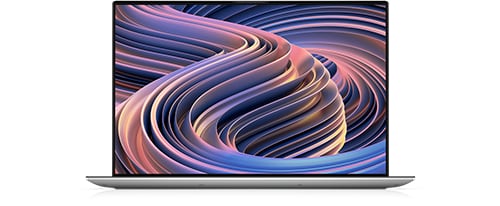
XPS 15 9520
I just got my Dell XPS 9520. As with any computer I get, I remove some of the pre-installed software that I do not want like McAfee anti-anything software.
Here is a list of potential software to remove:
- Dell Customer Connect
- Dell Digital Delivery
- Dell PremierColor
- Dell SupportAssist
- Dell SupportAssist OS Recovery Plugin for Dell Update
- Dell SupportAssist Remediation
- Dell Update
- Dell Update for Windows 10
- Dolby Access
- Dolby Vision Extensions
- My Dell
- SupportAssist
Any comments whether these are important at all?
I want to keep software that handles automatically updating Dell drivers so, I'm thinking of keeping "Dell Update".
I've already uninstalled "Dell Digital Delivery" as I have not purchased software from Dell.
It looks like the Dolby stuff is just an ad for a subscription, is that right?
"Dell Customer" connect seems to be a program for a Dell technician to connect to my computer. I don't think that I need that.
Thanks all for your help and insights.
Mike
Tesla1856
10 Wizard
•
17.9K Posts
•
71.4K Points
3
August 12th, 2022 09:00
Right. Each program/app has a purpose in life. However, I too traditionally tend to like "lean installs". AFAIK, none of that Dell software is required for Windows-10/11 to run properly on a Dell laptop.
I haven't looked at it real close since I was trying to run it as Dell shipped it. I kinda wanted to see what that experience is like for the average user. I don't worry so much about pre-installed programs that keep to themselves (the ones that have no associated Processes and Services that are constantly running in the background).
What I like to do is observe what Processes and Services are running, before properly uninstalling it's associated program the conventional way (and rebooting). Also, interesting to see what is still left behind.
Actually, it doesn't seem too bad so far. I think it might be because these recent 11th-12th Gen Intel processors are just so powerful (plenty of cores and extra processing cycles to go around).
Right. I always uninstall the (paid subscription) McAfee and replace with (Microsoft developed and freely included) Windows Security and their (software based) Firewall. It also seems less intrusive.
MyDell already wanted to update itself, and said something about Dell Fusion. Not sure about now or on plain Dells, but Alienware Fusion used to be a Service that exposed various Windows Settings into a centralized app (like Alienware Command Center). It sometimes got confused or caused strange system problems so I always thought it was un-necessary (or not worth the trouble).
I don't use any of the "Driver Updater programs". Now-days, I get my drivers from Microsoft (Windows Update) and/or Nvidia/AMD. Rarely do I need a Dell validated file. I do get my occasional firmware and BIOS updates directly from Dell Support file-area and like to install those manually and in a more-controlled way. In the BIOS, I also keep UEFI Firmware Capsule Updates DISABLED (in case Windows-Updates tries to toss me one).
As I glance-down that nice list you compiled, I think these 3 listed below are the only ones I might be compelled to keep. But if they don't do anything (or just ads or apps for subscriptions and/or In-App-Purchases) I think they ultimately need to be uninstalled as well.
Dell PremierColor
Dolby Access
Dolby Vision Extensions
Some people just "clean install" generic/genuine Windows to get rid of all the Dell (or other manufacture's) un-wanted software ... but that is a quite a bit more involved procedure (especially on a live machine).
Please post any additional info you come across (that you think might be helpful to others) as you uninstall the un-wanted ones (or find actual purpose for others).
DELL-Nat M
Community Manager
•
3.7K Posts
•
20.9K Points
0
February 11th, 2025 20:32
Hi,
If your system is under warranty and you have questions regarding Dell software, you can easily reach out to tech support right here. Just click the Get Help Now button at the bottom right corner of the page.
JamesVargas
2 Posts
1
November 13th, 2022 05:00
I recently purchased a XPS 15 9520 and the first thing I did was delete all dell related content, haven't had any problems. Update: If you don't want to manually update your drivers or don't know how to, I would then recommend keeping the Dell Support Assist as its the only one I find useful as it automatically searches for the newest drivers to install onto your laptop it also actively searches for the newest firmware updates which are extremely critical to keep your laptop fresh and stable.
Tesla1856
10 Wizard
•
17.9K Posts
•
71.4K Points
1
November 13th, 2022 10:00
I think Dell Update does the same thing, without all the extra Processes and Services required by Support-Assist.
However, between Windows-11 Windows-Update and nvidia.com (or amd.com) you should have everything you need (except for the occasional XPS firmware update).
Mike McCollister
2 Intern
•
67 Posts
0
November 13th, 2022 16:00
I have been purposely not running Dell Support Assist and Dell update to see if I get updates from built-in Windows update. It looks like I do. In Windows Update -> Advanced Options there is an optional updates section. In there is Dell, Nvidia and Intel related stuff that eventually gets installed. I have even gotten XPS firmware updates this way as well. It looks like I'll be removing more Dell stuff. If I need to get support from Dell, I can always reinstall Dell Support Assist.
Thanks all for your help.
Mike
quickguide01
2 Intern
•
271 Posts
0
November 13th, 2022 22:00
I only do windows updates. Should I not be doing that and either use Dell Support Assist or Dell Updates for that? Thus if there are windows updates, I then restart it for it to do updates.
When I done this, it has done several BIOS firmware updates as well.
Mike McCollister
2 Intern
•
67 Posts
0
November 14th, 2022 05:00
From what I can tell, the only updates that Dell Update and/or Dell Support Assist have that are not included in Windows updates are the updates that have to do with Dell Update and Dell Support Assist. So, I think that just using Windows Update is fine.
Mike