

Unsolved
1 Rookie
•
24 Posts
0
3991
September 27th, 2022 00:00
XPS 15 9510 Win11 22H2 thunderbolt issues
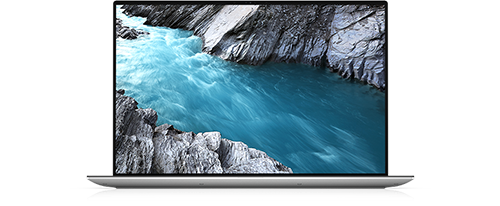
XPS 15 9510
Recently, I installed the Windows 22H2 update and noticed a few things.
The thunderbolt ports on my left stopped functioning as intended. I normally use the top port for charging and the bottom port for video out.
After the update the top thunderbolt port just works for charging and nothing else.
The bottom port works for data and no video out.
I am using the dell provided DA20 dongle I got with my laptop.
Thinking that this is a driver issue, which happens after big windows updates sometimes. I attempted to reinstall the Thunderbolt controller drivers, But I get a fatal error 0x80070643.
Anyone have any suggestions?
Raw Logs :
[0C2C:1184][2022-09-27T12:46:41]i323: Registering package dependency provider: {0A5C4FC7-C229-464C-A042-1DB2352152B6}, version: 1.47.0.0, package: dch_setup.msi
[0C2C:1184][2022-09-27T12:46:41]i301: Applying execute package: dch_setup.msi, action: Install, path: C:\ProgramData\Package Cache\{0A5C4FC7-C229-464C-A042-1DB2352152B6}v1.47.0.0\dch_setup.msi, arguments: ' ARPSYSTEMCOMPONENT="1" MSIFASTINSTALL="7" INSTALL_TCC="no" WIXBUNDLEORIGINALSOURCE="C:\ProgramData\dell\drivers\f9643a69-3a1a-451e-b8f4-b4cab6055e35\Thunderbolt(TM) Software Installer.exe"'
[0C2C:1184][2022-09-27T12:46:45]e000: Error 0x80070643: Failed to install MSI package.
[0C2C:1184][2022-09-27T12:46:45]e000: Error 0x80070643: Failed to execute MSI package.
[1194:3824][2022-09-27T12:46:45]e000: Error 0x80070643: Failed to configure per-machine MSI package.
[1194:3824][2022-09-27T12:46:45]i319: Applied execute package: dch_setup.msi, result: 0x80070643, restart: None
[1194:3824][2022-09-27T12:46:45]e000: Error 0x80070643: Failed to execute MSI package.
No Events found!
angad.anand
1 Rookie
•
24 Posts
0
September 27th, 2022 00:00
Issue exactly the same as this person describes
https://www.dell.com/community/XPS/HDMI-does-not-work-over-two-left-USB-c-ports-on-XPS-9510/td-p/8264280
angad.anand
1 Rookie
•
24 Posts
0
September 27th, 2022 00:00
A common suggestion online is to do "sfc /scannow" and then try again.
sfc /scannow confirms windows file integrity is good.
Attempting to install it after, results in the same issue.
angad.anand
1 Rookie
•
24 Posts
0
September 27th, 2022 01:00
@DELL-Cares Apparently There is a private message response limit.
The diagnostic shows no errors.
angad.anand
1 Rookie
•
24 Posts
0
September 28th, 2022 03:00
@DELL-Cares Please suggest anything apart from doing a windows reinstallation. unless you can 100% guarantee me that it will fix me issue. I cannot afford the downtime a windows-11 re-installation if it does not fix my issue.
d5123101
2 Intern
•
457 Posts
0
September 28th, 2022 09:00
If you can still revert to 21H2, try it and see if it solves your problem. If it does, wait until you have to update to 22H2 (not for a while as 21H2 is supported well into next year).
angad.anand
1 Rookie
•
24 Posts
0
October 3rd, 2022 00:00
No luck with downgrading or any attempt at a software fix.
Dell Rep attempted a motherboard replacement. Replacement motherboard turned out to be faulty. I am really frustrated with my experience owning this laptop. I am never going to buy or even recommend buying an XPS product to anyone.
I wish they could just buy this back at 66% of the value I bought it for so I can get a Lenovo ThinkPad or something.
d5123101
2 Intern
•
457 Posts
0
October 4th, 2022 01:00
Usually, Windows lets you revert from the newer feature update to the older. But do you have any restore points or anything like that which had 21H2 on them? I know Windows keeps its own restore points but there might be a Dell software on your laptop doing it too.
angad.anand
1 Rookie
•
24 Posts
0
October 4th, 2022 02:00
A restore didn't help.
There is something wrong with the ports / motherboard. The onsite engineer came and tried to fix it but was unsuccessful.
d5123101
2 Intern
•
457 Posts
0
October 4th, 2022 02:00
Okay I'll leave you with Dell support for them to sort out your hardware issue
henke64
5 Posts
0
October 14th, 2022 23:00
Sadly a recurring issue with Dell laptops. This has happened to me with every XPS I owned. Sooner or later the laptop cannot charge any more, or dataconnectivity is lost, and a new motherboard is required (after going through useless reinstalls). Since all laptops are sent to China for repairs, it takes weeks to get it back. It would be nice if Dell would use better hardware and have local repair. The laptops are similarly priced to Apple's so if Apple can do it, why not Dell?
angad.anand
1 Rookie
•
24 Posts
0
October 17th, 2022 22:00
Two motherboard replacement attempts later. I am stuck with a partially functioning machine.
I think the dell "engineers" have messed something up, because now my speakers have stopped working.
d5123101
2 Intern
•
457 Posts
0
October 18th, 2022 05:00
Well, 22H2 (and even Windows 11) is notorious for having audio issues right now. Do the speakers make any noise through the BIOS diagnostics (this would isolate it to a hardware versus software problem)?
angad.anand
1 Rookie
•
24 Posts
0
October 18th, 2022 22:00
Nope, speakers do not work in the bios or Dell diagnosis utility that I can access from the boot menu.
This is caused by the guy who worked on my laptop before. Anyway, getting the speakers replaced.
d5123101
2 Intern
•
457 Posts
0
October 19th, 2022 02:00
Okay let us know what happens after the further hardware servicing, thanks.
angad.anand
1 Rookie
•
24 Posts
0
October 19th, 2022 23:00
The previous engineer drove a screw through the speaker wire which is routed around the battery.
Another update, I updated my Laptops Bios to 1.14.0 which was released on 18th October 2022, and now both my thunderbolt ports on the left side refuse to accept any usb-c dongle / hub.
The one on the right side is working properly.