


Unsolved
1 Rookie
•
31 Posts
0
232
March 11th, 2024 18:32
Aurora R11, questions regarding Windows update to 11
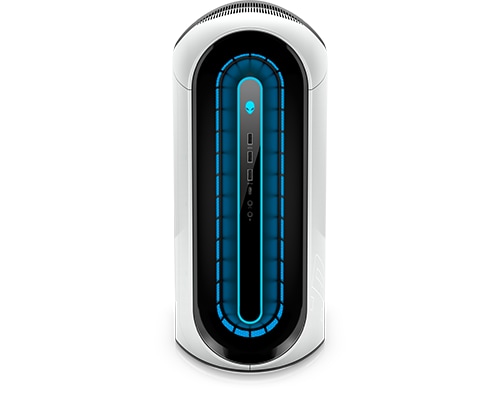
Alienware Aurora R11
Hello,
I have some questions regarding Windows:
1. If I update to Windows 11, what happen to factory recovery partition? Will it get deleted and overwritten after successfully updated to windows 11? Or it will stay available?
2. If the factory recovery partition still intact which contain Windows 10, would it be possible if next time I want to reset my pc to factory settings back to Windows 10 from 11?
3. I have purchased a new SSD. Is it possible if I clean install Windows 11 on new SSD while keeping my factory Windows 10 HDD? So I can plug back in my factory Windows 10 HDD at any time?
4. If the question number 3 possible, can I just use the same Windows key for both installation?
That would be all, sorry if my english wasn't so good and hard to understand.
Thank you
Chino de Oro
9 Legend
•
8.1K Posts
0
March 11th, 2024 18:40
When you upgrade to Win 11, your Win 10 factory restore partition will remain intact. It will be available when you need to restore your system back to Win 10.
If you prefer for a clean install of Win 11 on the new SSD, simply remove the original Win 10 drive for backup. Use Windows Creation Tool from Microsoft to create installation USB drive. No license key is needed. During the process, it will recognize the Windows license embedded on motherboard and Win 11 will be activated automatically.
Odeya
1 Rookie
•
31 Posts
0
March 11th, 2024 21:49
@Chino de Oro Hi, thank you for answering! Just checked my PC that I no longer had the option to reset my pc to factory settings via supportassist, its greyed out, is there anything I can do to bring the option back?
Chino de Oro
9 Legend
•
8.1K Posts
0
March 12th, 2024 07:56
When you need to restore Windows 10, use the Windows Recovery Environment (WinRE).
Click Start , then type reset.
Select Reset this PC (System Setting).
Under Advanced Startup, select Restart now.
At the Choose an option screen, select Troubleshoot.
Select Factory Image Restore.
Follow the on-screen instructions to complete the reset process. This takes some time, and your computer restarts.
Odeya
1 Rookie
•
31 Posts
0
March 12th, 2024 17:46
@Chino de Oro I just read the help section on the support assist os recovery
the factory reset is not available if the previous reset and update process has been performed, since i already did the reset and update before i think thats why the factory reset option is not available. Does using the winre still possible to reset my pc to factory setting even though the support assist help section says otherwise?
I did check disk management there is one partition called recovery partition but i dont know if this was the factory recovery partition or not
(edited)
Chino de Oro
9 Legend
•
8.1K Posts
0
March 12th, 2024 19:26
You could try the process I have written and abort without restore to Win 10. the recovery partition is still there (15 GB size)
XPS_Man
5 Practitioner
•
2.4K Posts
0
March 13th, 2024 05:02
@Odeya Run SupportAssist and it will install the SupportAssist OS recovery plugin.
This keeps your recovery partition updated.
In the case of some models, it also updates your recovery partition to Windows 11 instead of the factory OS. I can confirm this on R13/R14
Odeya
1 Rookie
•
31 Posts
0
March 13th, 2024 17:27
@Chino de Oro Let me try to see if this would work, before i did the restore and update option, the restore factory settings is still available and i though after restore and update the option to restore to factory still intact, now its no longer available, is that a recovery partition created after restore and update or it was indeed the factory recovery partition?
Odeya
1 Rookie
•
31 Posts
0
March 13th, 2024 17:29
@XPS_Man Sorry still didnt catch what you are trying to tell me, but i did have supportassist os recovery plugin installed, the problem is when i tried to restore factory settings, the only available option was reset and update, the restore factory settings option is not available.
Chino de Oro
9 Legend
•
8.1K Posts
0
March 13th, 2024 20:52
Just want to point out that the older the computer gets, the less usefulness of the original restore partition. I prefer of using Windows Creation Tool to get the latest Windows Edition and using Dell Support site to update all the latest drivers.