


Unsolved
1 Rookie
•
12 Posts
2
2690
October 31st, 2023 02:09
AW2723DF, how to disable AlienVision shortcut?
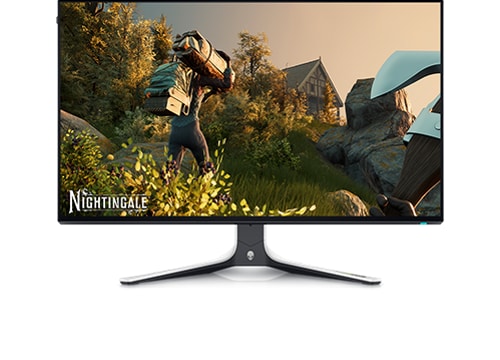
Alienware 27 Gaming Monitor AW2723DF
Hello,
I am trying to figure out how to disable the AlienVision on a Windows system. Alienware Command Center gets automatically installed when the display is plugged in! While I don't mind the LED control, the AlienVision is really getting in the way. It is initially configured on ctrl-y which is a common shortcut for "redo" (hey Dell, have you ever used Microsoft Word?) and there is no way to fully disable the shortcut within AWCC, you can only reassign the key.
I tried to bind it to a F-Key that I don't use often, and to my surprise, binding AlienVision to a F-Key like F12 actually results in AlienVision triggering whenever I press the "F" character key on my keyboard.
I have previous uninstalled AWCC, but it reinstalls once in a while (I think it's when I disconnect display and reconnect it to the PC, which my do often since I share the display with a laptop).
Has anyone found a way to fully disable the AlienVision shortcut?
blackwe
1 Rookie
•
1 Message
1
July 11th, 2024 22:16
You can change the keyboard shortcut in the Alien FX settings for your monitor to something you will never use:
Gaps80
1 Rookie
•
12 Posts
2
September 3rd, 2024 02:04
Unfortunately, changing the shortcut to something that I do not use did not work - it keeps resetting from time to time.
Turning off DDC/CI in the display settings seems to do the trick - although it also disables most of the software features as well. So far, this has held for a few weeks now.
vbscript2
1 Rookie
•
3 Posts
1
November 30th, 2024 08:41
Yeah, mine occasionally seems to reset itself, too. The insane part is that someone actually set the default hotkey to Ctrl + Y! That has been the default hotkey for "Redo" (i.e. revert an Undo) in pretty much every Windows-based editor I've used. It's been used for that ubiquitously since at least the 90s if not earlier. It took me a while to figure out why AlienVision would occasionally turn on when I was editing code, especially since there's a bit of a lag between when you press the hotkey and when it actually changes. For a while, I thought something on my desk was somehow bumping the control on the bottom of the monitor until I realized that the hotkey existed in AWCC... and someone set it to default to the same as "Redo".
It would be great if someone at Dell would both:
- Stop the automatic reversion of this setting.
- Change the default hotkey to something that isn't a standard hotkey used in nearly every program for a common action for at least a few decades running. It's not like this is something people are going to be using every few seconds. Just default it to something with all 3 standard modifiers (e.g. Ctrl + Alt + Shift + Y) and call it a day. Still easy to use, but vastly less likely to interfere with other stuff.
Gnieu
1 Rookie
•
1 Message
2
December 3rd, 2024 17:06
Useless features polute everything. This alienvision is just a nightmare. I thing my next screen will not be an Alienware. Can't play with that <Profanity is never allowed on our Forum. DELL-Admin>. For me, the shortcut is random. Sometimes (like this time) i press 3 times backspace and i got a crosshair, somtimes it's L or idk what. Since I installed Alienware command center, my screen is a joke when I play. 1000$ for that? i can't believe it.
(edited)
vbscript2
1 Rookie
•
3 Posts
1
December 3rd, 2024 19:25
@Gnieu I really like the screen itself, but, yeah, AWCC is very annoying. Not having the option to disable the Alienvision hotkey is really stupid. And so is automatically occasionally reverting when you've remapped it to something less annoying.