


Unsolved
1 Rookie
•
20 Posts
27
6739
February 23rd, 2024 05:31
AW3225QF, add option to disable DSC
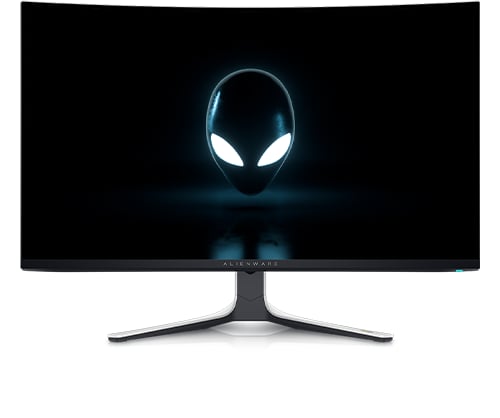
Alienware 32 4K QD OLED Gaming Monitor AW3225QF
Following the news that firmware is coming to allow us to disable Dolby Vision via a toggle in the menu OSD, I think myself and many other customers would like an option to toggle DSC (Display Stream Compression). It is currently forced on and therefore locks the end user out of many features provided by Nvidia and AMD. This is is possible on other Dell monitors. I see no reason why it can't be an option on the AW3225QF. This would let the user have more options and features in using certain resolutions and refresh rates. It is a lovely monitor but for the price it seems silly not to include such an option. Providing this option will also encourage others to buy it rather than purchase other competing monitors that do provide the option.
skylinelch
1 Rookie
•
1 Message
4
February 23rd, 2024 19:43
Yes, I need this as well, currently it only works by turning on PIP/PBP 75%.
Torchim
1 Rookie
•
3 Posts
3
February 28th, 2024 23:29
Makes external elgato capture cards incompatible according to Elgato.
mellowjello555
1 Rookie
•
1 Message
2
February 28th, 2024 23:52
I would like this option as well. When connecting to an M1 Max Macbook pro, I'm limited to 4k@120hz. I'm not sure if DSC is enabled or disabled. In the past, monitors with this toggle has allowed me to set DSC on and exceed 120hz. LG 27GP950 for example allows users to select DP1.4+DSC or DP1.4. With DSC on, I was able to get it working with 4k@144hz + VRR.
Torchim
1 Rookie
•
3 Posts
3
February 29th, 2024 10:36
This monitor is currently not compatible with external Elgato capture cards because of the DSC being on 24/7. Is it in the plans to add a DSC toggle switch to the OSD?
(edited)
thedividedone562
1 Rookie
•
1 Message
3
March 2nd, 2024 08:04
Yes, certain capture cards simply don't work with it on.
(edited)
habusto
1 Rookie
•
1 Message
4
March 3rd, 2024 04:01
Competitor monitor ROG Swift OLED PG32UCDM has the ability to turn off DSC (albeit at lower refresh rates). Could we please have the option to turn off DSC in order to Activate Nvidia options, such as DLDSR Factors?
Thanks!
STRAY.
1 Rookie
•
1 Message
2
March 6th, 2024 01:28
I second this, please add an option in the on screen display settings to disable display stream compression.
Doctor Hades
1 Rookie
•
12 Posts
4
March 6th, 2024 09:01
At the very least, this monitor and the AW2725DF, which supports up to 360 Hz at 1440p, should be disabling DSC automatically for lower refresh rates where DSC is not needed. However, even at 60 Hz DSC is still enabled which prevents the use of NVIDIA's DSR technology, not a big deal on a 4K monitor but not so great on a 1440p one.
Adding an option for DSC On / Off / Auto (with Auto disabling it for lower refresh rates) is really needed on these monitors in my opinion. There's no reason to force DSC on all the time when both screens support multiple refresh rates.
(edited)
LaZouz
1 Rookie
•
3 Posts
2
March 9th, 2024 23:40
For those who are still having problems with the DSC, when you activate 'Legacy Device' in console mode in the OSD, the DSC is disabled, allowing you to use the DSR, create a custom resolution or anything else that the DSC won't let you do.
Then, when you deactivate console mode (in Legacy device), the customs resolutions will still be present.
https://www.reddit.com/r/OLED_Gaming/comments/1b9d17x/how_to_disable_dsc_for_aw3225qf_for_dsr_or/
ChazzBazz
1 Rookie
•
20 Posts
2
March 10th, 2024 04:02
@LaZouz
Thanks for this tip, handy work around for the moment. However I still think a toggle or an auto function as a poster above mentioned would be the most ideal.
EDIT: tried the method linked and was not able to get it to work. It worked in legacy mode but when returning to display port I was not able to select my custom resolutions.
(edited)
LaZouz
1 Rookie
•
3 Posts
4
March 10th, 2024 23:51
This tip may not work correctly with DP 1.4 (I personnaly use HDMI 2.1)
However, as you mention, we defintely need an option to deactivate DSC in the OSD
ChazzBazz
1 Rookie
•
20 Posts
1
March 14th, 2024 01:18
@LaZouz
Ah ok, i'll try it out with HDMI and get back. But yes I agree, it's annoying to have to switch display cables to get something like this done.
ZipFreed
1 Rookie
•
3 Posts
3
March 14th, 2024 10:36
This is a must have update. I'd like to be able to play "4k 4:3" in CS2, 2880x2160. I'm unable to do this because of the DSC lock on the monitor even though it's lower than the displays native resolution.
Both of this monitors big competitors either have a DSC toggle out of the box or one coming via firmware.
ChazzBazz
1 Rookie
•
20 Posts
1
March 17th, 2024 01:51
The community manager has indicated in a similar thread for the AW2725DF that a DSC toggle is coming, so hopefully that means one is coming our way as well!
wilson.1649
1 Rookie
•
5 Posts
1
March 30th, 2024 07:49
I also need a toggle to disable DSC for my use case which involves a triple monitor setup. I can only connect two AW3225QF'S at this time because of DSC being locked on. I want a third non 4k oled monitor, running at a lower resolution and frame rate, but cannot currently do so.
Does anyone with more experience know how long it takes to release something like this when and if Dell decides to do so?