


Unsolved
1 Rookie
•
12 Posts
2
6900
January 16th, 2024 21:44
AW3225QF, HDMI 2.1 G-Sync issue
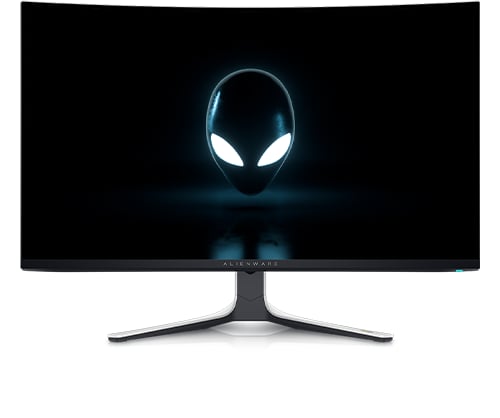
Alienware 32 4K QD OLED Gaming Monitor AW3225QF
I’m having issues with both HDMI 2.1 ports on my AW3225QF with G-Sync enabled and monitor tech set to G-Sync Compatible in the NVIDIA Control Panel. While gaming on PC there is a lot of screen tearing at 240hz, and flickering at 120hz making it basically unusable at either refresh rate. This does not occur using DP 1.4, or with G-Sync disabled while using HDMI 2.1. I have tried different cables, the latest (and third latest) GPU driver, and I plan on trying a different monitor when I have one (on Thursday) to rule out a busted GPU (RTX 4090), but it’s not likely to be the case.
Has anyone else experienced a similar issue? I’ve reached out to Dell for an RMA just in case it’s not my GPU, but I’m concerned this could perhaps be a firmware issue.
Synthetic Pulse
1 Rookie
•
4 Posts
0
January 19th, 2024 22:05
I just received this monitor and I'm also having issues with the HDMI 2.1 Ports. The entire bottom third of the monitor flickers and stutters when I set it to 240hz, but does not do it at 120hz. The display port does not have this issue though. I have tried a RTX 4090 and a 4070 and both do the same thing on the HDMI 2.1 ports.
Synthetic Pulse
1 Rookie
•
4 Posts
0
January 19th, 2024 22:15
And you are right, it seems to be the Gsync, when I turn it off everything is fine, when it is on and I'm connected to the HDMI 2.1 then the flicker comes back. Seems a firmware update is needed ASAP, this is not okay for a monitor in this price point.
Maples11
1 Message
0
January 20th, 2024 01:17
@Synthetic Pulse mine does the same thing just got it to day your right needs a update for 240 asap
Synthetic Pulse
1 Rookie
•
4 Posts
0
January 20th, 2024 03:26
@Maples11 Have you had any luck contacting dell? The automated service just said my order number did not exist and then hung up on me, I don't think this is okay for the amount we paid for this monitor.
(edited)
Vanadiel
6 Professor
•
7K Posts
0
January 20th, 2024 21:40
You are using the included HDMI cable when testing this, correct?
And the video card output is HDMI 2.1?
JRS77
1 Message
0
January 23rd, 2024 05:51
Same issue here. Im using an RTX4090. THe hdmi 2.1 flickers and tears, but the DP works fine. My main issue is the HDR. It doesnt seem to be working properly. I wish there was a way to turn off Dolby Vision (DV). It seems that its stuck in DV on the desktop, but when I start games that do not support DV the hdr looks a little washed out. Also when i select different Smart HDR settings, they all look the same. I have been reading about this issue on the net. People are saying to roll back the RTX 4090 driver. We should not have to change that in order for this to work properly. Im guessing there will be a Firmware update? Im hoping sooner rather than later...
Digitalwolf
1 Rookie
•
4 Posts
0
January 23rd, 2024 12:55
I've been reading about various issues including this one. I'll just chime in with I got my monitor on the Saturday after you could order. I'm using a Galax RTX 4080 and the HDMI cable that came with the monitor. Have the monitor set to 240 for refresh and have no flickering or tearing. While I'd say in games that don't support HDR natively (like World of Warcraft) the auto HDR from Windows 11 might look a little washed out sometimes. I haven't gotten around to messing with settings or haven't felt like it. In games with HDR support I haven't had any issues... again I've read about them in various places. Although I only play 3 games at the moment and the other two have HDR support built in.
Munro77
1 Rookie
•
9 Posts
0
January 24th, 2024 22:38
Adding my voice to this remaining a problem. 2 issues:
MrMidnight
1 Message
0
January 25th, 2024 07:36
HDMI Issue here! Same 4090 card, HDMI 2.1 cables to AW3225QF
Like many others, the problem is with using HDMI. No issues with DP 1.4.
When I use HDMI, the screen constantly flickers and turns off & on. No amount of changing cables, HDR or Geforce settings helps.
Vanadiel
6 Professor
•
7K Posts
0
January 25th, 2024 15:42
Please add details on monitor connections. Single monitor, or dual?
Also, this could be a driver issue and not a monitor issue.
The RTX 4000 series cannot drive 2 x 4K at 240 Hz, only can drive it at 120 Hz. There seems to be a limitation with the HDMI 2.1 implementation of the 4000 series.
See the table and comments at this article: RTX 4000 table
" What makes this a little strange is that even though the GeForce RTX 4090 doesn't support the new DisplayPort 2.1, the full HDMI 2.1 spec of the card should theoretically have enough bandwidth to support 240 Hz - as its possible with the Radeon RX 7900 XTX over HDMI 2.1."
We will have to wait until someone with a Radeon 7900 card tests the HDMI out, to see if it works properly or not to rule out the HDMI 240 Hz implementation of the 4000 series cards. The fact it works properly using DP has me leaning towards an issue that is not related to the monitor.
djc5166
1 Rookie
•
4 Posts
0
January 27th, 2024 00:34
Same issues here, also have the DV bug.
BasisR83
2 Posts
0
February 2nd, 2024 00:50
Same thing for me just came this afternoon. Hooked it up same <Profanity is never allowed on our Forum. DELL-Admin>
13900kf
4090
Driver 546.17, seriously had to roll back quite a few months of updates for this to work. This needs to be fixed. How did this even get released like this?. I might just hook back up my Samsung s90c lol
(edited)
Vanadiel
6 Professor
•
7K Posts
0
February 2nd, 2024 18:53
Try rolling the Nvidia driver back to version Nvidia Driver 537.13
Then report back if that makes a difference when using HDMI.
Only do this if you understand how to roll back a driver properly.
DELL-Chris M
Community Manager
•
56.9K Posts
0
February 14th, 2024 13:24
AW3225QF firmware M2B102 released on Febuary 6, 2024 should fix the G-Sync VRR screen tearing and flickering. Has anyone tested it?
gbdavid
1 Message
0
March 24th, 2024 16:54
I got my monitor last week and updated the monitor to firmware M2B104
I also updated my RTX 4090 to Driver V551.86 released on march 19, 2024 which presumably added more monitors to it's supported list...
The problem is still there, and I think I know one of the main causes:
Display Port connection is detected by NVIDIA as G-Sync Certified monitor
HDMI connection is detected a regular monitor and it shows as: "Selected Display is not validated as G-SYNC Compatible".
I though this monitor was G-SYNC compatible for any connection (not just display port)? but anyway, I think that is part of why we have these issues... can Dell confirm if this is something they can fix or?
(edited)