


Unsolved
1 Rookie
•
16 Posts
0
1943
March 28th, 2024 04:50
AW3225QF, VRR FreeSync black screen flickering
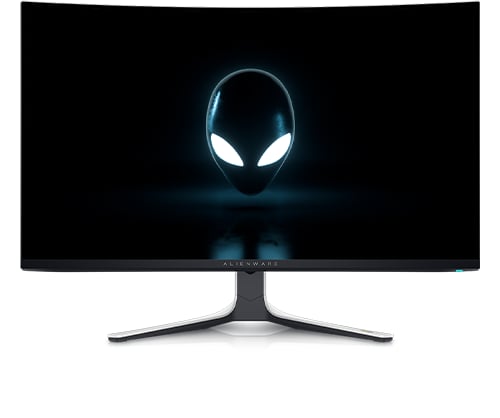
Alienware 32 4K QD OLED Gaming Monitor AW3225QF
M2B104 firmware.
7900XTX
HDMI 2.1 cable/port
4k @ 240hz
When freesync is enabled the screen goes black for a second when viewing a Youtube video in full screen, and the refresh rate lowers to 48hz. Once I exit full screen it shows a black screen then goes back to 240hz.
If freesync is disabled, there is no such issue.
Looking in Custom Resolution Utility, the monitor isn't reporting the full EDID information to Windows.
No Events found!
chrisz5z
1 Rookie
•
16 Posts
0
March 29th, 2024 20:05
UPDATE:
The monitor does not have this problem when connected via DisplayPort. No black flickering or lowered refresh rate when going full screen on Youtube while freesync is enabled. Also, Custom Resolution Utility is reporting full EDID information when connected via DisplayPort.
This seems to be a possible handshake issue when the monitor is connected via HDMI.
chrisz5z
1 Rookie
•
16 Posts
0
April 5th, 2024 18:04
@DELL-Chris M is this being looked into for a possible fix in future firmware updates?
DELL-Chris M
Community Manager
•
56.9K Posts
1
April 6th, 2024 12:09
Unknown. All that is known is that the Alienware Displays team is aware of your thread.
ycliuhw
1 Rookie
•
1 Message
1
April 14th, 2024 03:21
My AW3225QF experiences the same issue, black flickering almost every 1 minute after I upgraded the latest firmware (m2b104)3days ago.
gyropp
1 Rookie
•
1 Message
1
April 22nd, 2024 01:15
I purchased the AW3225QF recently and immediately updated the firmware to (M2B104).
I have been experiencing the same issue as above. Occurs very frequently when connected to HDMI, 4k resolution 240hz. I have two other monitors connected which do not have the same issue.
Bertow45
1 Rookie
•
1 Message
0
April 28th, 2024 19:59
I am having the same issue with the ijncluded displayport cable and that firmware version
chrisz5z
1 Rookie
•
16 Posts
0
June 1st, 2024 15:17
I think I've fixed the "black screen flashing while going to full screen on Youtube" issue.
In Custom Resolution Utility, under the Extension blocks section, pick CTA-861, and click edit...
Click add...
Freesync range > OK
Set the range from 48 to 240, click OK
Should look like this
Click OK, then OK again, restart your PC
Can someone else test to see if this fixes it for them?
razerfanboi89
1 Rookie
•
2 Posts
0
June 1st, 2024 19:07
@chrisz5z I just enabled your fix and will report back tomorrow if it worked or not.
razerfanboi89
1 Rookie
•
2 Posts
0
June 2nd, 2024 03:09
@chrisz5z Did not work for me unfortunately. Random black screen issue recurred.
chrisz5z
1 Rookie
•
16 Posts
0
June 3rd, 2024 03:06
@razerfanboi89 When/where are you having random black screens?
The only thing the above fixed for me was the black screen & refresh rate change that happened when I'd go fullscreen on a Youtube video in Chrome.
I did have a flickering black screen in Chrome just browsing my feed on Youtube, but I fixed that by changing the "Choose ANGLE graphics backend" flag to D3D9.
Phayzical
1 Rookie
•
1 Message
0
June 27th, 2024 01:59
I have the same problem but happens anytime. Switch to other monitors is no problem - of course they dont have 240hz 4k but the Dell fails at any refresh or resolution. Tried the Custom utility thing as well. No luck. to research the perfect monitor and then have this happen.
(edited)
JustDel
1 Rookie
•
1 Message
0
September 12th, 2024 10:40
I just bought this monitor in August, now have the same problem.
(edited)
Mfivecomp
1 Rookie
•
1 Message
0
September 16th, 2024 13:29
I'm having the same problem. Gaming on world of warcraft for hours and 1-2 a day will randomly go black for a few seconds.
Renat7979
1 Rookie
•
1 Message
0
November 4th, 2024 22:51
I'm having also same problem every time start my pc.
SandyBrownBlur
1 Rookie
•
1 Message
0
November 24th, 2024 08:46
Recently getting the same issue as well. Switched from the DP 1.4 port to the HDMI 2.1 port which seems to have triggered the issue.
No black screens with DP when entering full screen or changing applications, however very predictable and persistent with HDMI. Doesn't occur if I'm maintaining the same application (such as gaming) though.
Disabling VRR seems to completely resolve the issue.