

Unsolved
1 Rookie
•
6 Posts
0
550
July 22nd, 2023 03:00
15 R3, OS install, cannot boot
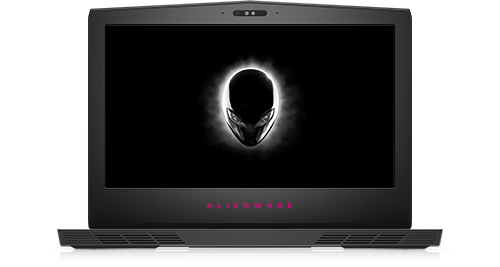
Alienware 15 R3
I'm trying to install a new OS on my Alienware 15 R3. However, the Windows 10 installer could not be loaded from a USB stick. Bios recognizes my new nvme drive and SSD drive, as well as the USB stick. Windows logo shows up,then screen turn black
1.Tried to create USB by using both Dell Recovery Tool and Window Media Creation tool, but same result
2. Ran the diagnostic tool by selecting F12, and got the erro that boot device not found
3.BIOS still can be upgraded/downgraded by using FLASH BIOS TOOL.
Anybody knows how to fix this?
0 events found
No Events found!
giangvhnguyen
1 Rookie
•
6 Posts
0
July 24th, 2023 16:00
Found solution in this topic:
https://www.dell.com/community/Alienware/15-R3-reinstall-issues/td-p/7762588/page/3?fbclid=IwAR20SbDuwAXxWkvrDdGWRwClAS5Ua4HjT_EPEs10pEGkK1KGY8qFxGtvRnE
It turns out that the IntelSpeedStep need to be turned off in BIOS
ejn63
12 Elder
•
30.9K Posts
•
153.5K Points
0
July 22nd, 2023 04:00
If there are two drives in the system, remove the one you're not installing Windows to. Does the system actually boot from the flash drive? If it does not (the system does not recognize it as bootable), try a different flash drive.
giangvhnguyen
1 Rookie
•
6 Posts
0
July 22nd, 2023 05:00
I mounted the nvme only at first, but the Windows forn usb did not boot, so just mounted the SSD to see if it works. Unfortunately, it does not work as well. I just installed new Wins on my PC by using this 32GB usb, but going to try another bootable usb.
Btw, just figure out that I posted this in the wrong forum, this should be in the Alienware. If any person has right to do that, please help me to move this post to the Alienware forum.
giangvhnguyen
1 Rookie
•
6 Posts
0
July 22nd, 2023 23:00
Tried 3 different usb sticks and those sticks do not work either
ejn63
12 Elder
•
30.9K Posts
•
153.5K Points
0
July 23rd, 2023 03:00
What is the reason for the reinstall? Was the system loading normally or was it failing to load?
Does the system pass all the Dell diagnostics (F12 at powerup to access)?
giangvhnguyen
1 Rookie
•
6 Posts
0
July 23rd, 2023 05:00
Yes, it passes all the test in Dell diagnostics. My old drive has failed to boot and not recognized by the bios,so I'm replacing it.The battery was swollen and was replaced by the new one as well