


Unsolved
1 Message
0
381
December 17th, 2023 14:47
m15 R4, frequent crashes, advice needed

Alienware m15 R4
Hello Alienware Community,
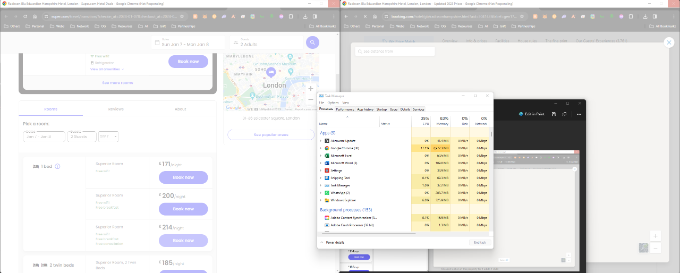
I'm reaching out for some much-needed advice regarding my Alienware m15 R4. I've been facing a really frustrating issue where my laptop keeps crashing, and I'm at my wit's end trying to figure it out. Here's the situation: Even after resetting Windows, my laptop crashes again within just a day or two. I've made sure all the latest Windows updates and Alienware updates are installed, but the problem still persists. It's quite disappointing considering the investment I made in what I thought was a top notch gaming laptop. I also use an LG widescreen monitor, and I read somewhere that certain monitors might cause issues. Not sure if that's contributing to the problem, but I thought it's worth mentioning. To give you a better idea, I've attached a screenshot showing how the laptop crashes while I'm multitasking. In this case, I was watching videos on Google Chrome, and suddenly everything just froze. You can see the Task Manager in the screenshot for a look at what's going on under the hood at the time of the crash. It's really annoying because I rely on this laptop for a lot of my daily tasks, and it's let me down. I find myself having to use an older laptop for multitasking, which isn't ideal. Has anyone else experienced something similar? Any tips or tricks that you can suggest to fix these frequent crashes? I would really appreciate any guidance, troubleshooting steps, or insights into what might be causing these issues. Thanks in advance for your help!
JOcean
9 Legend
•
12.6K Posts
0
December 17th, 2023 16:33
The first step would be to run diagnostics, F12 immediately at boot, and watch for any memory errors or drive errors. Does this only happen when doing online computing in which case the Killer Wifi could be the problem.
mattyb3
5 Practitioner
•
1.7K Posts
1
December 17th, 2023 21:51
I have removed your Service tag from your post as you are not permitted to post that publicly for your own protection.
Also check the Windows Event Viewer after it crashed as it should help point to the possible cause.
The F12 diagnostic may pick up a hardware issue but it also may not. You could try running in Safe Mode with and without Networking to see if anything changes. If you've only just 'reset this PC' then you may also want to try a clean Windows installation using a USB drive and a complete drive format. Do not reinstall all the Alienware software until after you give everything a good test, just in case it's something like Support Assist that is causing your issues.