

Unsolved
1 Rookie
•
31 Posts
0
2568
March 6th, 2023 12:00
m15 R5, no boot, blink 2 red, 1 blue
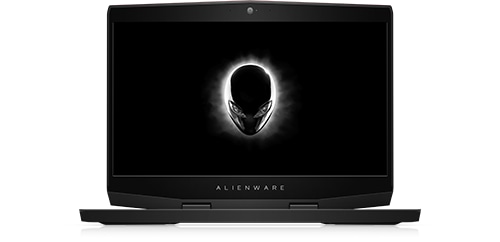
Alienware m15 Ryzen Edition R5
Hello guys,
Just today my m15 R5 won't boot at all. I thought it was just run out of battery so I charged it for like 15 minutes. It turn on with all the led lights turn on normally, but after few seconds it just turn itself off and the power button blinking 2 times red and 1 blue. From what i read it on service manual it was processor failure.
I'm just confused the laptop never been used for something demanding, didn't do any OC at all, even the laptop works perfectly fine just yesterday.
I only played CSGO but that's all. Even I use 60Hz instead of 165Hz since how hot this laptop when running was.
I bought this laptop from the US. Right now I'm living in Indonesia which means that I can't use the warranty without transferring ownership. Since I don't have any previous owner information, I don't know what else to do?
Any help would be appreciated, thank you.
crimsom
9 Technologist
•
6.1K Posts
0
March 6th, 2023 13:00
Hi @Odeya welcome to this free user-to-user Alienware laptop discussion forum.
Solved: m17, start button blinking 2x red and 1x blue - Dell Community.
When processor is not getting correct power, laptop can give false 2 red, 1 blue error code.
Laptops without battery are designed to function as desktop on ac adapter power. Please disconnect battery and then power on to check if bad battery is root cause of this problem.
Please register your laptop in your name. Ownership Transfer and Dell Product Registration Guides | Dell US.
Odeya
1 Rookie
•
31 Posts
0
March 6th, 2023 20:00
At first the laptop won't turn on at all, but after i plug the charger for a while then try to turn it on, it turn on for like 3 seconds and turn off in state blinking 2 red and 1 blue with all led turned on, would try opening it and unplug the battery, can this be caused by bios too?
crimsom
9 Technologist
•
6.1K Posts
0
March 7th, 2023 05:00
Hi @Odeya thank you for sharing question. There are a number of faults that that could give 2,1 and disconnecting battery is first part of good troubleshooting which might provide fix.
Odeya
1 Rookie
•
31 Posts
0
March 9th, 2023 18:00
Sorry just updated, my laptop magically turn on properly into windows, but it only stays for like 10 minutes and then either it turn itself off or crash itself (only can force shutdown, but it took a long time to shut down), when i run diagnostics i only check processor, video, battery, and memory, it stop at 70% and boot immediately to windows, my primary ssd health was at 98%, there is an error on event viewer with event id 86, and the blink led 2 red and 1 blue no longer there, i haven't tested yet to remove the battery. Does this have to do with my ssd health at 98%?