

Unsolved
1 Rookie
•
6 Posts
1
2011
September 27th, 2022 14:00
m15 R7, randomly just become unresponsive
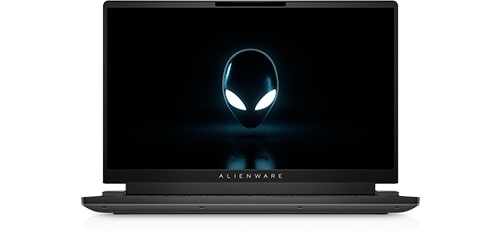
Alienware m15 R7
I got my Alienware m15 R7 about two months ago. It has this problem during low demand applications. I use this computer for school and when I’m scrolling on the web it will randomly just become unresponsive. Sometimes the window will load and become responsive but will freeze up often. Restarting my computer helps. I’ve ran system checks, gone into Alienware Control Center to run system checks and all come back clean, drivers are all up to date. I’ve restored the drive and it says there are no problems. I’ve tried changing browsers and the problem persists. I have yet to do a clean install of windows. Should I try that or is there something else I should do?
No Events found!
crimsom
9 Technologist
•
6.1K Posts
2
September 27th, 2022 17:00
Hi @Connor_b445 welcome to this free user to user Alienware laptop discussion forum.
Please run windows Reliability Monitor and wait for event timeline to be created. Look for date and time event to see if unresponsive system is being reported. If yes, open event to see if root cause is declared. How to use Windows Reliability Monitor to identify software issues | Dell US.
Connor_b445
1 Rookie
•
6 Posts
0
September 28th, 2022 10:00
i ran that program and the operating system said it stopped responding and this is what the tool put out. where should i go from here?
Source
Microsoft® Windows® Operating System
Summary
Stopped responding and was closed
Date
9/28/2022 9:20 AM
Status
Report sent
Description
A problem caused this program to stop interacting with Windows.
Faulting Application Path: C:\Program Files\WindowsApps\MicrosoftWindows.Client.WebExperience_421.20070.665.0_x64__cw5n1h2txyewy\Dashboard\Widgets.exe
Problem signature
Problem Event Name: MoAppHang
Package Full Name: MicrosoftWindows.Client.WebExperience_421.20070.665.0_x64__cw5n1h2txyewy
Application Name: praid:App
Application Version: 421.20070.645.0
Application Timestamp: 630cdba6
Hang Signature: ad4a
Hang Type: 2097152
OS Version: 10.0.22000.2.0.0.768.101
Locale ID: 1033
Additional Hang Signature 1: ad4a1210530c7a10f4344f6cdeb47e50
Additional Hang Signature 2: df62
Additional Hang Signature 3: df62b6018d557e917277cd5007dcac3b
Additional Hang Signature 4: ad4a
Additional Hang Signature 5: ad4a1210530c7a10f4344f6cdeb47e50
Additional Hang Signature 6: df62
Additional Hang Signature 7: df62b6018d557e917277cd5007dcac3b
Extra information about the problem
Bucket ID: d0f8318a66c765bb7731fcccf87f99ca (1671394894003804618)
crimsom
9 Technologist
•
6.1K Posts
0
September 28th, 2022 11:00
Hi @Connor_b445 thank you for sharing update.
Please enable and create a System Restore Point. Always create one before making any changes to your system. Should you wish or need too, you can always go back to this Restore Point. What is Microsoft Windows System Restore | Dell US.
Please run System File Checker (SFC) to fix any system file corruption from the resident component store. If this does not help, repair the Windows Component Store itself. Please run Deployment Imaging and Servicing Management (DISM). DISM vs SFC first? What should I run first on Windows 11/10? (thewindowsclub.com).
Connor_b445
1 Rookie
•
6 Posts
0
September 28th, 2022 15:00
Ok, I already ran these commands about a week ago and there was no change. I ran them again and I guess it's just a waiting game now. ill post again if it goes away or if the problem persists. Thank you for your help. but should I continue with a clean install?
Connor_b445
1 Rookie
•
6 Posts
0
September 28th, 2022 18:00
The problem is still occurring, do you have any other steps to resolve the problem?
crimsom
9 Technologist
•
6.1K Posts
0
September 29th, 2022 00:00
Hi @Connor_b445 thank you for sharing update.
The fix might be to update or reinstall the corrupt Windows Web Experience Pack. How to update the Windows Web Experience Pack in the Microsoft Store.
Evidently, if Windows Web Experience Pack is uninstalled, features such as Spotlight, Widgets might be affected. MicrosoftWindows.Client.WebExperience_321.14700.0.9_neutral_~_cw5n1h2txyewy? - Microsoft Q&A. The fix would be to uninstall your Widgets.exe file followed by Restart (not Shut Down) to save this change. If Windows detects the 'missing' file during restart as being required, it will automatically install this file for you. The Windows Web Experience Pack can be reinstalled manually, see the earlier update link instructions.
Connor_b445
1 Rookie
•
6 Posts
0
September 29th, 2022 09:00
its all updated and reinstalled and it still happens. any other solutions @crimsom?
DELL-Jesse L
Moderator
•
17.9K Posts
•
69K Points
0
October 10th, 2022 05:00
Connor_b445,
Did the OSRI was suggested resolve the issue?
Whyisthissopainful
1 Rookie
•
2 Posts
1
September 7th, 2023 14:25
@crimsom I found this thread after about a year of frustration. I had the same problem as above.
View Reliability History allowed me to solve a persistent problem with my Alienware M15 R7. The problem was that my computer would freeze for 5-10 seconds randomly every 2-10 minutes. The cause was AWCC.exe, Alienware Control Center! This POS program had been tormenting me for a year. It doesn't show up in Task Manager, so I didn't know it was the problem. Using the View Reliability History revealed AWCC as the offending software. It is now uninstalled and the problem is gone. Whoever is in charge of AWCC at Dell should be fired.